
A video appears to show a candidate withdrawing. A voice message says an election office changed a voting deadline. A short clip sounds urgent, looks polished, and arrives from someone you trust. AI election videos can feel self-authenticating because you can see a face or hear a familiar voice. They are not.
Election videos may be synthetic, selectively edited, old, mistranslated, or genuine but paired with a false caption. The person shown may even have said the words while being wrong about the underlying fact. The safest response is not to guess which flaw is present. It is to verify the source, recover the context, and check the exact claim before you share or act. Our broader guide to AI fraud and deepfakes explains the impersonation risk. This guide gives you a practical method for election videos and voice clips.
You do not need to win a forensic contest. If the source, context, or claim remains unresolved, unverified is a complete and responsible conclusion.
Key Takeaways
- A real face, familiar voice, verified badge, or convincing caller ID does not authenticate election videos.
- Election videos can mislead even when every frame is real. A wrong date, false caption, selective cut, altered speed, or new voiceover may change the meaning.
- Visual and audio oddities in election videos are reasons to pause, not proof that AI made the media.
- Write the clip's central claim in one sentence before trying to verify it.
- For election videos, find the earliest credible version and the fullest available recording.
- Treat detector scores, platform labels, metadata, and Content Credentials as evidence with limits.
- Verify voting rules, locations, deadlines, procedures, and results with the responsible state or local election office.
- If important facts remain uncertain, do not give the clip more reach.

Table of Contents
Election Videos Can Mislead in More Than One Way
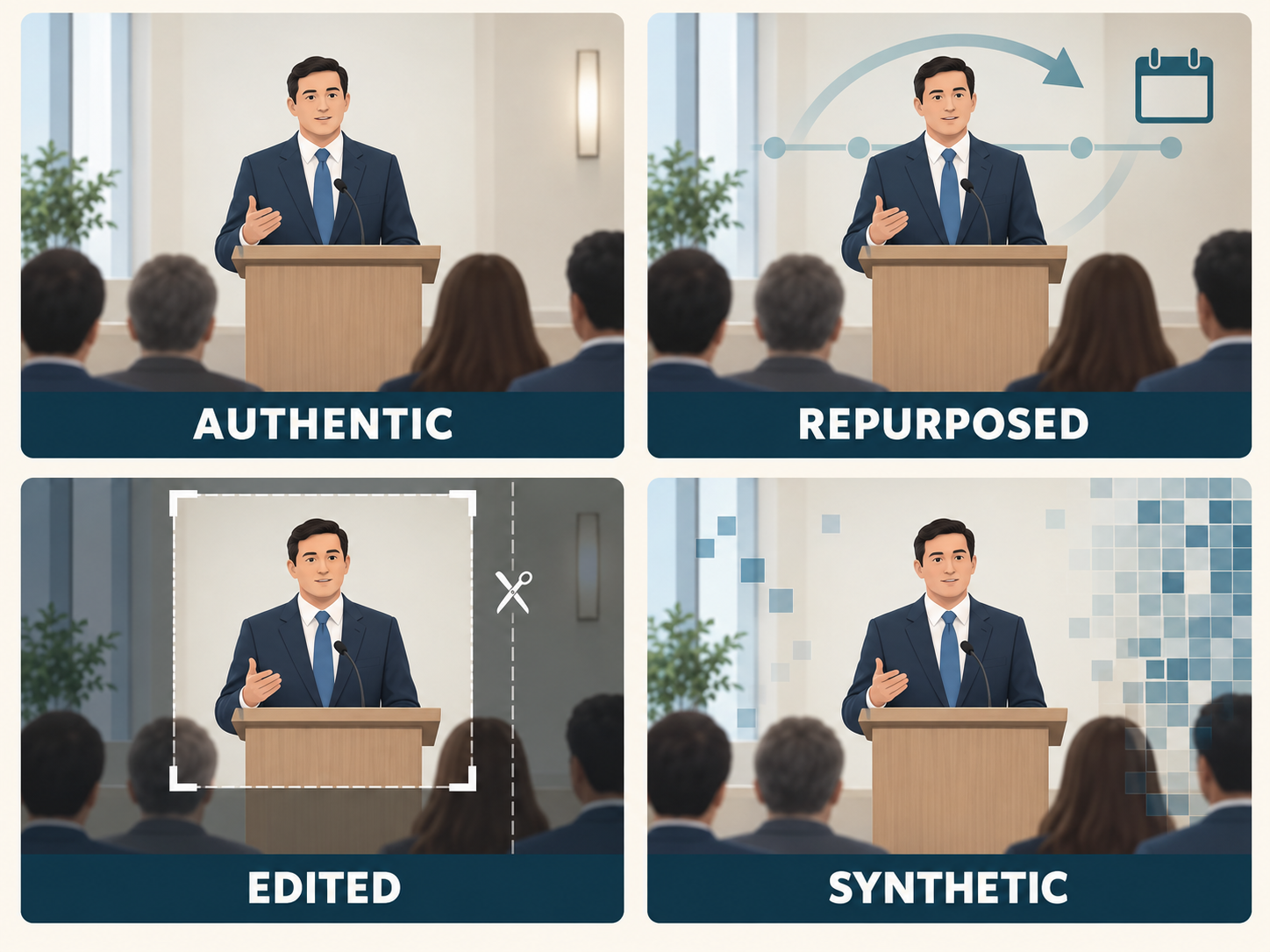
The word deepfake is useful, but it is too narrow to describe every deceptive clip. NIST AI 100-4 draws an important boundary: provenance and detection may help establish whether content is synthetic or authentic, but that does not directly establish trustworthiness because authentic content can still be harmful or misleading. Election videos therefore require more than the question, “Is this AI?”
Some election videos are authentic and presented fairly. The recording, date, setting, and caption align. Even then, authenticity does not guarantee that every spoken claim is accurate. A real speaker can be mistaken.
Other election videos use real media in the wrong context. An old election-office briefing might be reposted as a new announcement in another state. A real speech might carry a false translation, incorrect date, or caption about an event the footage never shows.
Selective editing can also change the impression. Cuts may remove the question a speaker was answering. Playback may be slowed. Segments may be reordered. Subtitles, reaction graphics, or a new voiceover may add a claim that the original recording did not make. CISA's archived Tools of Disinformation: Inauthentic Content calls real audio or video sped up, slowed down, or shown out of context a “cheapfake,” and distinguishes that from a deepfake that fabricates believable audio or video.
Finally, a face, voice, background, lip movement, or complete scene may be generated or materially altered. Some AI election videos disclose that use. Others do not. The practical job is the same across all these categories: determine whether enough reliable evidence supports the sharing decision.
Turn the Clip Into One Checkable Claim
A convincing voice or familiar face can make election videos feel like their own proof. Before deciding whether a clip is real, identify exactly what it asks you to believe, feel, or do.
Write the claim as one plain sentence. Include the person or office supposedly speaking, what allegedly happened, the place affected, and any relevant date or deadline. For example:
- “This video claims that the county moved a polling place.”
- “This recording claims that a candidate withdrew from a race.”
- “This clip claims that the state stopped counting ballots.”
- “This audio claims that an official extended a ballot-return deadline.”
This step separates the emotional force of election videos from the factual question. For election videos, “This looks suspicious” is an impression. “The county changed the polling place at Jefferson School” is a claim that an election office can confirm or correct.
Separate multiple claims if necessary. The video may show a real person at a real event, while the caption supplies the date, location, and allegation. Note what is observable in the recording and what comes only from the caption, narrator, or person forwarding it. Preserve the original wording rather than turning it into a stronger accusation.
The U.S. Election Assistance Commission's AI guidance warns that generated text, images, audio, and video can imitate election officials and present plausible but inaccurate information. A narrow claim lets you find the office, original recording, or other authority that can answer it.
If you cannot say what the clip claims, do not share it as evidence.
Trace Election Videos to Their Earliest Credible Source
Start by preserving the election videos that arrived. Save the full post, account handle, profile page, media link, caption, date, time, and surrounding conversation. Keep the original message or file when possible. A tightly cropped screenshot may remove the details you need to find the source or report the account.
Preservation is not public distribution. You can retain evidence without quote-posting election videos or uploading them again.
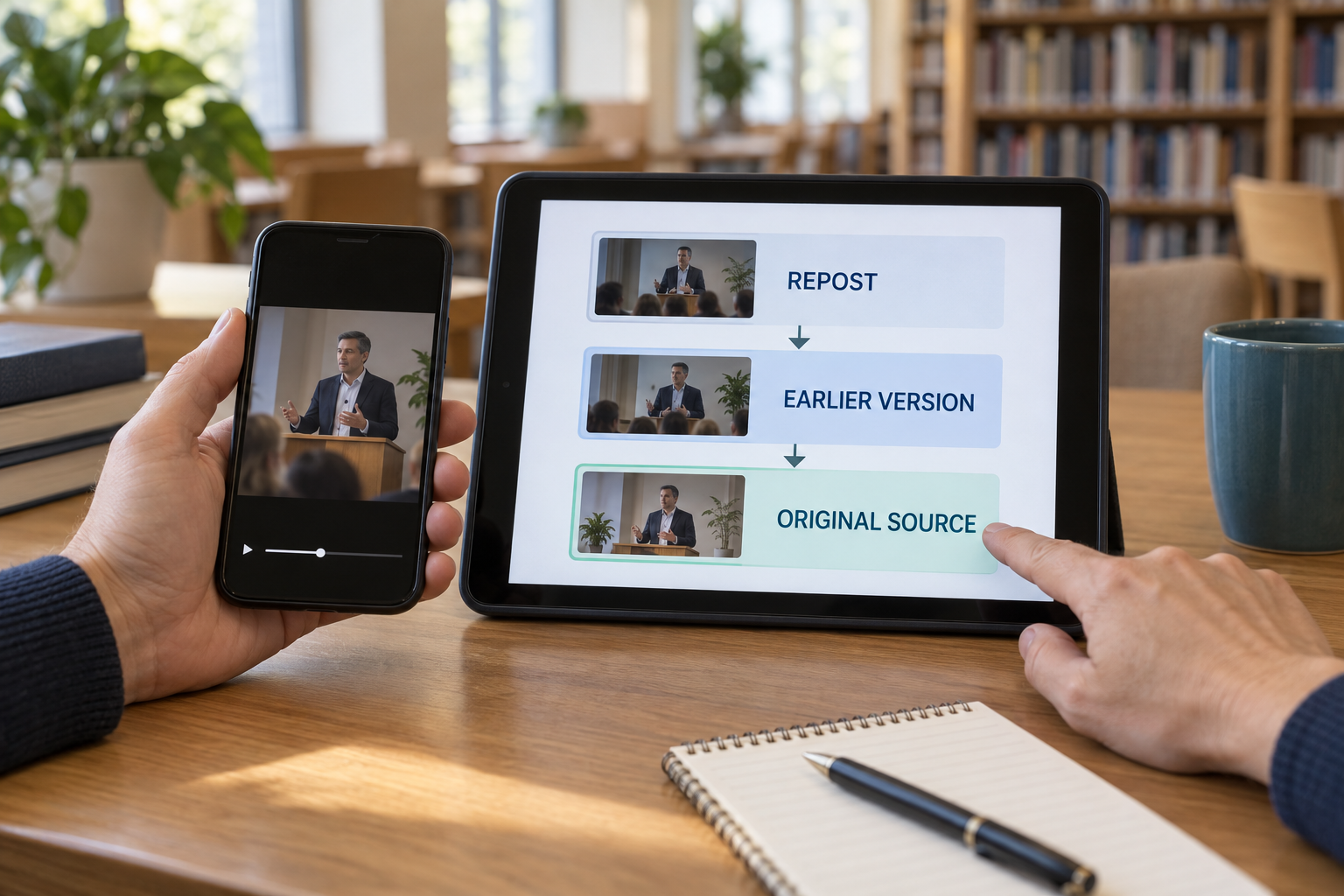
Next, search for the speaker, event, and exact words. Put a distinctive sentence in quotation marks. Add the alleged speaker, venue, jurisdiction, or approximate date. Look for a full speech, meeting, interview, livestream, transcript, official release, or original report. The friend, commentator, or meme account that sent the clip may be a distributor rather than the source.
Check the account outside the repost. Locate the purported speaker, campaign, election office, or publisher through an independently found website. Follow the official site's link to its social account or video archive. A profile photograph, familiar logo, large audience, and verification badge are not substitutes for this route. Michigan's current guidance on AI-generated election misinformation warns that impersonators can obtain verification and that verified accounts can still spread false election information.
For election videos, capture a clear frame that shows a distinctive setting, sign, item of clothing, or person instead of a subtitle or reaction overlay. Google's About this image guidance says image history may reveal when Google first found a similar image, earlier uses, and other pages carrying it. That can expose an old clip relabeled as new. Google also cautions that available source or edit metadata can be modified, so image history is context, not proof.
Do not upload private or sensitive media to a public search or detection service. If the earliest credible version remains missing, keep the clip unverified.
Recover What Happened Before and After the Viral Excerpt
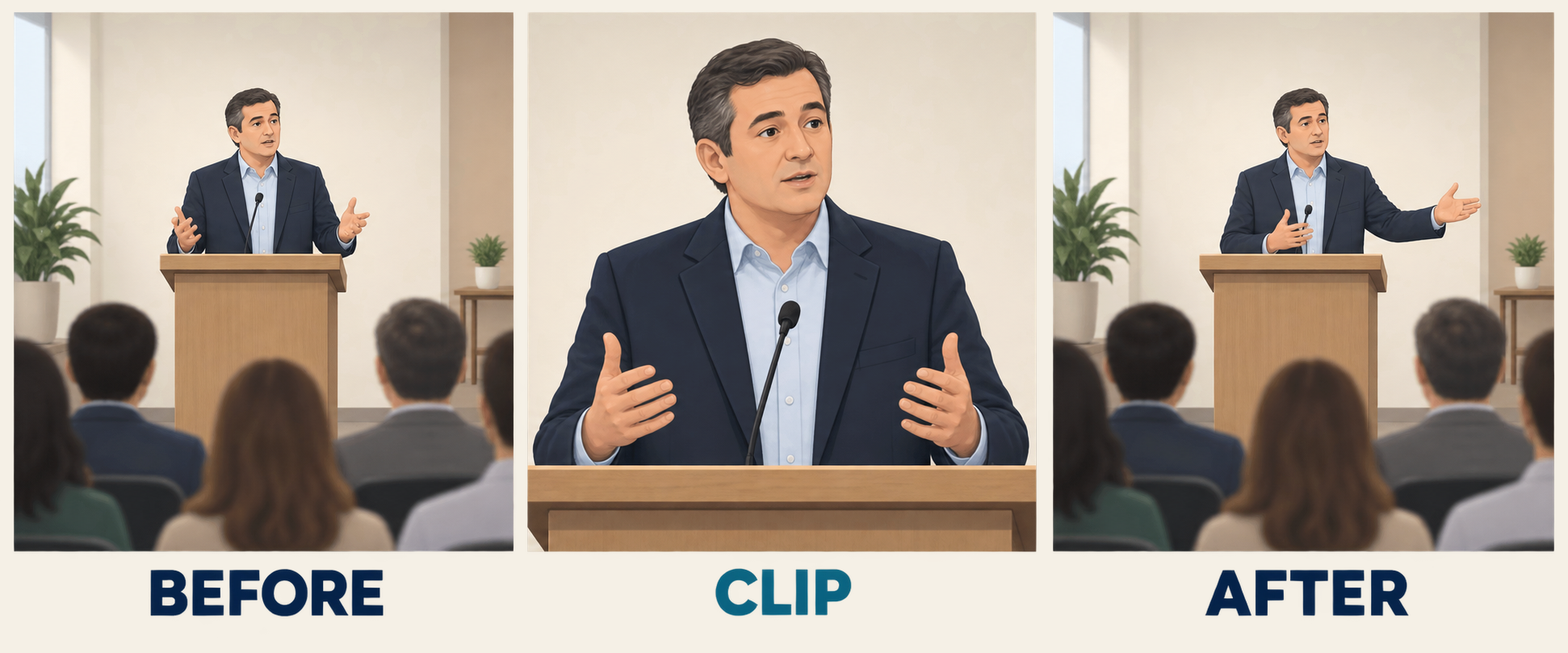
A viral clip can mislead without containing a single generated frame. Real election videos can be shortened, paired with a false caption, moved to a different date, or presented as evidence of something they never showed.
Find the complete speech, meeting, interview, press conference, or livestream. Compare election videos with the longer recording from before the excerpt begins until after it ends. Listen for a qualifying sentence, the question being answered, a joke or satire disclosure, or a transition the edit removed. Check whether the audio track, subtitles, sequence, framing, or playback speed changes at the cut.
Compare the claimed date and place with the event schedule, setting, clothing, weather, signage, and other available records. Look for independent recordings from another angle when the event itself is disputed. Multiple accounts embedding the same upload do not count as independent confirmation.
Joint NSA, FBI, and CISA deepfake guidance recommends checking the publisher and using reverse-image search as part of a broader examination. It also notes that social-platform processing and compression can remove metadata and technical detail. Missing camera data, a blurry edge, or a degraded copy does not make election videos fake.
Pay attention to the text wrapped around the media. A caption or direct message can use urgency and certainty to push a viewer past basic checks. Our guide to spotting AI text scams can help you examine those surrounding messages. A truthful excerpt does not support a claim that the footage never shows.
How to Check Election Videos Without Playing Forensic Expert
Watch once for the claim and once for the edit. There is rarely value in looping disturbing election videos until small compression defects start to look meaningful.
You can note abrupt transitions, drifting details, mismatched mouth movement, inconsistent reflections, unusual subtitles, or background sounds that change at a cut. Then limit what those observations mean. Authentic footage can look strange after resizing, dubbing, noise reduction, screen recording, or repeated reposting. Strong synthetic media may look clean. A flaw is a prompt to investigate, while the absence of a flaw proves nothing.
Use this sequence instead:
- Identify the exact statement or event being claimed.
- Locate the purported speaker's official channel through an independent route.
- Find the full event and confirm the date, place, and sequence.
- Compare a transcript, another camera angle, or reporting that obtained the source separately.
- Inspect available provenance, but do not let metadata replace the other checks.
The FBI advises people to seek trusted news or official confirmation before accepting or sharing unusual audio, video, or images. If a major announcement appears only in reposted election videos and nowhere on a suitable official channel, that absence should slow you down. It is not final proof of fabrication.
Do not infer a creator's nationality, party, purpose, or legal liability from production quality. For election videos, source and context carry more weight than a quick visual impression.
How to Verify a Voice Clip or Robocall Recording
A familiar voice can feel like identity proof. It is not. A convincing clone may reproduce tone and cadence, while an authentic recording may sound unusual because of a poor microphone, phone compression, background noise, or ordinary editing.
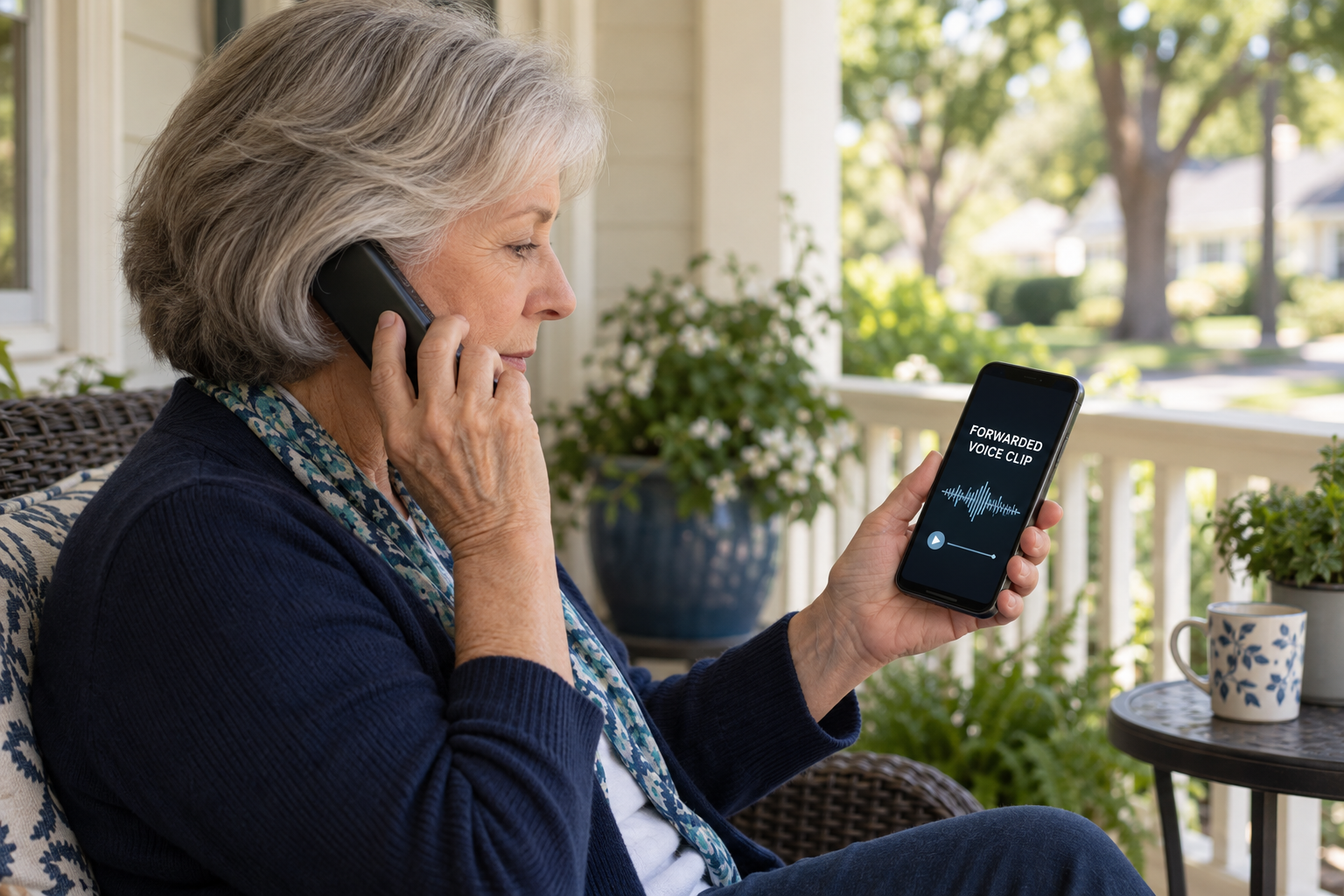
Start with how the audio reached you. Was it posted on an official channel, embedded in complete election videos, aired in a documented interview, or forwarded without a source? Voice clips and election videos need the same independent source check. Transcribe one distinctive sentence and search it with the alleged speaker and event. Look for an official transcript, a full recording, or independent reporting that attributes the same words to the speaker.
If the clip arrived through a robocall, voicemail, text, or private message, do not use a callback number or link inside that communication to verify it. Locate the campaign, public office, or election authority through its official site and reach it separately.
Listen for abrupt cuts, odd pacing, mismatched background sound, or terminology that does not fit the speaker's role. Treat these as clues only. In a peer-reviewed study of speech deepfake detection, 529 participants identified synthetic speech correctly about 73 percent of the time, and examples improved performance only slightly. The percentage is not a prediction for every current voice clone. The useful lesson is that sounding real is not authentication.
The FCC's 2024 New Hampshire robocall order documents calls that combined an AI-generated imitation of President Biden's voice with misleading caller identification. The case does not mean every AI-assisted call is unlawful. It does show why a familiar voice and displayed number are not two independent confirmations when both can be manipulated.
Why AI Detectors Should Not Decide What You Share
An AI detector can add information about election videos, but its score is not a verdict. “85 percent likely synthetic” means a system found patterns associated with its training and test conditions. It does not mean there is an 85 percent chance that the election claim is false.
NIST AI 100-4 explains that detector performance can change with the generator, dataset, subject matter, compression, resizing, noise, and later processing. A system trained on one generator may perform worse on unfamiliar material. A grainy authentic recording may be flagged because it falls outside the training data. A polished fake may pass because it leaves different traces.
False positives can damage a real person's reputation and create doubt around genuine evidence. False negatives can give viewers unjustified confidence. Running several tools until one gives the answer you expected adds confirmation bias rather than reliability.
If you choose to test election videos, preserve the original first. Review the service's privacy terms before uploading anything sensitive. Record which file you tested, which tool produced the result, and what limitations it reports. Compare the score with a credible original source, the full recording, provenance, and independent evidence.
When those signals conflict, investigate the conflict or withhold the clip. Detectors may tell you where to look next in election videos. They should not decide what you believe or repost.
What Platform Labels and Content Credentials Can Tell You
An AI label is useful, but it is not a verdict on election videos. Platform labels on election videos may reflect an uploader's disclosure, a technical signal, a generation tool, manual review, or provenance embedded in the file. They do not prove that the clip is false, malicious, or substantially changed. No label does not prove authenticity.
Read an “AI Info” label as a clue
Under Meta's current 2026 election-integrity approach, Facebook, Instagram, and Threads may display “AI info” based on user disclosure or recognized technical signals. Meta also requires disclosure for certain digitally created or altered political ads. The label concerns how media may have been produced. It does not determine whether every claim in the post is true.
For an ad, inspect the payer disclosure and Ad Library record. Those details may help establish who funded and distributed it, but they do not authenticate every image or voice. A platform label, a community note, and a removal decision answer different questions.
Open the original YouTube or TikTok post
YouTube's current altered-content labels may appear below a long-form video, over a Short, or in the expanded description, depending on the content. A cropped excerpt or screen recording can remove that context. Open the watch page, expand the description, and inspect the channel before interpreting the label.
TikTok's current Community Guidelines require clear labeling for certain realistic AI-generated or edited depictions and separately prohibit false information that interferes with voting. Some content may be removed, while other material may remain available but lose recommendation eligibility. AI use and election misinformation are related but distinct policy questions.
Treat Content Credentials as signed history, not truth
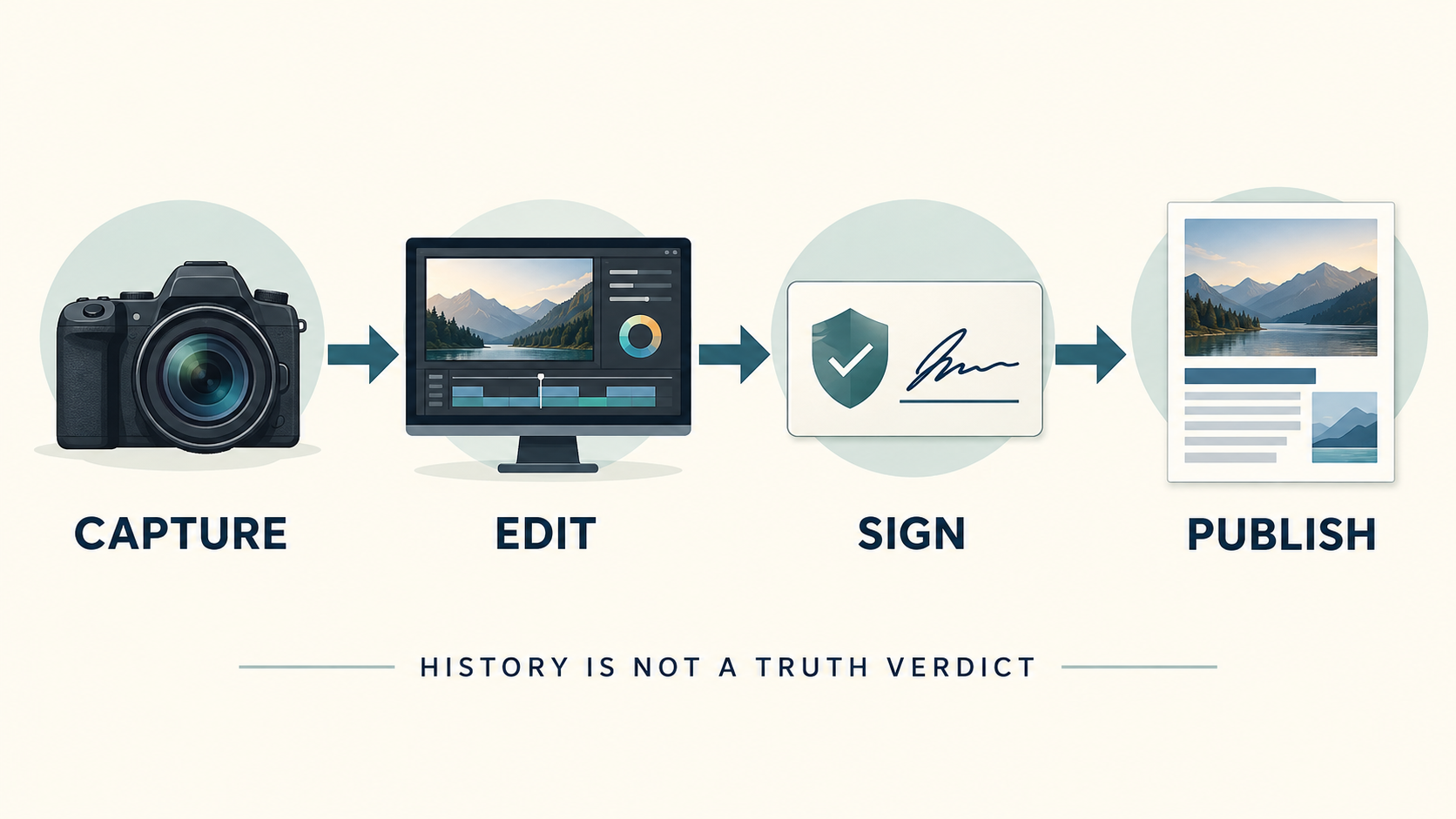
Content Credentials under the C2PA standard can attach cryptographically signed provenance information to media. A credential may identify a device or software tool, editing actions, ingredients, and disclosed AI use. It can show that a credential holder's key signed the claim through the claim generator and whether the signed manifest or bound asset changed after signing. Core C2PA does not directly establish a specific person's or organization's real-world identity, so any identity assertion still needs evaluation.
That is closer to a chain of custody than a fact-check. A valid credential cannot prove that the depicted event happened, that a spoken claim is accurate, or that the signer is trustworthy. A staged scene can have intact provenance. Authentic election videos can carry false captions.
Credentials may also be incomplete or absent. The multinational government report Content Credentials: Strengthening Multimedia Integrity in the Generative AI Era explains that Content Credentials are opt-in and still evolving, and that provenance may be missing for privacy, proprietary, or technical reasons. Workflows that detach or strip metadata can leave media without its original provenance. The C2PA explainer adds that a tool without Content Credentials support may modify an asset without updating its provenance, and that provenance metadata can be removed. Missing credentials do not by themselves prove fraud or make media untrustworthy.
Use three interpretations. A valid credential provides useful history that still needs context. A broken or inconsistent credential gives you a reason to pause, not automatic proof of fraud. No credential means the provenance is unknown.
Match the Election Claim to the Source That Can Answer It
Once election videos have been reduced to a specific claim, take that claim to the source responsible for the answer.
Voting logistics belong to state and local election officials
Claims about registration, eligibility, polling locations, hours, identification, ballot-return deadlines, and voting methods belong with the office administering that election. Start with the Election Assistance Commission's state-by-state voter directory, then reach the relevant state, county, city, or township site.
Compare the clip's claim with the office's current notice, lookup tool, calendar, or rules. If an urgent answer is unclear, contact the office using details published on its government website. Do not use contact information supplied only in the suspicious post.
Results claims belong to official reporting and certification systems
Election-night numbers are not the same as certified results. The EAC's Voting 101 guidance explains that results remain unofficial until ballots are counted and the certification process is complete. Counting and certification timelines vary by state.
A change in an official total or an unresolved race does not by itself show wrongdoing. Identify whether election videos refer to an unofficial update, a completed canvass, or a certified outcome. Then use the jurisdiction's official results page and process explanation. A television projection, candidate statement, and viral post are not legal certification.
Claims about a person's words require the original context
For a purported endorsement, concession, withdrawal, or statement, look for the genuine speaker's release and the complete event. Compare it with independent reporting that links to or describes the same source. An election office can verify voting procedures, but it may not be able to authenticate a general political quotation.
Cyberattack claims require more than technical language
The joint FBI and CISA foreign-influence public service announcement warns that synthetic media can be combined with spoofed sites, fake personas, texts, email, and messaging apps to spread false narratives, including claims that cyber incidents changed voting or counting.
Read any public assessment from the responsible election office or agency instead of a screenshot or paraphrase. Do not assume a website outage, delayed update, or other technical problem affected ballots unless responsible officials say it did.
Decide Whether to Share, Correct, Withhold, or Report
After checking the source, context, claim, labels, and available provenance, make a distribution decision. The goal is not to solve every technical mystery around election videos. It is to avoid helping a deceptive claim reach more people.
Share the original when the important claim is supported
Share when you can identify the original source, locate enough of the full recording to understand the context, and confirm the material claim through reliable evidence. Prefer the original or full version over a degraded repost. Include the source, date, and relevant context. Preserve any satire, translation, or AI disclosure that a new crop could remove.
Correct a clear falsehood without repackaging it
Lead with the verified fact, explain briefly what is wrong, and link to the authoritative evidence. Avoid quote-posting or repeatedly uploading deceptive election videos when a text correction will do. Reproduction can reward the account that posted the clip and leave the falsehood circulating after your explanation is detached.
Withhold when uncertainty changes the meaning
Withhold when you cannot resolve whether the voice belongs to the named person, whether an excerpt omits a decisive sentence, or whether voting instructions are current in the relevant jurisdiction. Posting “I don't know if this is real” still distributes the media, and the warning may disappear when someone downloads or crops it.
Withholding election videos is not an accusation that a clip is fake. It is a decision that the available evidence does not justify more reach.
Keep disclosed satire or illustration attached to its label
Synthetic election videos may be lawful satire, commentary, translation, or illustration. If the context is clear and you choose to share, do not crop away the disclosure. Consider whether a viewer who sees only your repost could mistake it for evidence of a real event.
Report material that crosses a safety line
Report impersonation, false voting instructions, threats, scam solicitations, or content covered by a platform's manipulated-media rules. Select the most specific category available. Do not report a clip merely because it uses AI or expresses a political view you oppose.
For practical cyber and AI guidance grounded in what readers can actually do, subscribe to Quantum Cyber AI.
If You Already Shared an Unverified Clip
Sharing before checking does not obligate you to defend the post. Correcting it is more useful than hoping no one relied on it.
First preserve the original if it may involve voter suppression, fraud, or a threat. Then stop forwarding it. Remove or annotate your repost when the platform allows it. If people may already have seen or acted on it, put a short correction in the same channel:
- “I shared a clip saying the polling place had changed. The county election office says it has not. My earlier post was incorrect.”
- “This excerpt left out important context. Here is the full recording.”
- “I shared this before verifying it. I cannot confirm it is genuine, so please do not rely on it.”
Link to the official correction or full recording. Avoid repeating the false claim in a dramatic headline or uploading the questionable clip again. If you sent it privately, follow up with the same people. For time-sensitive voting information, provide the responsible election office's source directly.
Do not accuse a named person of creating a deepfake unless reliable evidence establishes it. You can say election videos are unverified, altered, out of context, or contradicted by official information without guessing who made them or why.
If the clip led you to open a link, download a file, enter a password, send a payment, or disclose personal information, stop treating the problem as only a media question. Follow the site's scam-link recovery steps and contact the relevant account or payment provider through an independently located route.
Where to Report Election Videos and Voice Clips
Not every inaccurate post is a federal crime. People can misunderstand events, repeat rumors, create satire, or express opinions. Reporting is especially important when election videos give false voting instructions, appear designed to prevent voting, contain a threat, impersonate an official for money or information, or carry a malicious link.
When a claim concerns a state or locality's voting process, notify the responsible state or local election office. The FBI's Election Crimes and Security guidance directs suspected voter suppression, especially false voting information received through a private channel such as a text or peer-to-peer message, to IC3. For other suspected federal election crimes, submit a tip to the FBI, call 1-800-CALL-FBI (1-800-225-5324), or contact a local FBI field office.
For threats against election workers, the Justice Department's archived Election Threats guidance says to call 911 or local police if someone faces immediate danger and otherwise report suspected threats or violent acts to the FBI. Preserve original communications, screenshots, audio, and video because they can help the FBI assess the report. For possible federal voting-rights violations, use the Civil Rights Division's current Report voting issues resource, which routes civil-rights reports to its online DOJ form and election-crime complaints to a local U.S. Attorney's Office or FBI office.
For an unwanted or spoofed robocall, retain the voicemail, number, date, time, and callback instructions. The FCC has ruled that an AI-generated human voice in a telephone call counts as an artificial or prerecorded voice under the Telephone Consumer Protection Act and is subject to the relevant consent, identification, and opt-out requirements. The exact law depends on the call; it does not govern ordinary online election videos. An FCC unwanted-call complaint may inform enforcement and policy, but the agency does not promise to resolve an individual's case.
Use the platform's reporting tool for impersonation, manipulated media, or election misinformation. Preserve the original URL, account, caption, file, date, time, and surrounding context first. When reporting election videos, send evidence privately through the appropriate channel rather than publicly reposting them to ask whether they are fake.
Conclusion
Appearance is evidence, not authentication. The same is true of a badge, AI label, detector score, voice match, or metadata record. Election videos become safer to evaluate when you replace one sweeping question with a short sequence: pause, preserve, state the claim, trace the source, recover context, compare the claim with the responsible authority, and then decide what to do.
Sometimes that process confirms the original. Sometimes it reveals a false caption, missing sentence, old recording, synthetic voice, or inaccurate claim. Sometimes the evidence simply stops short. In that case, unverified is not a failure. It is the right sharing decision.
Slowing one share protects your own decisions and reduces the reach of a claim that may be difficult to retract. You do not need perfect forensic certainty to avoid becoming the next distribution point.
Sources
- Reducing Risks Posed by Synthetic Content, National Institute of Standards and Technology.
- Tools of Disinformation: Inauthentic Content, Cybersecurity and Infrastructure Security Agency.
- Artificial Intelligence and Election Administration, U.S. Election Assistance Commission.
- Protecting Michigan Voters from AI-Generated Election Misinformation, Michigan Department of Attorney General.
- Learn More About an Image, Google Search Help.
- Contextualizing Deepfake Threats to Organizations, NSA, FBI, and CISA.
- Stay Safe Online: Simple Tips for Adults, Federal Bureau of Investigation.
- Warning: Humans Cannot Reliably Detect Speech Deepfakes, PLOS ONE.
- Forfeiture Order FCC 24-104, Federal Communications Commission.
- How Meta Is Preparing for the 2026 U.S. Midterm Elections, Meta.
- Improving AI Labels for Viewers and Creators, YouTube.
- Community Guidelines, TikTok.
- C2PA and Content Credentials Explainer, Coalition for Content Provenance and Authenticity.
- Content Credentials: Strengthening Multimedia Integrity in the Generative AI Era, NSA and international cybersecurity partners.
- Register and Vote in Your State, U.S. Election Assistance Commission.
- Voting 101: Election Information for New Voters, U.S. Election Assistance Commission.
- Foreign Threat Actors Likely to Use a Variety of Tactics to Develop and Spread Disinformation, FBI and CISA.
- Election Crimes and Security, Federal Bureau of Investigation.
- Election Threats, U.S. Department of Justice.
- Report voting issues, U.S. Department of Justice Civil Rights Division.
- Declaratory Ruling FCC 24-17, Federal Communications Commission.
- Unwanted Calls, Texts, and Spoofing, Federal Communications Commission.
FAQ
Can I tell whether an election video is AI-generated just by watching it?
Not with reliable certainty. Visual oddities such as lip-sync errors, changing details, abrupt cuts, or strange reflections can justify a closer look. Authentic election videos may develop similar defects through compression, screen recording, dubbing, or ordinary edits, while sophisticated synthetic media may look clean. Use those clues to trigger source, context, and provenance checks, not as a verdict.
Does an AI label mean a political clip is false?
No. A label may indicate that an uploader disclosed AI use, a platform detected a signal, or a compatible tool recorded provenance. It says something about how media may have been created or changed. It does not decide whether the depicted event happened or whether the spoken election claim is accurate.
Does no AI label mean the video or voice clip is real?
No. The uploader may not have disclosed the edit, the platform may not have detected it, or reposting may have removed the relevant signal. Some authentic media also has no provenance record. Treat the absence as unknown, then verify election videos through their source and context.
What should I do with a clip about my polling place or voting deadline?
Do not act on it or share it until you confirm the information with the responsible state or local election office. Reach that office through an independently located government site. Check the exact polling location, date, time, deadline, and voting method that applies to your jurisdiction.
How do I verify a voice clip from a candidate or public official?
Search a distinctive phrase, locate the speaker's genuine channel, find the complete speech or interview, and compare independent reporting. If the clip asks you to call, click, pay, or change how you vote, leave the message and reach the purported source through a contact route you found independently.
Should I repost suspicious election videos to ask whether they are fake?
Usually no. Reposting gives the material another audience, and your warning may disappear when someone crops or downloads it. Preserve the original privately, ask the sender for the source, and report the link or file through the relevant platform, election-office, fraud, or law-enforcement channel.