
A fitness tracker can make an invisible pattern easier to see. It can show that your sleep changed, your usual walk became a little faster, or your recovery looks different from last week. The same usefulness depends on a growing record. Wearable data may include readings from your body, details you enter, workout locations, daily routines, connected-app information, and conclusions produced from all of them.
The privacy question is therefore larger than the watch or ring. It includes the phone permission that lets an app read location, the cloud account that keeps years of history, the fitness service that displays a route, and the AI feature that combines health signals with goals or conversations. A private-looking screen does not tell you how many copies of that information exist or which service controls each one.
You do not have to reject every wearable to take this seriously. The practical goal is to understand the exchange, keep the features that earn their access, and reduce the rest. This guide shows how to map wearable data, ask better questions before buying, reset an existing account, and respond if sensitive information was exposed or shared unexpectedly.

Key Takeaways
- Wearable data can include activity, sleep, heart rate, body measurements, location, profile details, connected-app information, and AI-generated insights, depending on the product and settings.
- Repeated readings can reveal routines and changes that a single reading would not.
- Revoking a connected app can stop future access without deleting the copy the app already made.
- HIPAA does not automatically protect wearable data held by a direct-to-consumer fitness tracker or wellness app.
- Controls for route visibility, activity visibility, AI coaching, research, advertising choices, and health-store permissions are separate settings.
- A readiness or sleep score is wearable data and can be sensitive even when it is not a medical diagnosis.
- A short privacy reset can reduce unnecessary wearable data exposure without giving up the features you actually use.
Ten High-Value Wearable Privacy Checks
Start here if you want the most useful settings before the longer explanation. Choose the checks that fit the features you use; the detailed reset below shows where to find the main controls:
- Secure the account. Use a unique credential, enable stronger authentication, and check recovery details.
- Review active sessions and devices. Remove anything old or unfamiliar.
- Check location. Decide whether the wearable app needs precise location, background location, or no location for the features you use.
- Restrict public activity. Review the default audience, old routes, start and finish points, followers, group features, and photos.
- Audit connected apps. Remove stale training, nutrition, social, medical, and workplace connections.
- Review health-store permissions. Limit read and write access by data category where the platform allows it.
- Revisit AI, research, and improvement choices. Keep only the programs whose value is clear to you.
- Check deletion and export tools. Know how to preserve a needed record and how to remove an unwanted one.
- Install updates. Update the wearable, phone, and companion app.
- Remove old hardware. Unpair and erase devices that have been sold, replaced, returned, or given away.
This checklist reduces unnecessary wearable data exposure. It does not prove complete privacy, erase copies held elsewhere, or evaluate every term in a company's policy. Repeat it after a major feature change or a new integration.
What Wearable Data Can Include
Direct readings and details you add
Steps are only the familiar starting point. Depending on the device and features, wearable data may include distance, pace, heart rate, sleep times, sleep stages, calories, weight, body measurements, skin temperature, blood oxygen estimates, stress-related signals, cycle information, food, symptoms, exercise history, and precise location. It may also include profile details such as age, height, weight, and sex because those inputs help the service create estimates or a personal baseline.
A current Google Health explanation of the information used with Fitbit and Google devices lists steps, distance, calories, weight, heart rate, sleep stages, active minutes, manually entered information, information from connected services, and location when the required permission is enabled. That list is a product-specific example, not a universal inventory for every fitness tracker. It demonstrates why a buyer should check the exact model, app, and optional features instead of assuming the wearable data record stops at exercise.
Device capability and enabled collection are not always the same. A watch may contain a sensor you never activate. An app may ask for location only when you record an outdoor workout. A health platform may be able to store cycle information even if you never enter it. Your real wearable data footprint comes from the features you turn on, the permissions you grant, and the services you connect.
Derived scores are new wearable data
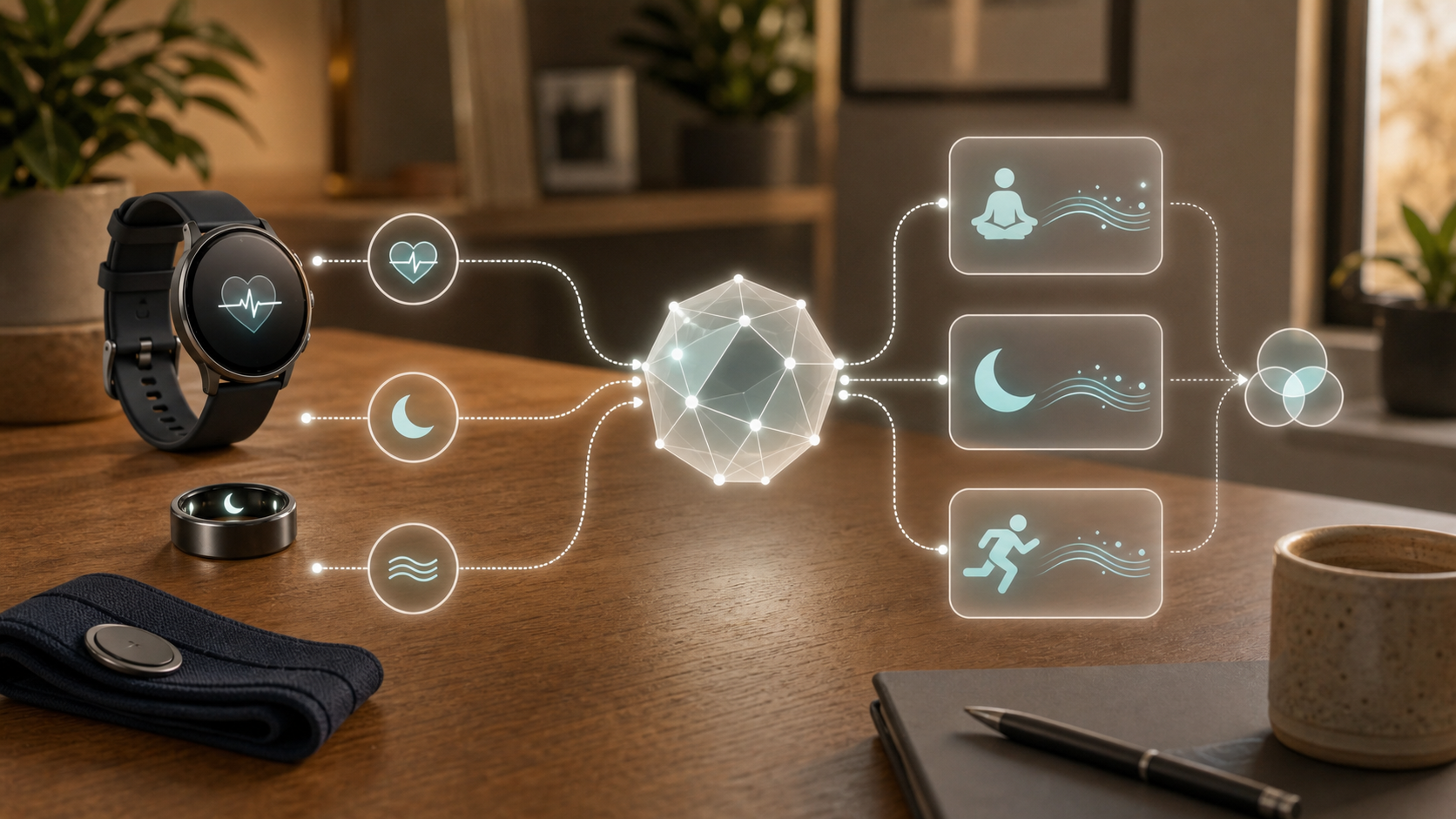
The device does not merely display measurements. It can combine them into a new conclusion. A sleep score, recovery estimate, stress summary, fitness trend, or coaching recommendation is derived wearable data. It describes what the system thinks the underlying readings mean.
For example, the Google Health readiness-score documentation says its current score uses heart-rate variability, recent sleep, and resting heart rate compared with a personal baseline. The system turns several data streams into a single judgment about recovery. That judgment may be easier to act on than a chart of raw values, which is precisely why it can feel personal.
The distinction matters for privacy. Deleting one raw workout does not necessarily answer what happens to a score or trend built from a longer history. Turning off a coaching feature may stop new advice without removing old conversations or derived records. When a service offers granular deletion, look for controls covering both the source readings and the insights created from them.
A timeline can reveal a routine
One bedtime says little. Months of bedtimes can show a schedule. One route is a workout. A repeated route can suggest where someone lives, works, studies, worships, receives care, or spends time with family. A wearable data timeline of resting heart rate, sleep disruption, travel, and inactivity may show a period of change even if the system cannot explain why it happened.
This is why wearable data should be judged as a timeline, not as a list of harmless fields. Ask what a stranger, a data recipient, or an intruder could learn from the pattern rather than from one number. The answer may still be acceptable, but it should be an informed choice.
What AI Changes About Fitness Tracker Privacy
More context can make advice feel more personal
AI coaching can use wearable data together with context that does not come directly from a sensor. A current Google Health Coach data and personalization page says the feature can use information from paired devices, an account profile, linked third-party apps, exercise history, sleep, body metrics, location when enabled, and conversations with the coach. It also says enabling the coach gives it access to health and activity information already associated with the account, although particular data sources may require separate consent before they enter the account.
That is a useful example of the privacy tradeoff. The advice becomes more tailored because the feature sees more context. The same context can produce a richer record that includes not only what a sensor measured, but also what you told the coach, what goal you set, and how the system interpreted a change.
Before enabling an AI feature, ask three questions:
- What additional wearable data, account history, location, or conversation information can the feature use?
- What useful result does the feature produce from wearable data that the basic tracker does not?
- Can you delete its history or turn it off without closing the entire account?
The Is This AI Tool Safe? practical checklist offers a broader way to evaluate permissions, retention, sensitive inputs, and account controls. Apply the same logic inside a wearable app. An AI coach, a research program, a social challenge, and a product-improvement option are separate decisions even when the setup screen places them close together.
A useful score can still be uncertain
A wellness score can help someone notice a pattern without proving what caused it. The underlying wearable data may look different because of illness, stress, travel, medication, a loose sensor, movement, or an algorithmic error. A low readiness score is not automatically a diagnosis, and a normal-looking score is not medical reassurance. Treat a feature described as general wellness as a way to notice patterns, rather than a test that clears or diagnoses a health condition.
The FDA's current general-wellness guidance explains that certain non-invasive products may estimate or infer physiologic parameters for general-wellness uses when they are not intended for diagnosis, treatment, clinical management, or substitution for an authorized medical device. A watch can offer a regulated medical-device function alongside a general-wellness score. The status belongs to the particular function and intended use, not to every feature on the watch. Read that function's instructions, eligible users and stated limitations; do not transfer a medical claim from one feature to its AI coach or readiness summary.
Privacy and accuracy are different questions. An uncertain inference can still be sensitive. A system's guess about stress, fertility, recovery, sleep, or health may influence how a user feels or what a recipient assumes. Treat derived wearable data with the same care as the signals behind it.
Where Wearable Data Can Travel
Think of the wearable as a pipeline
A simple model is:
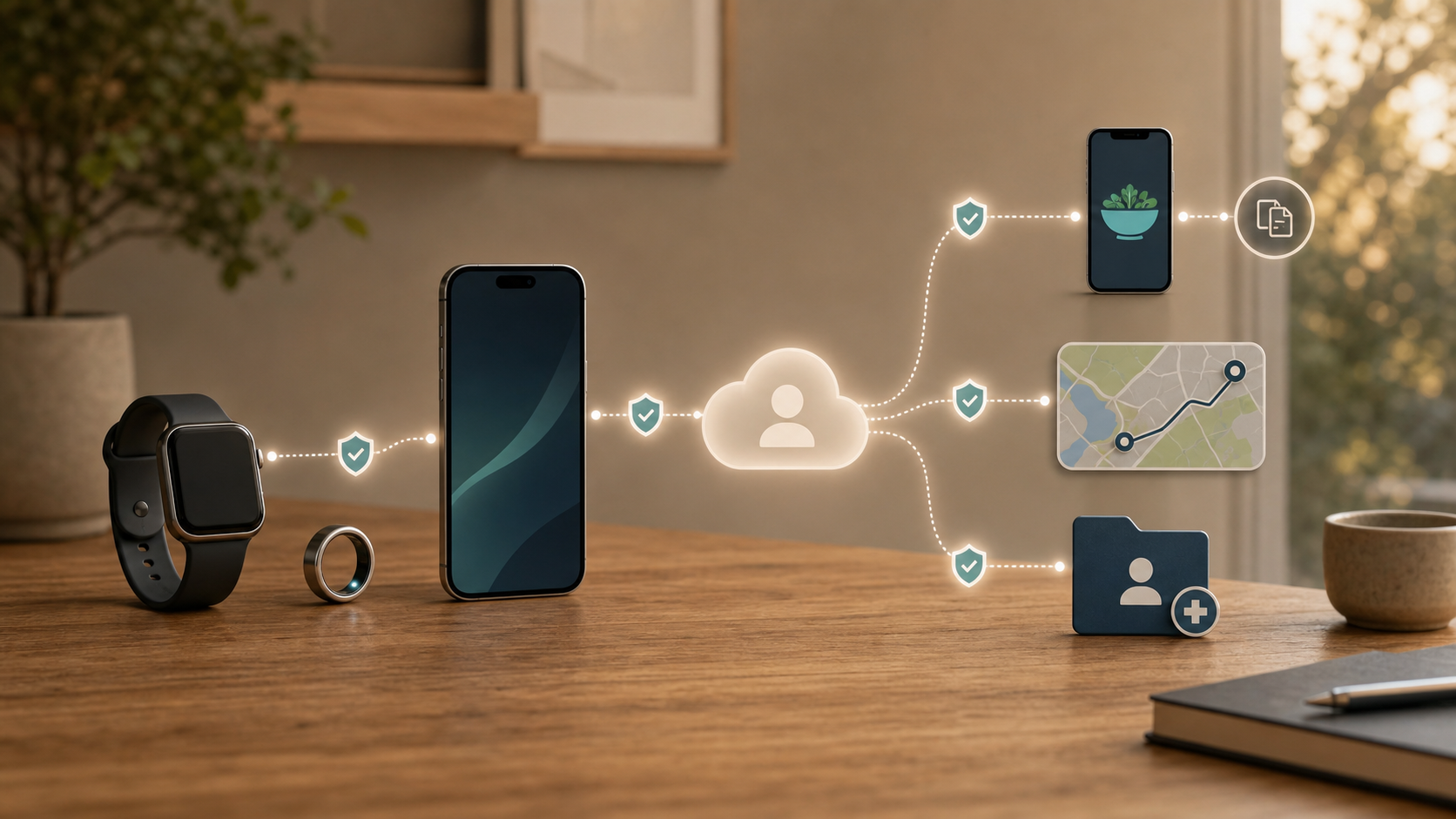
body and movement -> wearable -> phone or companion app -> vendor account or cloud -> connected services -> reports, social posts, or exports
Not every product uses every step. Some processing may remain on the device or phone. Other features may require an account, internet connection, or cloud history. The important point is that each transfer creates a new privacy boundary. A protection at one layer does not automatically govern a copy at the next.
On Android, Health Connect can store and share health, fitness, and medical information among authorized apps. Google explains that the central database is stored on the device, but also warns that another app or device may retain a copy. Deleting wearable data from Health Connect may therefore leave information already copied into a nutrition app, training service, or other recipient.
This creates four different actions that are easy to confuse:
- Revoke an app's permission to read or write new wearable data.
- Delete information from the phone's central health store.
- Delete the recipient app's stored copy.
- Close or delete the cloud account if you no longer want the service.
One action may be enough for your goal, but none should be mistaken for all four.
On-device protections do not follow every copy
Apple describes a different set of design choices in its Consumer Health Personal Data Privacy Policy. The company cites data minimization, on-device processing, user control, and encryption, including end-to-end encryption for Health app data under specified device, passcode, software, and account conditions.
Those protections matter, but their scope matters too. They do not automatically cover a workout exported to a file, a route sent to a social fitness service, a record shared with a provider, or information copied by a third-party app. Review Health permissions by data category, review location separately, and protect exported archives as sensitive files.
The Privacy & Identity Protection hub can help with the broader habit of limiting data collection and following copies across accounts. For a wearable, the highest-value question is often not "Is this device private?" It is "Which part of the wearable data system holds this particular record now?"
Workplace programs require a separate decision
A personal fitness-tracker account and its wearable data do not automatically report to an employer. The context changes when a workplace directs employees to use a fitness tracker, offers one through a wellness program, or connects rewards to submitted activity or health information.
Treat the workplace program as a separate recipient and decision. Ask the administrator for the written privacy terms and an explanation of what individual information the employer can see. If participation or a particular tracking feature is difficult for you, ask about another way to participate before sending health details. A consumer app's general privacy notice does not answer how your employer's program will use the information.
Before joining a program, ask what the wearable vendor receives, what the program administrator receives, and what the employer receives. Ask whether the employer sees individual wearable data or only aggregate results, whether participation is voluntary, what incentive or penalty applies, how long the information remains, and what happens when employment ends. Save the program notice and your consent choices.
Why Wearable Location Data Deserves Extra Care
A route can point back to a sensitive place
Wearable data from outdoor workouts can contain a precise line through space and a timestamp. Repeated start and finish points may suggest a home or workplace. A route can pass a school, clinic, faith community, shelter, or another place whose meaning depends on the person. A regular time pattern can show when someone is usually away.
This does not mean every route should remain secret. Public training logs and community features can be motivating. The decision should reflect the route, the audience, and the consequence of linking the activity to an identifiable profile.

Hiding one layer may not hide another
The Strava Privacy Controls FAQ shows why one toggle is not enough. Activity visibility, map visibility, hidden details, connected-app permissions, and Flyby visibility are separate. Strava also warns that map portions hidden inside its service may still be visible to an authorized third-party service and that remaining information may allow someone to infer a hidden detail. Review each authorized recipient: hiding a map on Strava does not guarantee that the map is hidden in that service.
For an existing Strava activity, open its three-dot menu, choose Edit Map Visibility and use Hide Entire Map when partial masking is not enough. For future uploads, review Settings > Privacy Controls > Map Visibility. Set the activity audience separately: hiding the map does not itself make the whole activity private. Review old uploads individually or through the service's controls for earlier activities; a new default is not proof that previous maps changed.
A calm route-privacy review should include both old and new activities:
- Set the default audience for future activities.
- Review whether full maps, start and finish points, and start times need to be visible.
- Check old public activities because a safer default may not repair earlier uploads.
- Review followers, group features, photos, and connected services.
- Hide the entire map when partial masking would not provide enough protection.
- Record a workout without publishing it when sharing adds little value.
Route masking reduces exposure. It does not guarantee that a familiar place cannot be inferred from repeated geometry, surrounding photos, timing, or a copy held elsewhere.
HIPAA Does Not Cover Every Fitness Tracker
Wearable data does not become protected by HIPAA simply because it is personal, medically useful, or collected from the body. HIPAA applies mainly according to who holds the information and the role that organization is performing. It covers health plans, many health care providers, health care clearinghouses, and companies acting as their business associates.
That leaves many consumer wearables outside HIPAA. According to HHS guidance on health information stored in personal devices and apps, data entered into or downloaded to an app for personal use usually is not protected by HIPAA unless the app is provided by a covered entity or its business associate. Buying a fitness tracker, opening an account with its manufacturer, and creating wearable data through the consumer app generally establishes a direct consumer relationship. It does not automatically turn the wearable company into a HIPAA-covered organization.
The answer can change when a doctor, hospital, insurer, or health program provides the device and the developer handles health information on that organization's behalf. The same app company may operate outside HIPAA for retail customers while acting as a business associate in a separate clinical program. Look at the relationship, not just the product name or a "health" label.
Sending a clinical record to an independent consumer app does not automatically extend HIPAA protection into that app. HHS's health-app developer examples distinguish an app the consumer chooses independently from one operating on behalf of a provider or plan. A doctor's recommendation alone does not make the app a business associate. Check the relationship before importing a record rather than assuming that its clinical origin gives every recipient the same role.
Health data privacy outside HIPAA can involve the FTC
Being outside HIPAA does not mean a company can make false privacy promises or ignore every federal obligation. The FTC Act prohibits unfair or deceptive practices. The FTC also enforces a more specific Health Breach Notification Rule for certain non-HIPAA vendors of personal health records, related entities, and service providers.
The FTC's current compliance guidance explains that the rule can apply to some health apps and connected-device services outside HIPAA. For example, an app that accepts information from you and syncs with a fitness tracker may qualify as a personal health record vendor because it combines health information from more than one source. Coverage remains fact-specific, so the consumer takeaway is to check what the app collects, what it imports, and where it sends the combined record.
The 2024 amendments to the Health Breach Notification Rule clarified its application to health apps and similar technologies and clarified that a covered breach can include unauthorized disclosure or acquisition, not only an outside hack. The rule is principally a notification requirement. It does not ban every data use, cover every wearable, or create a universal federal deletion right.
FTC enforcement shows why recipient lists matter. In its 2023 GoodRx enforcement announcement, the agency alleged that the company disclosed medications, health conditions, contact information, and identifiers to advertising and technology companies without authorization and failed to provide required notices. The proposed order included a $1.5 million civil penalty and restrictions on future sharing. The GoodRx case record lists the subsequent court-entered stipulated order on February 17, 2023. This was not a fitness-tracker case, and the order does not turn the allegations into trial findings. The practical lesson is to ask who receives wearable data after it leaves the product you can see.
Some state laws may provide additional rights. The Washington Attorney General describes its My Health My Data Act as protecting consumer health data outside HIPAA and setting requirements for collection, sharing, privacy notices, consent, and consumer requests. The law is one example of additional rights that may cover wearable data. State coverage varies, so look for a company's consumer-health privacy notice and state-specific request process rather than assuming one national deletion rule.
Before You Buy an AI Fitness Tracker
The best privacy decision often happens before an account exists. Start with the result you want, then look for the smallest set of sensors, online services, and connected apps that can provide it. A wearable that supports every possible feature may create a larger wearable data record than someone who only wants step counts, basic workout tracking, or a morning alarm actually needs.
Check the minimum useful feature set
Write down the two or three jobs you expect the wearable to perform. These might include tracking activity, recording sleep, mapping outdoor workouts, providing safety alerts, or offering personalized coaching. Then separate essential features from interesting extras.
For each extra feature, ask what additional wearable data or context it requires. Route maps need location. Social challenges need some form of profile and sharing. AI coaching may use a longer history of workouts, sleep, goals, body metrics, linked-app information, or conversations. Research programs and workplace wellness services may introduce another recipient.
This does not make those features automatically unacceptable. It makes them separate choices. Avoid buying a larger data ecosystem simply because it appears on the product comparison chart.
Ask seven privacy and security questions
The NIST consumer IoT cybersecurity profile treats data protection, secure updates, deletion, access control, and clear security information as product-wide responsibilities. Translate those principles into questions that a retailer, support page, or privacy notice should be able to answer:
- Which sensors and wearable data categories does the product use? Look beyond steps and heart rate. Check for location, sleep, temperature, microphone access, body measurements, cycle information, manually entered symptoms, and information imported from other services. Device capability and enabled collection are not always the same, so confirm which features can remain off.
- Which features work without location or a long cloud history? Find out whether basic activity tracking requires an online account, whether workouts can be recorded without a public map, and whether useful summaries are available without retaining months or years of detailed readings.
- Can optional uses be declined separately? AI coaching, research participation, advertising personalization, product improvement, social sharing, and workplace programs should not be treated as one decision. Check whether refusing one option disables the entire product or only that feature.
- Can you review connected apps, devices, and active sessions? A clear dashboard should show which services can read or write information, which phones and wearables are linked, and where the account is signed in.
- Can wearable data be exported and deleted? Look for both selective deletion and full account deletion. Ask whether deleting a workout, route, conversation, or health category removes it from the main service, and whether the company explains backups, retention periods, and copies held by connected services.
- Can the wearable be erased before it leaves your possession? A resale, trade-in, gift, repair, or recycling process should include unpairing, removing payment credentials, disconnecting the device from the account, and performing a documented reset.
- How long will the product receive security updates? Look for a stated support period, an update method, and a way to learn about serious security problems. A discounted older device may be a poor bargain if its companion app or firmware is approaching the end of support.
Treat account security as health privacy
A private profile still depends on whoever can sign in. Use a unique password or a passkey if the service offers one, enable the strongest additional authentication available, and do not reuse a password from email, shopping, or social accounts. Review recovery phone numbers and email addresses so an old contact method cannot become the easiest way into the account.
If the terminology feels confusing, Passwords, Passkeys, and 2FA Explained provides a practical comparison. The goal is straightforward: make the wearable account difficult to enter with a stolen password and easy for you to recover without weakening its protection.
Give an Existing Wearable a Privacy Reset
You do not need to abandon a useful tracker to reduce unnecessary exposure. Work through one layer at a time, keeping the features you actually use. The time needed depends on the number of accounts, old activities and connected services. Keep a short list of deletion requests or questions that need a separate response instead of treating the first pass as a promise that every copy is gone.
1. Map the services that hold your record
Begin with a simple inventory: the wearable, phone permissions, companion app, vendor account, phone health store, AI coach, social fitness profile, and connected apps. Add any research study, medical-record connection, workplace program, nutrition service, or training platform that receives information. For each one, note the account and what you still use it for.
A single workout can appear in several places. That is the practical reason to make this list: it tells you where to narrow future access and where a separate deletion may be needed. Start with the most sensitive or public copy rather than trying to perfect the inventory before taking a useful action.
2. Narrow phone and health-store permissions
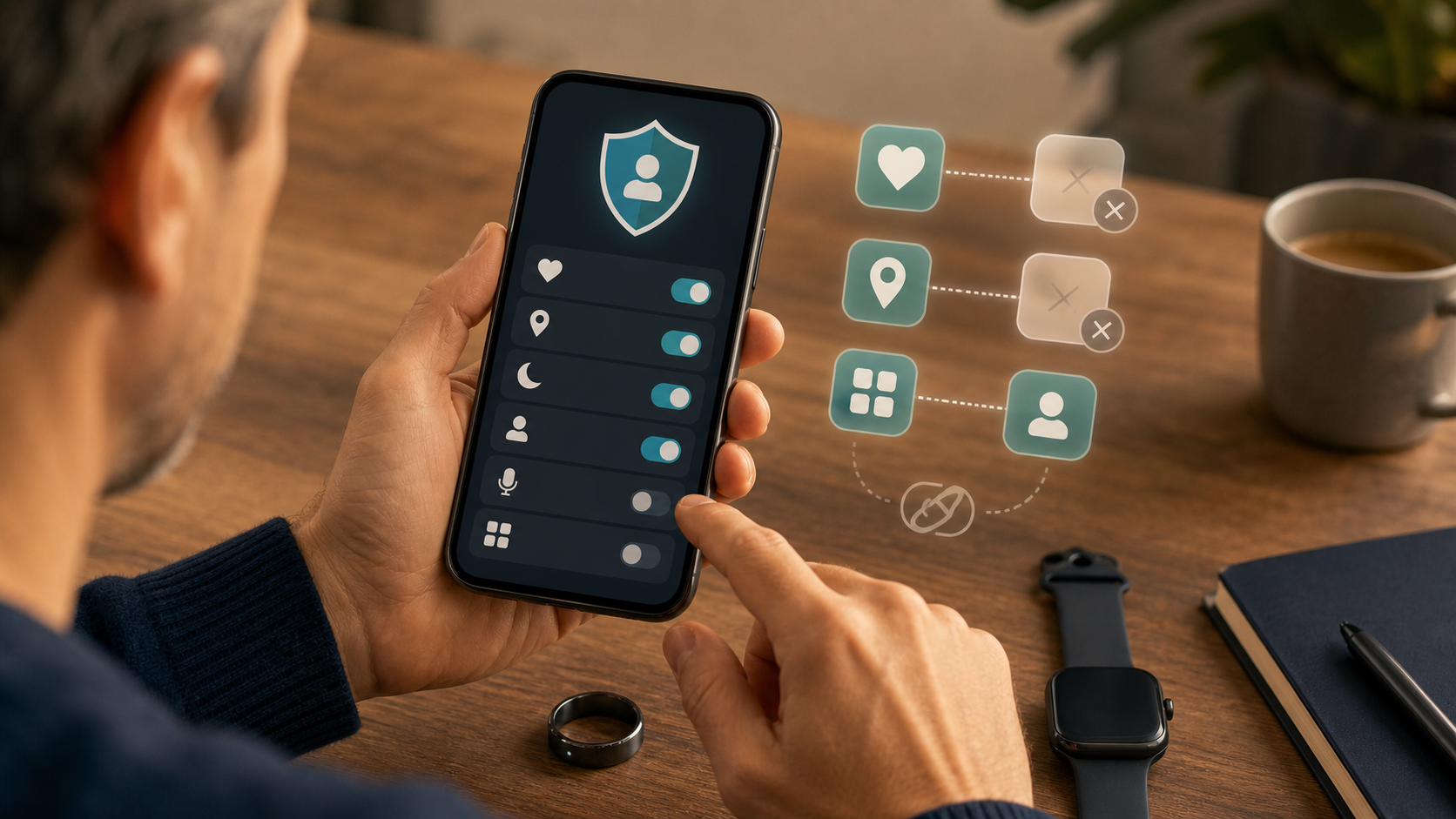
Open the phone's privacy settings and review the companion app's access to location, contacts, calendar, microphone, notifications, nearby devices, background activity, and health categories. Keep a permission when it supports a feature you actively use. Remove it when the purpose is unclear or the related feature is off. After changing access, test the features you want to keep instead of restoring broad permissions at the first inconvenience.
On an iPhone, Apple's instructions for managing Health data show Health > your profile > Privacy > Apps. Select an app and review the health categories it can access. A workout app does not necessarily need access to every sleep, nutrition, cycle or medical-record category. Apple's guidance on controlling health-data access also describes Settings > Privacy & Security, where you select Health or another data category to grant or revoke future access. Review location separately. Removing access is a permission decision; it does not establish that a recipient erased an earlier copy.
For Android 14 and later, open Settings > Security and privacy > Privacy Controls > Health Connect. On Android 13 or earlier, use Settings > Apps > All apps > Health Connect > Open. In Google's Health Connect permission instructions, Permissions and data > App permissions lets you select an app and switch off Allow all, or narrow the individual read and write categories. Removing permission does not remove information already stored in Health Connect. Do the deletion step separately if that is your goal.
3. Remove stale connections and review public activity
Remove services you no longer use, then inspect the audience for your profile, activities, photos, leaderboards, and route maps. Review old uploads as well as the default for new ones. Use the route controls above to choose whether an activity, a whole map, or only a start and finish area is hidden. Check followers and group features rather than relying on one privacy toggle.
For a connected training or nutrition service, revoke its authorization through the account that granted it, then visit the recipient to review its stored records. Permission to view private activities deserves particular attention. Disconnecting the service can stop a future authorized sync without recalling an export, a screenshot or the recipient's existing wearable data.
4. Delete the record in each place that holds it
For an ordinary privacy cleanup, export the history you genuinely need before removing it. This might be a training history, a record requested by a clinician, or information needed to move to another service. Protect the exported file too. In an active safety or account incident, contain the exposure first; do not keep a public route or unfamiliar session open merely to finish an export.
In Health on an iPhone, open Browse, select the category and subcategory, then Show All Data > Edit. Delete the relevant record or use Delete All for that subcategory when appropriate. Read what the screen will remove before confirming. Health information syncing through iCloud can also be removed from other synced devices; it is not a deletion instruction to every app that previously copied the information.
Google's Health Connect deletion instructions separate stored data from app permission. Open Data and access, select the category, choose Delete that category's data, select a time period, then Next > Delete. Use Delete all data only when you mean to remove the whole Health Connect record. Medical records have limits: individual medical-record entries cannot be deleted in the same way, and auto-delete is not available for them. Read the category's available controls rather than assuming one option covers every type of wearable data.
Visit the wearable vendor, social service, AI feature and recipient apps for their own deletion or account-closure controls. Uninstalling the phone app removes software; erasing a watch removes its local record; neither is proof that the vendor cloud history or a recipient's copy disappeared. Save confirmations and stated retention periods after the urgent changes are made. If a record remains or a recipient is unclear, ask the service what it can remove and which other organization controls the copy.
5. Review the AI feature separately, then secure the account
An AI feature may have conversation history in addition to readings and scores. In the Google Health Coach example above, deleting a data category or changing a particular feature does not automatically clear Coach conversations or stop all Coach processing. To turn the coach off, use the profile picture > Google Health settings > Coach or Coaching > On > Turn off. Choosing No Coach insights hides the Today-tab insights while other coach benefits remain; it is not the same as turning the coach off.
To remove a conversation, open Ask Coach > History, use its More menu and choose Delete. For all Coach conversations, the documented path is profile picture > Google Health settings > Manage data and privacy > Manage your data > Coach activity > Conversations > Delete all conversations data. Other AI coaches use their own controls. Check the feature's current instructions instead of assuming that a data-store deletion or a hidden dashboard tile removed its separate history.
Install available wearable firmware, phone operating-system updates, and companion-app updates. Review active sessions, linked devices, recovery details, and account alerts. Sign out sessions you do not recognize and change the credential if it was reused or may have been exposed. Remove watches or rings you no longer own from the account. Before selling or gifting one, unpair it, clear payment credentials and use the manufacturer's documented erase process; check the cloud record separately.
6. Recheck when the exchange changes
Repeat the relevant part of the review when you enable AI coaching, medical-record synchronization, research participation, social sharing, a workplace wellness program, or a new connected app. Recheck after a major app redesign or privacy-policy update because a familiar product may gain new data flows without requiring a new wearable.
A privacy reset cannot prove that no copy exists anywhere. It can remove stale connections, narrow future collection, reduce public exposure, and give you a clearer picture of the exchange you are making. The useful stopping point is a record of the choices you made and the requests that remain, rather than a claim of complete erasure.
If Your Wearable Data Was Exposed or Shared Unexpectedly
Start with ongoing access or personal-safety risk. If someone is using your account or viewing a sensitive live or public route, contain that exposure before collecting a full set of screenshots. Then work out what information was involved. A public workout, an account takeover, a company breach notice and an unexpected advertising disclosure are different problems; more than one can apply.
If abuse or phone monitoring is suspected, the safest containment route may need planning first. The FTC's guidance on stalkerware warns that cutting access or researching from a monitored phone can alert the person monitoring it. Use a safer device and seek trusted safety-planning help before disruptive changes in that situation. This caution is about suspected monitoring or abuse; it does not mean that ordinary public-map changes always alert another person.
Stop active account access and route exposure
If unauthorized sign-in or a stolen credential is possible, use the service's known app or site from a device you trust. Change the password, end unfamiliar sessions, review recovery email addresses and phone numbers, and enable the strongest authentication available. Change reused passwords on other accounts as well. Check the email account that controls password resets. These changes are about stopping account access, not proving which health records an intruder saw.
For a public route or unwanted sharing, change the activity audience and map visibility, review earlier routes and photos, and disconnect a recipient that should no longer receive new information. Remove a public link when the service provides that control. Do not assume that hiding one map recalls another person's copy. If a route reveals a location that puts you at immediate risk, use a safe route to obtain help; account cleanup is not a substitute for personal safety.
Separate a company breach from deceptive sharing
For a breach notice, read the affected categories, dates and recommended actions through the company's official channel. Ask whether account credentials, precise routes, health information, identifying details or outside recipients were involved. Do not change every unrelated account merely because a device is called a health tracker; match the response to the notice and any signs of active misuse.
For suspected sharing that contradicts a privacy promise or consent choice, stop optional sharing or disconnect the feature where possible, then ask which recipients received the information and what deletion or restriction can be requested. Consumers who suspect deceptive or harmful non-HIPAA health-data practices can report the issue to the FTC. A complaint does not itself remove a copied record, and the company may need to identify the recipient who controls it.
If the conduct involves a HIPAA-covered entity or business associate, use the HHS Office for Civil Rights health privacy complaint process when appropriate. HHS says complaints normally must be submitted within 180 days of when the person knew about the conduct, although the agency may extend the period for good cause. A sensitive record in an independent consumer service is not automatically an HHS matter.
Match follow-up to the information, then keep a record
An exposed exercise route calls for different follow-up than an exposed insurance identifier. Review account alerts, old public activities, followers, photos and location patterns for a route incident. If someone may have used identifying information to obtain care, prescriptions or insurance benefits, review the relevant provider and insurance records for services you do not recognize and contact those organizations through their own channels.
Once urgent containment is underway, save the notice, relevant policy or consent wording, settings, company messages and dates. Record the affected categories, named recipients, account changes, deletion requests and confirmation numbers. Preserve only what you need; avoid spreading the sensitive routes or health details further in a group message or public complaint.
Use the separate deletion controls described above: stop future permission, remove the central health-store record, ask each recipient to remove its copy, and close an unwanted cloud account if appropriate. Hardware erasure is another action. Keep any unanswered request in the same follow-up record rather than treating uninstalling an app as confirmation that all wearable data was deleted.
Want more calm, practical guidance for protecting your devices and data? Subscribe to Quantum Cyber AI.
Conclusion
The most useful way to think about a fitness tracker is not as a single sensor, but as a chain of decisions. The device measures something. The phone or cloud account stores it. An algorithm may interpret it. A connected app may copy it. A social feature may reveal it to another audience. Each step can provide real value, and each step deserves its own permission.
Wearable data privacy is not an all-or-nothing choice. You can keep sleep tracking while declining an AI coach. You can record a run without publishing the route. You can use a phone health store while removing an old nutrition app. You can export a useful history before closing an account. You can also decide that a feature asks for more context than the result is worth.
Start with the goal you want the wearable to serve. Map the layers that support that goal, secure the account, remove stale access, and review the system when its features change. The result is not perfect secrecy. It is a smaller, clearer, and more deliberate wearable data footprint.
FAQ
Is fitness tracker data protected by HIPAA?
Not automatically. HIPAA usually applies to covered health plans, covered health care providers, health care clearinghouses, and their business associates. A direct-to-consumer fitness tracker may hold wearable data outside HIPAA when it is used independently. The answer can change if a provider, plan, or employer health program supplies the device and the app handles information on behalf of a covered organization. Look at who provides the service and what role the company performs.
Can a fitness tracker sell or share my health data?
There is no responsible universal answer for every product, feature, state, or data category. Read the service's current consumer-health notice and privacy policy, then inspect connected apps, advertising choices, research consent, AI settings, and social features. A statement that information is not used for targeted advertising does not necessarily mean the service does not process it for personalization, product operation, research with consent, security, or another stated purpose.
Should I turn off location on my wearable?
Turn it off when the features you use do not need it. Outdoor route maps, navigation, weather context, emergency features, and live sharing may require different levels of location access. Decide whether the benefit requires approximate location, precise location, background access, or only access while recording. If route privacy matters, review both the phone permission and the activity-sharing settings.
Does deleting a fitness app delete wearable data?
Usually, uninstalling removes the app from the phone. It does not prove that the vendor account, phone health store, connected apps, backups, or social service deleted their copies. Use the service's data and account controls. Revoke future access, delete from the central store, visit connected services to remove copied records, and save confirmation when closing an account.
Are AI readiness and sleep scores medical advice?
Not necessarily. Many scores are general-wellness features that summarize sensor readings and personal baselines. Some wearable functions may be authorized medical-device features, but the status and intended use vary. Do not use a general-wellness score as a diagnosis, as proof that nothing is wrong, or as a substitute for professional care when you have a health concern.
What should I do before selling or giving away a fitness tracker?
Export any history you need, unpair the device, remove it from the vendor account, clear payment credentials, perform the manufacturer's documented erase or factory-reset process, and confirm that the device no longer appears in your account. Then review cloud data separately. Erasing the hardware and deleting the online account are different actions.