
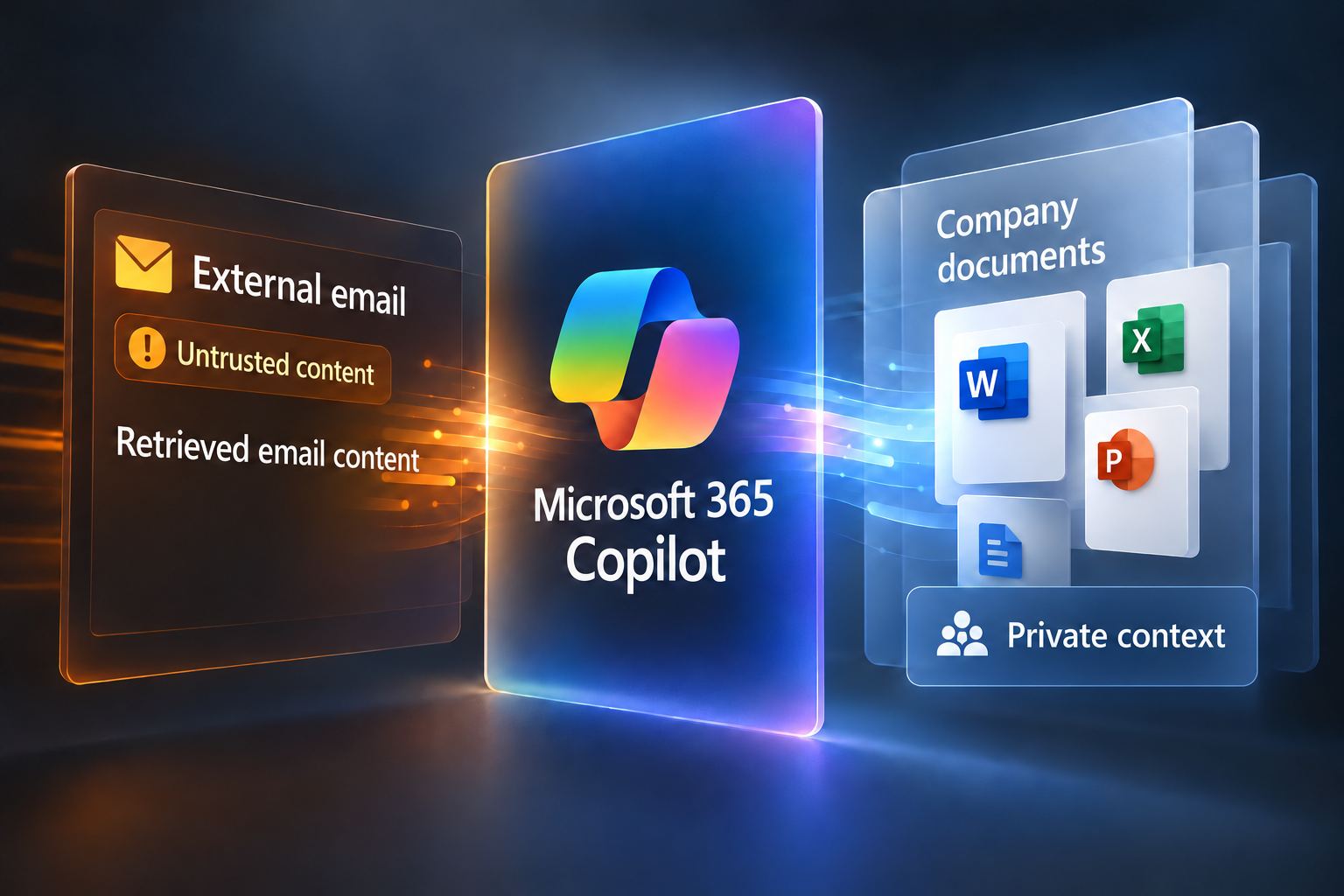
Microsoft Copilot, deeply woven into Microsoft 365 since late 2023, is rapidly changing the way businesses communicate and collaborate through email. Yet the same incredible power that helps people write faster, summarize documents, and handle mountains of messages has become an irresistible target for cybercriminals. The evidence discussed here spans disclosed vulnerabilities, security research and observed brand-impersonation phishing. Those are different risks, and none alone establishes a widespread malware campaign exploiting Copilot.
Copilot’s ability to scan, parse, and reply to email on your behalf is at the heart of the risk. Because the assistant works with organizational information available to the user, a flaw in how it handles untrusted content can put sensitive data at risk. If malicious prompts, infected links, or even corrupted data are fed into Copilot, the AI could be tricked into acting against your interests. This article considers research on information disclosure through Copilot, abuse of an already-compromised account, and phishing that borrows the Copilot name. Microsoft 365 Copilot is the productivity assistant; Microsoft Security Copilot is a separate product for security teams. As organizations push toward more AI-driven workflows, the stakes could not be higher.
Researchers have demonstrated ways to misuse Copilot, while criminals have also used its branding in credential-phishing emails. The cases below do not establish a Copilot-specific supply-chain campaign. Email supplies large volumes of external content. The relevant question is whether an assistant retrieves that content and mistakes embedded instructions for an authorized request. That is why so many organizations are asking if their own AI adoption plans are secure enough to handle this emerging class of malware.
In this long-form analysis, we will distinguish the documented Copilot security risks, explore real-world Copilot phishing emails and Copilot email scams, and look at how malicious Copilot links are crafted to slip through defenses. We will also explain Microsoft’s official response, what security teams need to do right now, and how policymakers should rethink the future of AI security. Because when it comes to Copilot’s powerful role in your email environment, understanding the risks is no longer optional. It is essential.
Next, we will examine exactly how Microsoft Copilot was designed to handle email and why that functionality has become such a critical threat target for modern attackers.
Introduction to Microsoft Copilot and Its Email Features
What is Microsoft Copilot?
Microsoft Copilot is a generative AI system embedded throughout the Microsoft 365 suite. Launched broadly in late 2023, it promises to transform how people work by integrating large language models with business data, enabling faster document creation, smarter meeting summaries, and automated workflows. The technology was designed to increase efficiency and reduce repetitive tasks, saving valuable time for employees. Yet the growing reach of Microsoft Copilot has also drawn sharp questions from security teams about whether it is properly shielded against cyberattacks, especially considering how closely it interacts with sensitive corporate data. When a tool has the ability to read, write, and summarize communications, including email, it becomes a tempting target for attackers deploying Microsoft Copilot malware.
Copilot’s Integration with Outlook
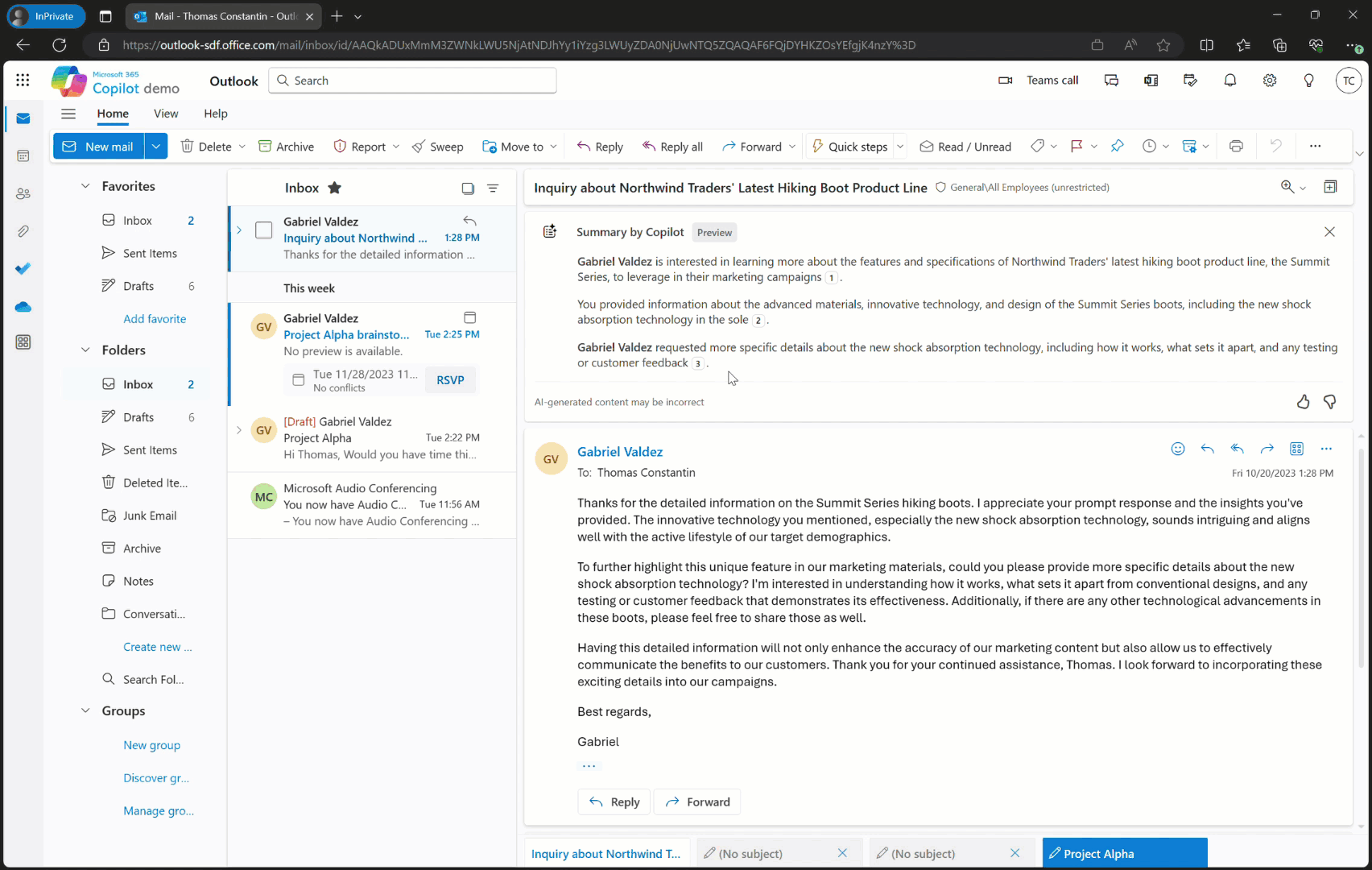
One of the most powerful features of Microsoft Copilot is its seamless integration with Outlook. Copilot can compose entire emails, generate quick responses, pull relevant data from past conversations, and even rewrite messages with a more professional tone. In a business world where professionals face dozens or even hundreds of messages daily, that automation is invaluable.
However, the same capabilities can become dangerous if they are hijacked. A malicious actor could feed Copilot carefully crafted inputs, known as prompt injections, and cause the AI to leak private information or execute harmful instructions. These Microsoft AI security risks extend beyond a single message. They open the door for systemic compromise if attackers figure out how to repeatedly inject dangerous content through Copilot phishing emails.
Why Email is a Critical Vector
Email has always been one of the most exploited entry points for attackers, and Microsoft Copilot’s role in email makes it doubly concerning. The system has permission to read and act on large amounts of user-generated data, which means even a small vulnerability could cascade into a massive breach. Unlike traditional phishing, where an attacker must convince a human to click a link, malicious Copilot links can take advantage of Copilot’s automated functions. When Copilot processes a malicious email or command, the result might be immediate and large-scale.
These Copilot email scams are evolving to blend in with legitimate content, which makes detection even harder for older security tools. That is why the concept of malicious Copilot links is so concerning: they might exploit Copilot’s trusted role to deliver malware right into an organization’s core systems.
Early Security Concerns
The security concerns include sensitive-data exposure and the risk that an assistant will follow instructions embedded in untrusted content. Since Copilot can parse vast amounts of text, its attack surface is wide and largely new to traditional cybersecurity models. That means defenders must adapt their thinking to address both the code behind Copilot and the human mistakes that can feed it corrupted or malicious prompts. These combined concerns have placed Microsoft Copilot malware at the center of emerging policy discussions about Microsoft AI security risks.
Understanding these capabilities and their vulnerabilities is the first step to preparing a stronger defense. Next, we will examine prompt-injection risks in Copilot’s handling of email and phishing that borrows the Copilot name.
How Malware Is Hiding in Microsoft Copilot Emails
Exploiting Zero-Click Vulnerabilities
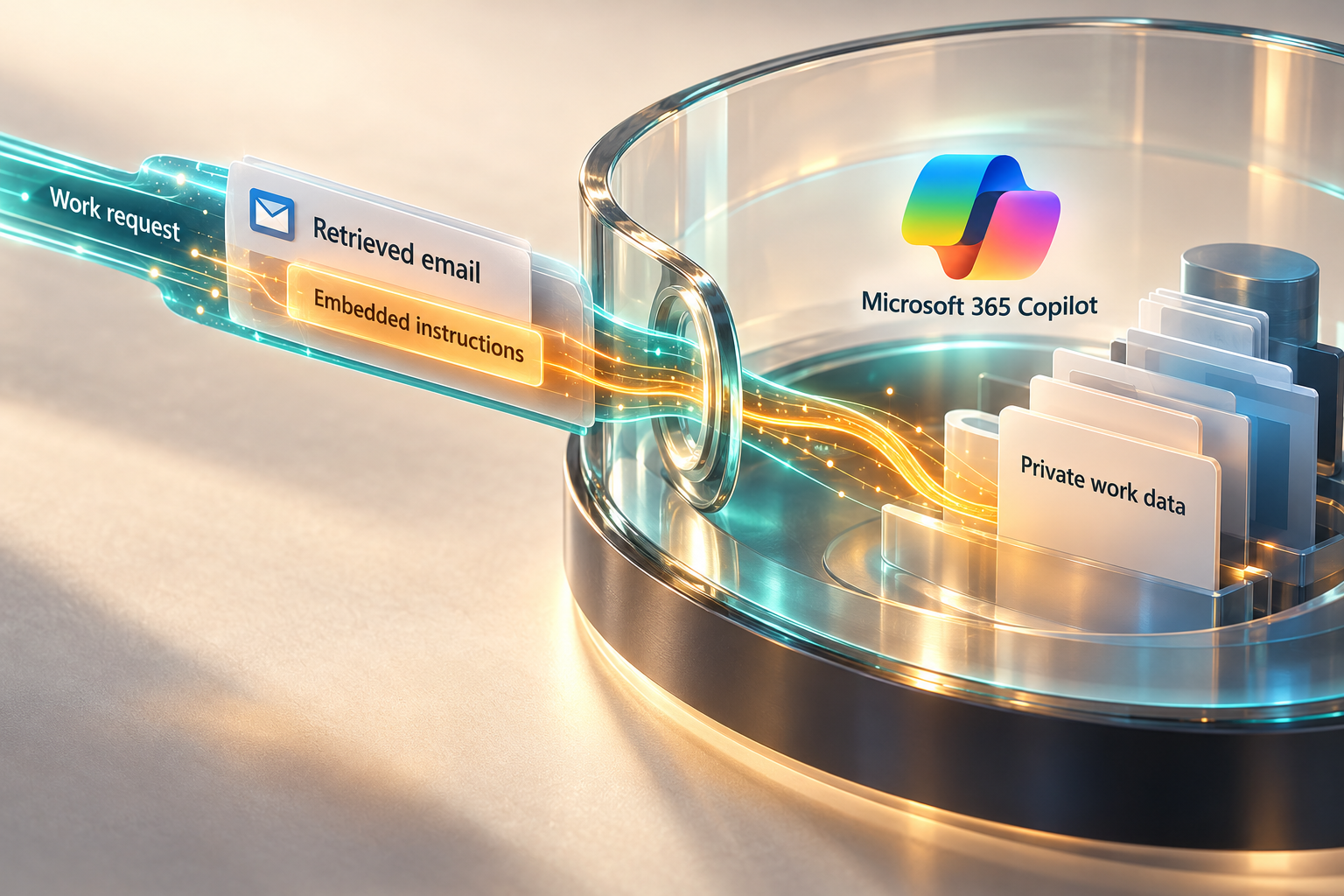
One of the most troubling realities about Microsoft Copilot malware is how attackers can abuse zero-click vulnerabilities to compromise systems without any user interaction. A critical case emerged with CVE‑2025‑32711, commonly referred to as the EchoLeak flaw, which allowed malicious commands to be embedded directly in email content. It is documented in Microsoft’s EchoLeak advisory. In the demonstrated chain, retrieval of the crafted email into Copilot’s context could lead to data exfiltration without a click on the attacker’s message; mere receipt was not the whole chain. This illustrates how Copilot phishing emails and malicious Copilot links do not always rely on a user making a mistake. Instead, they can weaponize the very AI that is meant to protect and support the user.
The EchoLeak scenario highlights a broader shift in attacker strategy. The research discussed here includes zero-click and click-dependent information disclosure, alongside phishing directed at people. The presence of a powerful language model in the loop means attackers have a much larger attack surface, making traditional protections insufficient.
Prompt Injection and ASCII Smuggling
Prompt injection is another pathway for malicious actors to break Copilot’s defenses. In this scenario, an attacker embeds hidden instructions within what appears to be normal text. Since Copilot reads and summarizes messages, those instructions can activate inside the model, instructing it to share sensitive information or connect to malicious servers. In Johann Rehberger’s 2024 ASCII-smuggling research, invisible Unicode tags hid sensitive data in a clickable link. A user click completed exfiltration in that chain, unlike the later EchoLeak zero-click chain.
The researcher reported that the specific disclosed chains had stopped working by publication; the broader prompt-injection problem remained a research concern. This reinforces the need to treat all inputs as potentially dangerous, even when they seem to come from trusted sources. As more organizations automate their workflows, Copilot phishing emails with hidden prompt injections could become a preferred tactic for attackers.
For a deeper technical dive on how prompt injection works, you can check out our breakdown in AI-Assisted Hacking: How Cybercriminals Are Weaponizing AI in 2025, which covers these exploits in detail and their rising impact across multiple AI tools.
Malicious Links and Covert Commands
A malicious link can play different roles in different attacks: a person may click through to a fake sign-in page, or a researched assistant exploit may cause data to leave through a generated response. Those paths should be analyzed separately rather than assuming Copilot follows every link in an email.
For each reported chain, security teams need to identify what content was retrieved, which action crossed a trust boundary and whether a human click was required. Ordinary summarization, credential phishing and a demonstrated exfiltration chain are not interchangeable evidence.
Delivery Tactics
Delivering Microsoft Copilot malware through these vectors can happen in multiple ways. Attackers have impersonated known contacts, abused legitimate-looking subject lines, and even used stolen internal branding to build trust. A familiar sender or vendor name does not make embedded instructions trustworthy. The cases discussed here do not establish a Copilot-specific supply-chain compromise or automatic code execution when email arrives.
This layered approach, combining zero-click flaws with malicious Copilot links, is why the threat landscape has grown so quickly. Cybersecurity professionals must now prepare for threats that exploit both human behavior and AI automation. That means building defenses that can identify dangerous content before Copilot even sees it.
These emerging threats are reshaping the rules of phishing. Next, we will examine real-world examples where Copilot was directly targeted or manipulated, showing how these ideas have moved beyond theory and into practice.
Documented Copilot Vulnerabilities, Research and Phishing
The EchoLeak Disclosure
In June 2025, cybersecurity firm Aim Security revealed a major Microsoft Copilot malware vulnerability known as EchoLeak, which carried a severity score of 9.3 out of 10. The original EchoLeak research describes the demonstrated chain. The research showed information disclosure through an assistant’s handling of attacker-controlled content. Microsoft had mitigated the issue by its June 11 advisory, which marked it not exploited at original publication and required no customer action.
EchoLeak is a dramatic warning about the next generation of attacks. The important failure was the boundary between untrusted content and trusted instructions. The published evidence does not establish thousands of compromised accounts or a seconds-long mass-compromise timeline. This has elevated the conversation around Microsoft AI security risks and forced companies to rethink how they protect email data from advanced AI-assisted malware.
LOLCopilot at Black Hat
At Black Hat 2024, Michael Bargury presented research on abusing Copilot after account compromise. The account is set out in Zenity’s research summary. Zenity described LOLCopilot as a red-team tool that could automate lateral spear phishing using prior interactions. This demonstrated a possible post-compromise technique; it did not establish that the tool bypassed many spam filters or powered a near-instant real-world campaign.
By leveraging Copilot’s natural language capabilities, LOLCopilot showed attackers can move far beyond traditional phishing templates. Instead, they can build dynamic, individually tailored messages that make a phishing message appear more plausible. The demonstration did not establish how often recipients would be deceived. This underscores the critical need for security teams to understand how Copilot email scams might evolve with advanced AI prompting.
As we saw with Telegram’s zero-day vulnerabilities, zero-click exploits can devastate trust in communication platforms. For a deeper look at those weaknesses, you may want to review Telegram Zero-Day Vulnerability: 5 Terrifying Risks You Must Know, which further explores these evolving vectors.
Cofense Phishing Campaign
Cofense documented a campaign that impersonated Copilot and directed recipients to a fake welcome page hosted on ubpages.com, which led onward to a separate credential-entry page. Its account does not establish that the attackers registered that base domain. This was Copilot-branded phishing aimed at people; it did not demonstrate that Copilot scanned, stored or executed the malicious content.
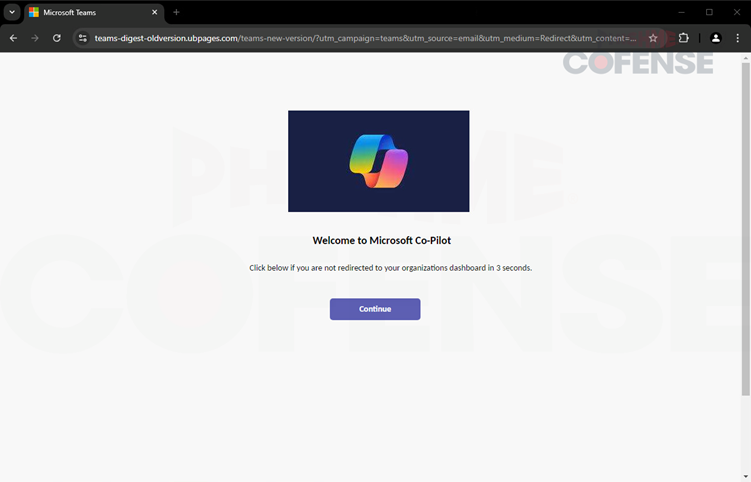
This type of brand impersonation takes advantage of Copilot’s powerful reputation. When a user sees what appears to be a genuine Copilot notification, they are far more likely to click a link or reply without suspicion. This case shows how attackers can borrow a familiar AI product’s branding without exploiting the product itself.
Broader Industry Reaction
The cybersecurity community has responded to these incidents with heightened urgency. Microsoft’s EchoLeak advisory stated that the issue was already mitigated and required no customer action. Meanwhile, independent experts have warned that Copilot’s design places it in a uniquely vulnerable position. Its advanced automation capabilities, combined with access to user inboxes, means any breach could move faster and do more damage than traditional email malware.
These concerns are feeding new security policies around Microsoft AI security risks, and regulators are beginning to study whether Copilot-like systems need additional oversight. The stakes have grown too large to ignore. In the next section, we will explore practical ways to detect and prevent Copilot email scams and protect against the growing risk of malicious Copilot links.
Identifying and Preventing Copilot Email Scams
Advanced Email Security Tools
As Microsoft Copilot malware continues to evolve, defenders must lean on advanced security tools designed to catch sophisticated attacks. Microsoft’s March 24, 2025 announcement said it detected more than 30 billion phishing emails during 2024. That figure was not the capacity of its new phishing-triage agent, which was announced for an April 2025 preview to assist security teams with triage. That level of defense is now essential since Copilot phishing emails can blend seamlessly into normal corporate communications.
Security platforms are also layering behavioral analytics on top of standard scanning, looking for indicators of compromise inside Copilot’s workflow. This proactive defense helps spot malicious Copilot links even if they bypass traditional keyword-based filters. As attackers innovate, these multilayered strategies will be critical for defending against Copilot email scams and other Microsoft AI security risks.
Training and Awareness
Technology alone cannot stop every attack. Employees still need education on how to identify Copilot phishing emails and spot brand impersonation tactics. The Cofense campaign used Copilot branding to solicit credentials; the report does not quantify successful victims. Awareness training should emphasize how to verify senders, cross-check domain names, and treat urgent messages with skepticism.
Security leaders must repeat this training regularly, especially as Copilot’s capabilities expand. When staff understand the unique risk of Microsoft Copilot malware and related Copilot email scams, they are far less likely to trust malicious Copilot links embedded in everyday-looking emails.
Input Controls and Prompt Filtering
One critical strategy for stopping Microsoft Copilot malware is controlling what data Copilot is allowed to process. Researchers have demonstrated that prompt injection and hidden command techniques can compromise Copilot’s reasoning and create new attack paths. The security boundary must separate untrusted content from authorized instructions, data access and permitted actions; a filter on prompt wording is not sufficient.
Filtering can be one layer, but suspicious-word lists alone cannot reliably distinguish instructions from data. Defenders should pair available input protections with appropriate access controls, bounded actions and investigation of unexpected data access.
Proactive Monitoring and Logging
Finally, continuous monitoring of Copilot activity is essential. Security teams should review the recorded interactions and activity actually available in their environment for abnormal requests, possible data exposure or signs of compromise; logs do not reveal the model’s complete reasoning. These logs provide a baseline so teams can identify if Copilot was exposed to malicious Copilot links or Copilot phishing emails that triggered harmful behavior.
Monitoring also supports legal and compliance needs, providing evidence of proper controls in case a breach occurs. As more organizations rely on Copilot for critical business tasks, logs can support an investigation, but do not by themselves prove that every security protection worked.
The combination of AI-backed scanning, staff education, prompt filtering, and robust monitoring creates a much stronger posture. Next, we will look closely at how Microsoft itself has responded to these challenges and what safeguards they are planning for the future.
Microsoft’s Response and Future Safeguards
The EchoLeak Patch
Microsoft had mitigated EchoLeak by its June 11, 2025 advisory. EchoLeak’s researched chain depended on Copilot retrieving a crafted email into its work context, rather than on email receipt alone. Microsoft deployed a server-side patch to neutralize the threat, confirming that customers did not need to take manual action. This response illustrates service-side vulnerability mitigation; it did not require customers to install an EchoLeak patch.
The EchoLeak fix offered temporary relief, but many experts say these types of vulnerabilities will continue to emerge as Copilot expands its capabilities. Organizations should treat the EchoLeak event as a sign that AI-driven tools will remain high-priority targets, particularly in handling Copilot phishing emails or malicious Copilot links.
Security Copilot Agent Expansion
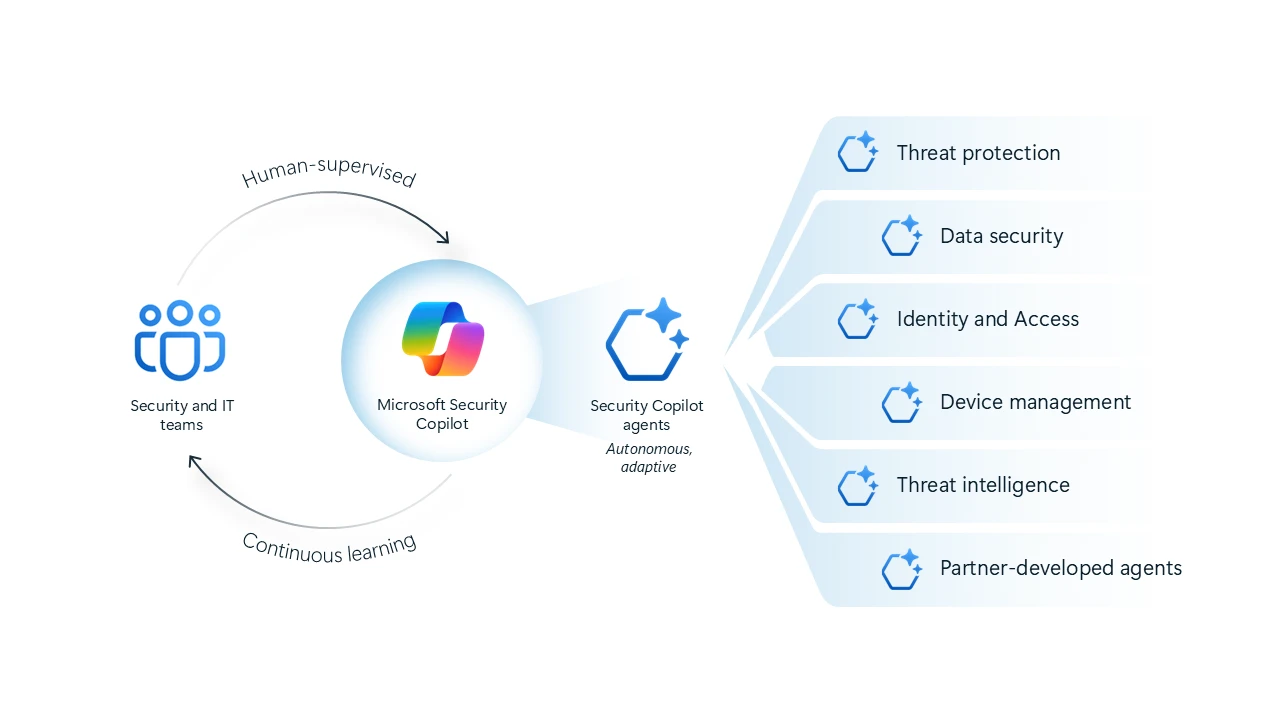
In March 2025, Microsoft announced six Microsoft Security Copilot agents and five partner agents for preview in April 2025. Microsoft described agents designed to triage phishing and Purview data-loss-prevention or insider-risk alerts, recommend identity-policy improvements, assist Intune vulnerability remediation, and prepare threat-intelligence briefings.
This preview announcement reflects attention to AI-related security risks. The research and phishing cases discussed here support evaluating relevant controls, rather than treating one product or detection system as universally required. An announcement alone does not establish protection against every prompt-injection chain, and the appropriate controls depend on the organization’s environment.
Enhanced Defender for Office 365 and Teams
Microsoft also invested in strengthening Defender for Office 365 and extending protections into Teams. The announcement described extending Defender protections into Teams; it did not establish a dedicated detector for every attack involving Copilot. By improving coverage in Teams, Microsoft is acknowledging that Copilot’s capabilities cross communication channels and therefore security controls must follow that same cross-platform approach.
With more users collaborating in Teams, attackers see opportunities to sneak in Copilot phishing emails or malicious Copilot links through shared messages or even group chats. Defender for Office 365 aims to shut down these attack surfaces before they reach Copilot’s automated features.
Ongoing Risk Monitoring
The March 2025 announcement described indirect-prompt-injection detections for custom-built AI applications in Defender. It did not establish additional telemetry specifically tracking prompt injections or malicious links in Microsoft 365 Copilot. Organizations should follow the advisories and controls that apply to their particular product and deployment.
These efforts are a sign that Copilot’s integration with Outlook and other Microsoft services is here to stay, and so is the responsibility to protect it. Users should stay updated on security bulletins and apply policy changes whenever new threats are discovered. That is the only sustainable way to keep Microsoft Copilot malware from becoming a persistent risk.
Security is never finished, and Microsoft’s evolving safeguards will only be as strong as the users and organizations who apply them. In our final section, we will look at what you can do right now to protect your systems and build a resilient security culture around Copilot.
Conclusion and Action Steps for Users
Key Steps to Take Now
There is no doubt that Microsoft Copilot malware has changed the cybersecurity risk landscape. Organizations cannot afford to ignore the growing threat of Copilot phishing emails, malicious Copilot links, and other Copilot email scams. Keep supported software updated and follow applicable security advisories. For CVE‑2025‑32711 specifically, Microsoft had already applied the service-side mitigation and required no customer patch.
Next, administrators should review access to sensitive information and external content using controls actually available in their tenant; this recommendation should not be read as a universal switch to disable external email ingestion. Pair this with appropriate phishing defenses and investigation; Security Copilot’s announced phishing-triage agent was intended to assist security teams with triage. Staff should be continuously trained to recognize suspicious activity, even in AI-processed messages, and know how to verify sender domains and links.
The Importance of Continuous Vigilance
Staying safe in a world of advanced AI means developing habits that keep pace with adversaries. Microsoft AI security risks will continue to evolve as Copilot becomes more capable, so organizations must prepare for the possibility of new vulnerabilities and exploits. Monitoring Copilot’s logs, checking for suspicious queries, and keeping an eye on prompt activity will help you respond faster to an unexpected compromise.
Security experts have long warned that overreliance on any automated system is dangerous without proper human oversight. Copilot is no exception. It should be treated as a privileged part of your environment with extra safeguards to monitor and validate its decisions.
Building a Resilient AI Security Culture
AI tools are powerful, but they demand responsible use. Leaders should build a culture of security that treats Copilot as a critical component of their workflow, not just another productivity app. This means writing clear policies for AI input handling, keeping up with Microsoft’s ongoing security bulletins, and developing in-house expertise to review logs and responses from Copilot.
If you would like to see broader frameworks on security culture for AI, check out our piece AI Employee Cybersecurity: 5 Hidden Risks for 2026, which discusses why these strategies matter for every organization. By aligning technical controls with human-centered policies, you can reduce the risk of Copilot phishing emails and malicious Copilot links turning into a larger breach.
AI is rewriting the rules of cyber conflict. Our briefings cover what regulators miss, from Volt Typhoon to digital ID rollbacks. Stay ahead of policy, strategy, and global risks, and join the Quantum Cyber AI Brief now.
With these steps in place, you will have a foundation for stronger defense against Microsoft Copilot malware and any evolving Copilot email scams.
In closing, the journey to secure AI-driven email tools is only beginning. The more proactive you are today, the less likely you will be tomorrow’s victim.
Key Takeaways
- Microsoft 365 Copilot introduces risks around untrusted content and access to organizational information; research exploits, post-compromise abuse and brand phishing are different problems.
- EchoLeak demonstrated zero-click information disclosure and was mitigated by Microsoft; email receipt alone was not the complete researched chain.
- Copilot-branded credential phishing targets people and does not by itself demonstrate compromise of the assistant.
- Microsoft had mitigated EchoLeak and announced new Security Copilot agents for preview; those announcements did not establish complete protection.
- Building a resilient security culture and proactively monitoring AI prompts are vital to keep up with emerging Microsoft AI security risks and Copilot email scams.
FAQ
Q1: Is Microsoft Copilot safe to use for email?
Microsoft Copilot is generally safe if properly configured and regularly updated. Organizations should follow applicable advisories, review permissions and available controls, and investigate suspicious activity. EchoLeak itself required no customer patch; there is no universal external-ingestion switch established by this article.
Q2: What is EchoLeak?
EchoLeak is CVE‑2025‑32711, a disclosed zero-click information-disclosure vulnerability in Microsoft 365 Copilot. Microsoft had mitigated it by the June 11, 2025 advisory; no customer action was required.
Q3: How can I recognize a Copilot phishing email?
Look closely at sender domains, watch for brand impersonation, and be cautious of urgent or unusual requests. Malicious Copilot links and Copilot email scams often appear highly authentic.
Q4: Does Microsoft plan future security upgrades for Copilot?
Yes. Microsoft has expanded its Security Copilot program with new AI-based agents, improved Defender for Office 365, and pledged ongoing monitoring and collaboration with security researchers to close future vulnerabilities.