
Imagine a teammate sends your child a message about a free item for their gaming account. A familiar streamer appears to announce a giveaway. Someone in a group chat asks the family gamer to test a new game. Before anyone acts, ask one question: What does this person want us to do?
That question gives you a practical way to assess gaming scams. A reward claim deserves a different response when it asks for a password, a payment, a downloaded program or approval to sign in on another device. You do not need to settle every detail of the sender's story before declining that action.
This guide explains how to check an offer outside the message, protect the accounts behind a family's games and streams, and respond if someone already clicked or approved something. Start with the action. If a child needs help, start with help.
Key Takeaways
- Check an unexpected request even when you recognize the gaming account that sent it.
- Verify giveaways through the creator or company's established channels before sharing information.
- Keep passwords, login codes and login approvals out of prize claims and private support conversations.
- Match recovery to what happened: opening a page, granting access, running software and paying money require different steps.
- Protect the recovery email and make it easy for children to report a mistake promptly.
If someone already acted, take these first steps
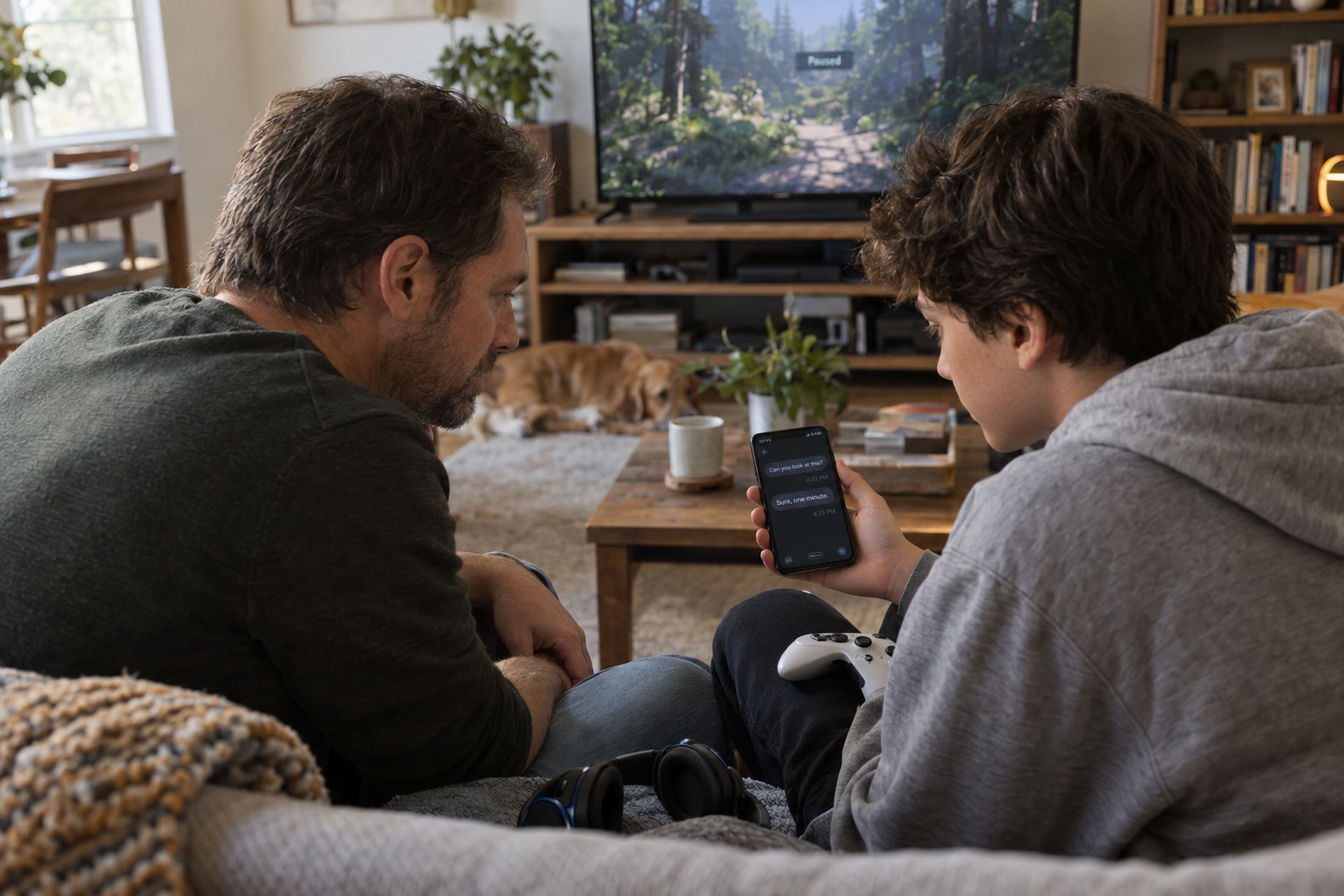
If someone already responded to a suspicious gaming account request, start here. Stop the conversation and pause further downloads, payments, trades or approvals. Help a child do this before discussing how the message arrived.
- A page opened: close it. Check for an unexpected download without opening the file. Do not return to the suspicious page to reconstruct what happened.
- A login prompt appeared: cancel a pending approval you did not start. If a password, code or gaming account approval was already given, open the affected service independently and begin its official recovery process.
- A program ran or remote access was granted: stop sensitive sign-ins on that device. If an unknown person still controls it remotely, disconnect its network access. Use another trusted device for help and account changes.
- Money or items moved: contact the payment provider or platform promptly through its usual app or support route. Ask what can be stopped or reversed; avoid promises of a guaranteed refund or restored trade.
- The gaming account is inaccessible: use official account recovery, and check the linked email too. Keep ownership evidence for the support process rather than posting it in chat.
The FTC's guidance on responding to a scam explains why payment recovery and device access need different responses. Write down what happened and save relevant messages or receipts without repeating the risky action. Then use the detailed response section below. A gaming account problem can occur alongside a device or payment problem; one password change does not address all three.
How a familiar gaming account can carry a scam
Discord identifies malicious links, downloads presented as games, and impersonated support as ways people can compromise accounts or target other users. It recommends strong, unique credentials and caution with unsolicited messages in its compromised-account guidance. Treat a gaming account you recognize as the beginning of your check, rather than the end.
For a hypothetical example, suppose a teammate you know asks you to install a tournament practice tool. You have played together for months, and the message appears in your existing conversation. You still need to verify the new request. Knowing the teammate does not establish who controls the gaming account at that moment or whether the teammate checked the file.
Use another contact route you already know. Call the person, ask in person, or use a separate established conversation. Say what you received and ask whether they sent it. Avoid relying on a phone number or new account supplied in the suspicious message.
If you only know the player through that gaming account, you may not have a reliable independent check. You can decline the download without accusing them of anything. Suggest playing through the usual game client instead. A friendship does not require granting access to your device.
For family decisions, separate the familiar activity from the new action. Joining the usual game session is one choice. Installing a tool, transferring an item, entering gaming account details or approving a login is another. Apply the extra check when the request crosses that boundary, even if the surrounding conversation feels routine.
Fake giveaways ask you to give up something first
The FTC warns that demands for fees or financial information to claim a prize are signs of a scam. It also advises checking with the real organization independently rather than trusting contact details from the supposed prize organizer. See its guidance on fake prizes and sweepstakes.
Apply that check to the action in front of you. Pause when someone says you must pay to release a reward, provide a gift-card code, enter a card number to verify a free item, or move to a private conversation before you can learn the terms. Do not send a small payment just to find out whether the larger reward exists.
Here is a hypothetical livestream example. A viewer receives a private message saying the streamer chose them for a console giveaway. The message asks for a shipping payment within ten minutes. The viewer should leave that conversation and check the streamer's established channel for the promotion's rules. The countdown does not remove the need to verify the organizer.
Look for the named organizer, eligibility, entry period, prize and stated way of contacting winners. Compare the private request with those rules. If you cannot find the promotion through a route you already trust, leave the offer alone. Do not use positive replies in the same chat as your only confirmation.
If you independently verify a physical prize and choose to give a delivery address, treat that as a separate privacy decision. Share only the information needed, through the verified process; have an adult handle a child's delivery details. A claim about winning never gives the organizer permission to use your gaming account password or approve a login on your behalf.
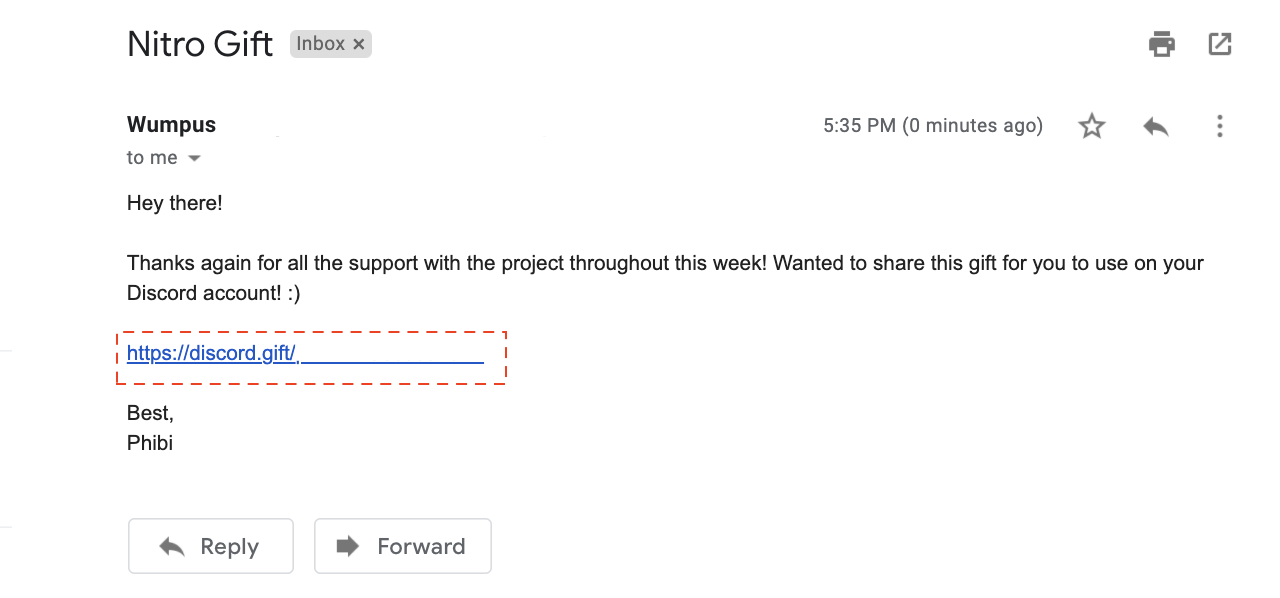
For Nitro gifts, Discord's official gift-redemption instructions cover in-app gifts and gifts received outside Discord. Compare a claimed gift with that process. A gift preview alone does not settle where a link leads. Open Discord independently to check the account and gift before signing in through a message's destination.
A genuine gift and a subscription are also different decisions. Discord explains that applying gift credit to a renewing subscription can involve a payment method. That documented account process does not make a stranger's request for a prize-release fee legitimate. Check what you are accepting, whether it renews, and who is requesting the payment information. Keep a child's billing decisions with the adult responsible for the account.
Login pages, QR codes and permissions need different checks
Start the login yourself
When a reward page asks you to sign in, stop and open the platform through its usual app or your saved bookmark. Look for the offer there. If you want to examine a promotion, begin from the organizer's established page and follow its published process. Avoid letting a private message choose the place where you enter gaming account credentials.
Ask what the sign-in is meant to accomplish. Logging in to your own gaming account is different from connecting that account to another app. Discord explains that some apps request permissions when they are authorized, including actions within a server. Its app-permission guidance shows why the permission request deserves attention.
A real authorization page can still offer a choice you should decline. The platform may be accurately asking whether you want to give the displayed app access; that does not establish that the app deserves it. Read the app name, requested permissions and gaming account or server affected. If you did not seek that connection, cancel.
For example, do not approve an unfamiliar app simply because someone says it will verify giveaway eligibility. Ask why that app needs the listed access and find an independent explanation. If the purpose and permission do not make sense together, you have enough reason to stop. You do not need to prove malicious intent first.
A Discord QR login grants gaming account access
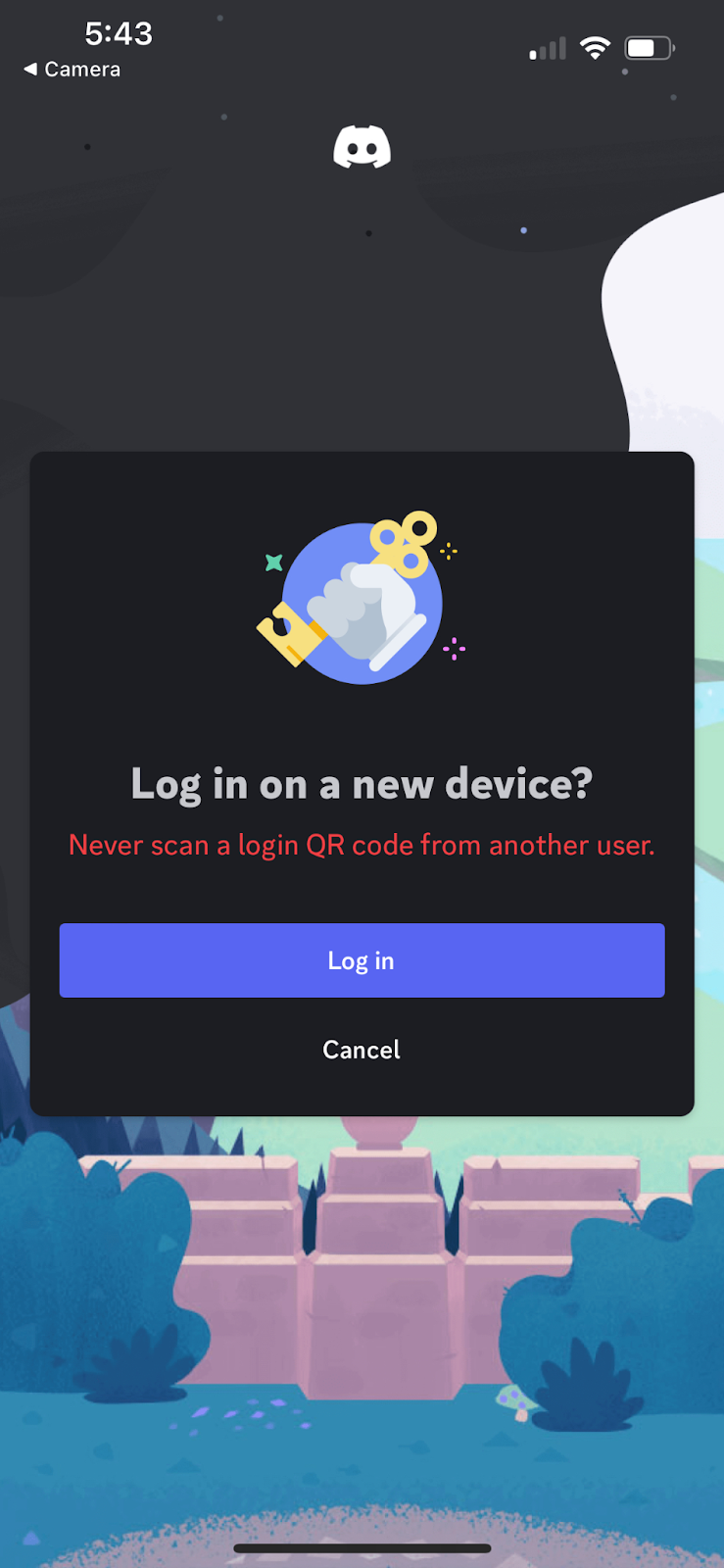
Discord's QR login flow uses a signed-in mobile app to approve a login on a desktop or browser. Scanning is followed by an approval screen; the user can cancel. Discord specifically tells users never to approve a QR login they did not initiate. Its QR Code Login FAQ explains that sequence.
Distinguish this from a QR code that opens an ordinary web page. Ask what the phone is requesting now. If the app asks you to approve a login, you are authorizing gaming account access on another device. You are not merely reading contest information.
Never scan a contest QR code to authorize a Discord login. If an unexpected scan opens a login confirmation, cancel it. Reserve that approval for a device you are deliberately signing in to and can identify. Make the same family rule for codes and push prompts: approve only the login you started, and never relay a login code to someone in chat.
A game test or support warning deserves a separate check
Treat an unexpected file as a software decision. Before installing a game, mod, browser extension or tournament utility, establish who made it and find its distribution route independently. Do not disable security tools because the sender says the warning is normal. If you cannot establish the source, skip the installation.
This does not mean that every small developer or community project is unsafe. It means a personal message is insufficient evidence for running software. In a hypothetical playtest request, you can ask your friend about the project separately, look for their established developer page, and decide whether you want that software on the family device. You can also decline.
For supposed gaming account problems, use the platform's support route. Steam's account-security recommendations are a starting point for protecting access and the linked email. Open help through the Steam client or a support site you navigate to independently, rather than through a new contact introduced in chat.
Suppose a chat contact says they accidentally reported you and introduces an agent who can prevent a ban. Do not follow that person's instructions to transfer items, change the gaming account email or hand over a login code. Check for an actual account issue through official support. A claimed emergency does not make a chat contact your support provider.
Use the same restraint for trades. Review the recipient and items in the platform's normal trade process before confirming. Decline a request to move valuable items temporarily to prove ownership or protect them while someone investigates. Keep the item decision separate from the story used to hurry you into it.
What to do now: protect your gaming account and agree when to pause
Make the setup manageable. Choose one family gaming account and its recovery email, then work through the following steps together. Repeat for the other accounts afterward, instead of trying to fix every device and setting during one conversation.
Start with the recovery email. Steam's security recommendations emphasize that the email tied to your gaming account needs protection too. Make its password unique and enable the stronger sign-in options your email provider offers. Check that you can still use the recovery methods before changing them. Keep an adult involved when the account belongs to a younger child.
Give each gaming account its own password and enable available account protection. Avoid using the same password for email, games and streaming. Follow each provider's instructions for two-factor authentication or supported passkeys, and keep backup recovery material somewhere private. The Passwords, Passkeys, and 2FA guide explains the choices without asking you to adopt every option at once.
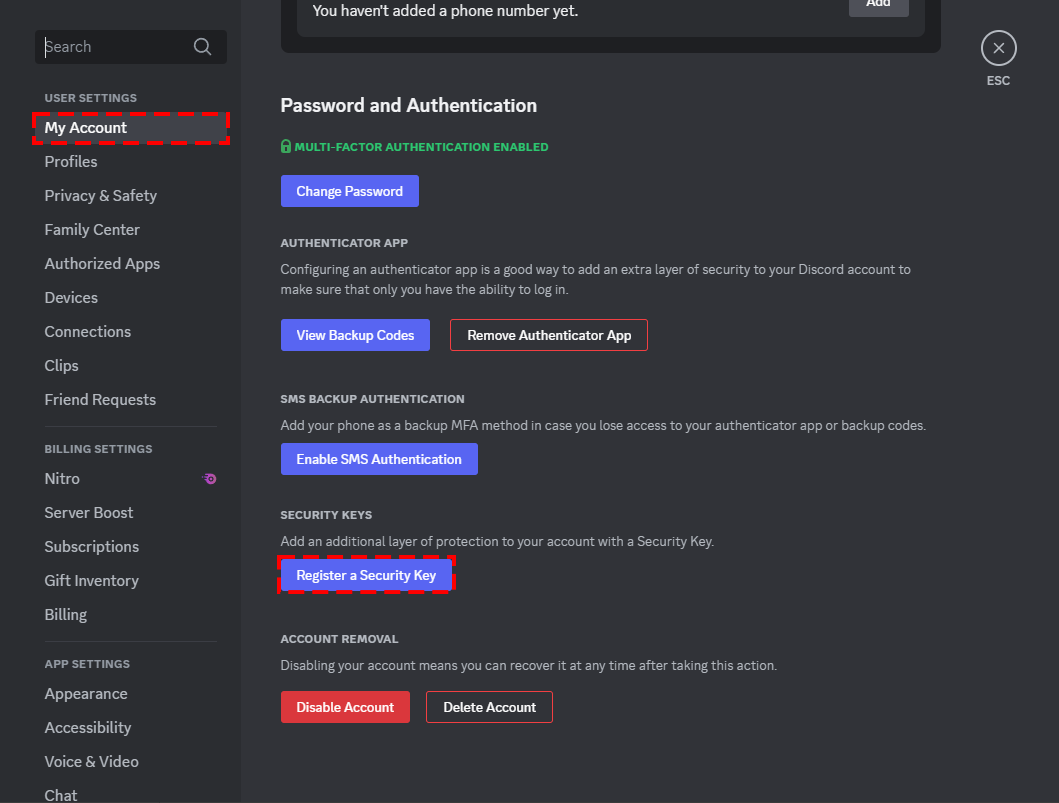
Discord supports passkeys for passwordless sign-in and security keys for multi-factor authentication. Its setup instructions explain the options and retaining backup codes. A passkey and a hardware key are not interchangeable menu choices on every service. Follow the provider's current prompts, name a key so you can recognize it later, and establish how you will regain gaming account access if the usual sign-in method is unavailable.

Review purchases and saved payment methods. Decide whether each gaming account needs a stored card and who may approve purchases. Use the purchasing controls provided by the game, store or device where appropriate. Review receipts together so the family knows which charges belong to subscriptions, game purchases or other activity. Do not make a password for spending something children routinely share with friends.
Review who can contact the player. Open the current chat and privacy settings together. Choose the contact permissions that fit how the child uses the service, and show how to block and report a message. Avoid describing a single setting as complete protection. Keep the action-based checks for messages that still arrive.
Agree on the actions that require a pause. A useful household rule is to ask before an unexpected request involves payment, an item transfer, a new download, a password, a login code, a QR login or app authorization. Give teens a clear independent-check process; give younger children a simple instruction to bring the screen to an adult.
Discuss these rules while everyone is calm. Use the Family, School & Everyday Digital Safety hub to connect the gaming account rules with the family's other online habits. The agreement should include a promise: asking for help after a mistake comes before any discussion of consequences.
If this already happened, respond to the action taken
First, stop the conversation and avoid further instructions from that sender. Ask the player to describe what they did, in order. Write down whether they opened a page, entered information, approved something, downloaded a file, ran it or sent money. More than one response may be needed.
A page opened, but nothing was entered or approved
Close the page. Check whether the browser downloaded a file, and do not open any unexpected download. Avoid returning to the site to investigate it or repeatedly clicking to see what happens. Write down the time and save the suspicious message if you can do so without reopening the destination.
A click alone does not tell you that a gaming account was stolen. Check for concrete changes through the usual app: unfamiliar messages, purchases or altered account details. If you notice them, move to the account-response steps below. If someone entered information on the page, describe that action separately instead of calling the incident only a click.
The guide to responding after a scam-link click can help you work through the browser and gaming account questions. A child who is unsure what happened should say so. An incomplete recollection is a reason to check the relevant accounts, not to invent certainty about a compromise.
A password, code, login approval or permission was submitted
Use a different trusted device if you suspect the original device ran malicious software. Open the email provider and affected platform through known apps or established bookmarks. Check the recovery email first; if you lost access to it, begin its official recovery process. Then follow the affected platform's gaming account recovery instructions.
Change an exposed password and any other account password that reused it. Review available session controls and remove unfamiliar sessions. Review connected or authorized apps separately; do not assume a password change removes every permission you previously granted.
For Discord, its compromised-account guidance recommends a password reset, multi-factor authentication and removal of unwanted Authorized Apps. For an unintended QR login, Discord says a password change signs devices out. If your gaming account details changed or you cannot recover access, use its official support process rather than a person offering help in a direct message.
Steam says you can request recovery even if someone changed your gaming account's email, password or phone number. Its stolen-account recovery guidance explains how to find the account and provide ownership evidence through support. Follow the requested fields; keep proof of ownership out of public chat.
Twitch recommends securing the linked email, checking the streaming account's email address, changing its password and removing unwanted connections in its hacked-account guidance. It also advises removing saved payment methods if you notice unfamiliar purchases. Follow the current instructions for the platform involved; menu labels and recovery options can differ. Recovering a Twitch account does not automatically recover a separate gaming account used alongside the stream.
A downloaded program ran or someone gained remote access
Stop using that device for sensitive sign-ins while you address the software. If an unknown person still controls it remotely, disconnect it from the network to interrupt that access. Use another trusted device to contact legitimate help and begin gaming account recovery.
The FTC recommends updating security software, scanning for problems and getting help from a manufacturer or other trusted support source after a scammer gains device access. Its scam-response guidance covers both device access and other losses. Do not install a cleanup tool supplied by the suspicious contact.
Tell the trusted helper what ran and what permissions were granted. Do not treat deleting the downloaded file as proof that its effects are gone, or a password change as device cleanup. If you need help establishing that the device is safe to use, say that plainly and keep important gaming account changes on the trusted device meanwhile.
Money or game items moved
Contact the bank, card issuer or payment service promptly through its known app or established contact information. Explain accurately whether the payment was made without permission or you were tricked into sending it. Ask about stopping or reversing it; do not assume either outcome. The FTC's response guidance gives steps for different payment methods.
Report the affected game or streaming transaction through the platform too. Record the amount, time, transaction reference and recipient information available in the gaming account. For items, save the trade details and ask official support what its policy permits. Regaining an account and restoring missing items are separate outcomes.
Keep receipts and support case numbers together. Do not send more money to release an alleged refund, and do not hire a person who approaches you in chat to regain the account. Use official recovery first. Avoid giving that new contact passwords, codes or remote access because they promise a faster result.
Help a child report the problem before discussing rules
Start with a sentence such as: “Thank you for telling me. Let's stop the messages and work out what happened.” Ask the child to show the relevant conversation without making them reenact the risky steps. Find out whether they need help with a lost gaming account, a purchase or someone who is still contacting them.
Keep the first questions concrete. Which app was open? Was a file only downloaded, or did it run? Did the phone ask to approve a login? Was a code typed into a page or sent to a person? These details help you choose a response. A general question about why the child trusted someone does not tell you which account to secure.
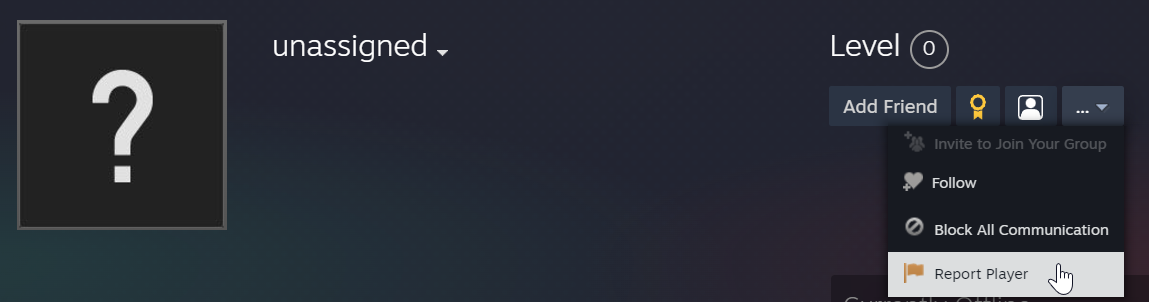
If the account sent suspicious messages, warn contacts through another established route. Explain that recent requests from the account should be ignored while recovery is underway. Report the original message or account using the platform's reporting controls. Steam's scammer-reporting instructions describe reporting through a user's profile. Use the current controls, choose the relevant category and describe your interaction accurately. Share only the evidence needed with support; avoid posting screenshots that expose email addresses, codes, payment information or other children's conversations.
When the immediate problem is contained, revise the family rule that would have helped. You might agree to check prize claims together, stop private item transfers, or verify unexpected downloads through a separate conversation. Keep the new rule specific enough to remember during play.
For a teenager, explain the reasoning and let them practice the check. For a younger child, name the adult to ask and the actions that require help. The purpose is to make the next pause easier, while preserving an honest way to report another mistake.
Conclusion
Assess gaming scams by the action someone wants you to take. Check a reward through an independent route, reserve login approvals for devices you deliberately sign in to, and use official support when an account is at risk. Protect the recovery email alongside the gaming account.
If something already happened, establish the facts before choosing the response. Help the player stop further contact, secure the affected accounts and address any device or payment problem. A calm first response makes room for the details you need. For more practical guidance, subscribe to Quantum Cyber AI.
FAQ
Can a scam message come from a real friend's gaming account?
Yes. Treat an unusual consequential request as something to verify, even in an existing conversation. Contact the friend through another route you already know. If you cannot confirm who is making the request, decline the download, payment or account action. You can keep the friendship without taking that risk.
Are all gaming giveaways scams?
No. Check the promotion's organizer and published rules independently. Compare the private message with the stated winner-contact process. Do not pay a fee to release a purported prize or provide account secrets. If a verified physical prize requires delivery details, have an adult handle a child's information through the established process.
Does scanning a Discord QR code immediately steal my gaming account?
Discord's documented login flow requires approval after scanning. Cancel a login you did not initiate. If you already approved an unintended login, follow its account-security instructions promptly. Keep an ordinary QR web link and a login confirmation separate when explaining what happened.
Is two-factor authentication enough to prevent gaming scams?
Use it, but keep the action checks too. Do not give another person a login code or approve a login you did not start. Check software before running it and permissions before granting them. Account protection and careful decisions serve different purposes; use both.
What should I do if I clicked but am unsure what followed?
Close the page and do not reopen it to reconstruct the incident. Check downloads and the affected account through its normal app. Write down what you remember and any changes you find. If information was submitted or software ran, take the corresponding recovery steps rather than relying on the label “clicked.”
Will support restore every stolen account or item?
Do not assume that it will. Start with the platform's official recovery process, supply the evidence it requests and ask separately about missing items or purchases. Save the case number and response. Decline a stranger's promise to guarantee recovery in exchange for money or account access.