
An attractive product appears between ordinary social posts. The video looks polished, and the price invites a quick decision. A few taps later, a possible fake store is asking for your payment information. The question is whether this seller, website, offer, and checkout tell one consistent story.
That pause matters. The FTC's April 2026 analysis of reported social-media scam losses found that social media appeared in 28 percent of 2025 fraud loss reports that identified a known, non-"other" contact method. Those social-media-origin reports described $2.1 billion in reported losses across all scam types. Shopping was the most reported social-media scam type, and more than 40 percent of people who reported losing money to a social-media scam said it began when they ordered something seen in an ad. Most of those shopping reports involved non-delivery, although some people described counterfeit or materially different goods.
Those figures do not measure the failure rate of social ads, and they do not mean every unfamiliar shop is a fake store. They show why an ad should begin your evaluation, not complete it. The broader habits in our Cybersecurity Basics guide apply here: identify the risk, verify important claims through another route, and protect the account or payment method involved.
Key Takeaways
- A sponsored label means the platform delivered an advertisement. It does not prove that the merchant, product, discount, or destination is trustworthy.
- Leave the ad and identify the seller independently before trusting a possible fake store with your payment information.
- Judge several facts together. A young domain, a new account, sparse reviews, or an imperfect website is not enough by itself to prove a fake store.
- Compare the exact product, total price, shipping promise, return terms, and payment path.
- Prefer a credit card when practical, stay inside a marketplace's protected checkout, and keep the ad, policies, order details, receipt, and messages.
- If you already paid, match your response to what happened and act before payment-provider or marketplace deadlines expire.
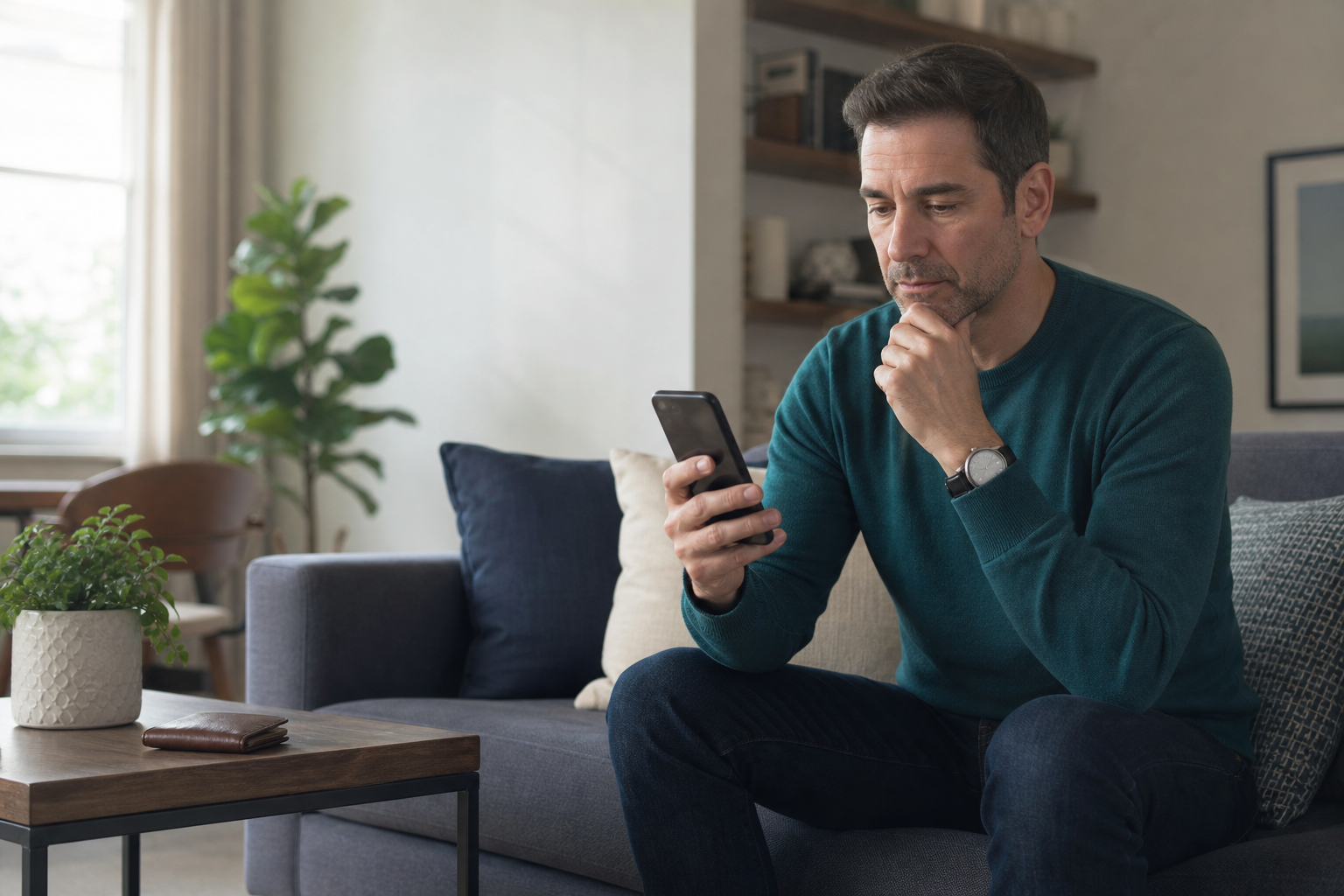
Start your fake store check: buy, pause, or leave
Before opening the checkout, use this short fake store check. The sections below explain how to investigate each part without mistaking an ordinary small business for a scam.
| Decision | What the evidence should tell you | Next step |
|---|---|---|
| Buy | The independently found seller, exact domain, product, terms, and payment route agree. | Use a payment route with reasonable dispute options and save the transaction records. |
| Pause | A material detail is missing or needs an explanation, such as the return destination or merchant name on the statement. | Ask through a contact route found outside the ad; wait for a specific, consistent answer. |
| Leave | Important claims conflict, checkout abandons expected marketplace protection, or the seller demands unrelated account access or a difficult-to-reverse payment. | Close the offer. You do not need proof of a fake store before declining the transaction. |
Check four things: who is selling, where the link goes, what is promised, and how you will pay. A badge, low price, new domain, or reassuring comment cannot resolve a serious contradiction elsewhere in the transaction.
A social media ad can lead to a fake store, but it is not a seller guarantee
The advertisement can feel complete before you know the business
A good ad answers the emotional questions quickly. It shows the product in use, supplies a discount, adds a deadline, and offers a button that removes the need to search. It may borrow a familiar brand style, an influencer-like presentation, comments, or recognizable product photography. None of those elements establishes who will receive your money or fulfill the order.
The FTC's warning about unusually low social-media offers explains that deceptive ads can impersonate known companies and send shoppers to fake store websites. Its practical advice is to identify and search the seller, compare prices elsewhere, use a credit card when possible, and refuse sellers that insist on gift cards, wire transfers, payment apps, or cryptocurrency. A strikingly low price is a reason to check, not proof on its own. Legitimate clearances and small sellers exist. The concern grows when the discount appears alongside a copied identity, contradictory terms, or a payment method that is difficult to reverse.
Paid placement does not settle that question. The same advertising systems that help a real merchant find likely customers can also place a fake store in front of a carefully selected audience. Treat the advertisement as a lead, not a verdict. Record the advertiser, product, seller name, and destination, then verify them outside the route the ad created.
Platform information can help investigate a fake store
Platforms provide different tools for investigating advertisements and accounts. Meta describes its Ad Library as a way to search ads currently running across its technologies. Use it to compare the advertiser and destination of available ads. Its search coverage and historical records vary; the absence of an old ad is not evidence that a business never advertised. Seeing an ad record neither rules out a fake store nor guarantees delivery, product quality, or refunds.
If Instagram or Facebook shows account information or Page transparency, compare the information actually available with the merchant's claims. Do not assume every account exposes the same fields. An established account can still lead to an unrelated checkout, while a recent account can belong to a real new business. Save any material mismatch you can see and ask for an explanation through an independently found contact route.
On TikTok, or whenever an ad archive or account-history tool is unavailable, preserve the post, advertiser, account name, and exact destination you can see. A missing transparency record does not settle the seller's identity. Continue the same independent checks rather than assuming the platform has already completed them.
Pinterest offers another signal. Its Verified Merchant Program requirements include account and website age, a claimed domain, catalog setup, guideline compliance, and recent conversion activity. Participation can add positive context, but it is not purchase insurance. A missing badge does not prove a fake store. The merchant, item, return terms, and destination still need a check.
How a fake store can look established in minutes
A fake store can copy a familiar brand
A fake store does not have to look careless. A site can imitate a brand name, reuse product photography, and register a domain that looks close to the name a shopper expects. A clean logo, a professional theme, and a smooth cart are design features. They do not establish who operates the store.
Connection security is also easy to misunderstand. The FTC's online-shopping checklist notes that HTTPS means information sent to a site is encrypted. It does not mean the site is legitimate. That encryption protects data while it travels to the domain you opened, even if that domain belongs to a fake store. Browsers use different connection indicators, so a padlock is not a universal sign to look for. Read the actual registered domain in the address bar, not just the brand name printed inside the page.
Poor grammar or broken pages can justify caution, but their absence is not proof of safety. A polished fake store can copy competent writing, while an honest new business may have a basic site. Ask whether independently checked facts agree, not whether the page looks expensive.
Urgency compresses the decision
A steep discount or time-limited offer can make independent checking feel like losing the deal. You do not have to debate the urgency. Save the seller and product details, open a new tab, and compare the offer at your own pace.
A fake store benefits when urgency replaces evidence. A real merchant should survive basic questions about identity, shipping, returns, and payment. If the price disappears while you check, you have lost an offer, not money or account information.
One clue should not decide the case
A recently registered domain can conflict with a claim that a store has operated online for many years. It cannot prove fraud by itself. Likewise, redacted registration details, a home address, few reviews, or a new social profile may be compatible with a legitimate small business.
The goal is not to classify every questionable site as a fake store with certainty. A fake store check is really a decision about whether the evidence supports giving this merchant money and data. Several consistent facts can support a purchase. Several contradictions can justify leaving.
Use a four-part fake store check before you buy
1. Identify the seller outside the ad
Write down the social account, merchant name, destination domain, and product or model. Do this before the ad disappears or redirects, then open a separate browser tab rather than using its next button.
Search the merchant name and domain with terms such as review, complaint, or scam. FTC marketplace guidance recommends researching the seller and checking what happens if something goes wrong. Protections vary by platform, item, seller, and deadline, so find the rules for this transaction.
Look for an independently found website, support route, and business identity. If the ad claims to represent a recognized brand, reach that brand through a bookmark, a verified search result you inspect carefully, or an address you type yourself. See whether the official site recognizes the sale, product, outlet, or authorized seller. Do not validate an ad by calling the phone number printed in the same ad.
Platform transparency can help you investigate a possible fake store. Compare the seller and destination across current ads, then review account age, username-change information, or Page history where available. Unrelated names, conflicting domains, and shifting business descriptions deserve an explanation, but no single detail settles the question.
A distinctive product photograph can provide another lead. Google's About this image guidance says the feature may show when Google first saw a similar image and other pages using it. That may reveal earlier context or a widely reused supplier image. Reuse alone does not identify the genuine seller.
This part of the fake store check passes when the independently found identity, contact route, destination, and product story agree. Pause if the only evidence for the business comes from the business itself. Leave if the claimed brand disowns the offer or if every path leads back to the same unverified landing page.
2. Inspect the destination and domain
Read the web address in the browser bar before you pay. In the reserved example brand-name.example.com, the registered domain is example.com; brand-name is a subdomain controlled under it. The FBI's June 2026 warning about deceptive advertisement links describes fraudulent links that resemble legitimate addresses or use misleading subdomains before routing people to another destination. A fake store can place a familiar brand word in a subdomain, path, or large heading while payment goes through an unrelated domain. Watch for extra words, swapped letters, unexpected hyphens, unusual endings, and a checkout that moves somewhere the seller never explained. If the domain boundary is unclear, paste the exact domain into ICANN Lookup rather than guessing. URL inspection can reveal a contradiction, but it does not guarantee that a site is safe; an ordinary redirect is not automatically malicious.
ICANN's Registration Data Lookup Tool uses registration-data services to show available current information returned by registries or registrars. Public results may include the registrar and creation date. If a possible fake store claims ten years of online history but its exact domain was created recently, ask how those facts fit together. The answer might be a new domain after a rebrand, or another contradiction.
Use registration data with restraint. For registrations covered by the policy, ICANN's current Registration Data Policy sets publication and redaction duties for ICANN-accredited registrars and generic top-level-domain registry operators under agreement with ICANN. It identifies specified fields, including creation date and registrar, for publication while requiring or permitting personal-data redaction in defined circumstances. A hidden registrant name is not proof of a fake store. An old domain is not proof of a legitimate current operator either. Domains can change hands, and available public fields vary.

Compare the site's About, Contact, Shipping, Returns, Privacy, and Terms pages. Look for consistent company names, addresses, support methods, currency, shipping origin, return destination, and deadlines. A fake store may copy a policy that names another company. A return page may promise easy refunds while requiring costly overseas shipping or excluding sale items.
Check addresses and contact routes independently. A real address does not prove that the merchant occupies it, and no phone number does not prove a fake store. Look for a usable route and details that match the other claims.
Stop if the destination asks for information unrelated to the purchase, such as an email password, banking login, government identifier, or payment to a name that conflicts with the merchant. A fake store checkout may seek more than it needs to process and deliver the order. It does not need control of another account.
3. Test the product, price, and promises
When checking a possible fake store, compare the exact product or model, not merely a similar-looking item. Check established retailers or the claimed manufacturer's independently found site. Include shipping, taxes, subscriptions, and required add-ons. A deep discount can be genuine, but a price far below every credible comparison needs a convincing reason.
Read reviews across several sources and dates. A star average on the seller's page is weak evidence because the seller controls that page. Give more weight to specific accounts of shipping, quality, support, returns, and refunds. Vague praise or text describing a different item needs more checking. Few reviews can simply mean the business is new.
For a possible fake store, read the offer literally. Note the promised shipping time, origin, return destination, return postage, restocking fee, sale-item exclusions, cancellation window, and refund deadline. Save the terms that applied when you bought. A headline promising "easy returns" is less useful than a policy explaining where the item must go, who pays shipping, and how quickly a refund is issued.
U.S. shoppers should also distinguish a shipping promise from an arrival date. The FTC's guidance on orders that never arrive explains that sellers of most merchandise ordered online, by mail, or by phone must ship by the promised time, or within 30 days if no time was stated. If shipping is delayed, the seller must give the buyer a choice to consent to the delay or cancel for a full refund. Do not interpret this as a reason to wait 30 days after every suspicious purchase: an earlier shipping promise or payment-dispute deadline can matter sooner.
Also distinguish the problem you are trying to prevent. No shipment, a counterfeit item, a cheap substitute, an item materially different from the listing, and an ordinary product that disappoints you are not the same outcome. Precise product screenshots, model details, measurements, materials, and written promises help show what was ordered if a dispute follows.
This part of the fake store check passes when the product identity, realistic price, delivery promise, and return terms are compatible. Pause when important terms are missing. Leave when the listing changes between pages, the product cannot be identified, or the seller refuses to state how returns work.
4. Protect the checkout and keep leverage
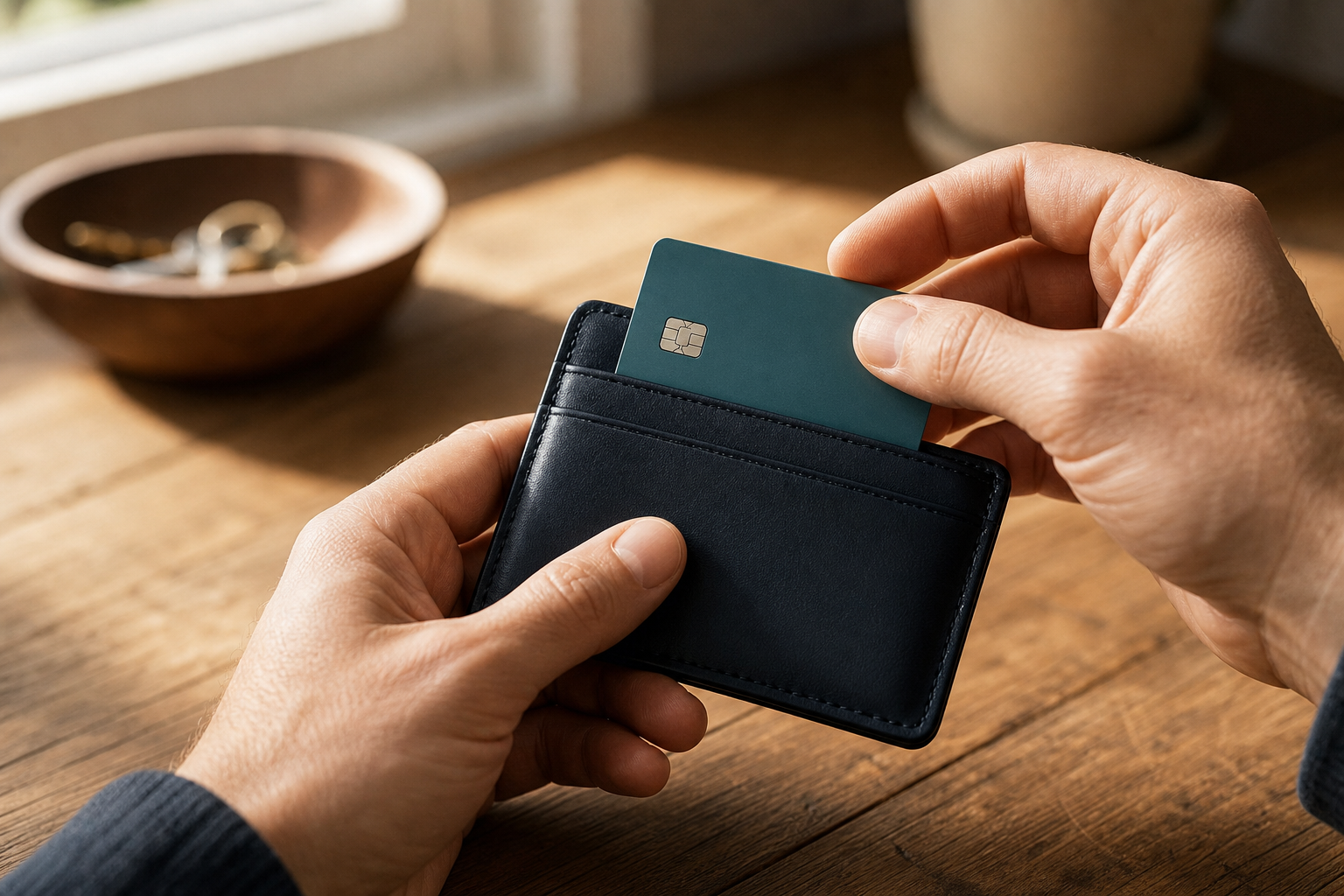
Prefer a credit card when practical. The CFPB's credit-card refund guidance explains that the seller may resolve a purchase problem and the issuer may have a dispute process if it does not. Contacting a seller is useful, but do not let repeated promises consume an issuer deadline. A dispute is not guaranteed recovery.
For U.S. credit-card purchases, Regulation Z's billing-error rules include goods not accepted or not delivered as agreed. To preserve that process, make sure your written notice reaches the issuer's designated billing-inquiries address within 60 days after it sends the first statement showing the error. That is not a deadline measured from the purchase date or the seller's latest promise. Use electronic notice only through a method the issuer says satisfies its written-notice requirements, and keep a copy and evidence of delivery.
A disagreement about the quality of goods you accepted follows a different route from this billing-error process. Ask the issuer which process and evidence apply to a counterfeit, wrong, damaged, or disappointing item; do not assume these situations are interchangeable. Contact the seller, but you do not have to await its answer before raising a covered billing error with the issuer. Outside the United States, ask your provider about the protections and deadlines that apply where you live.
The credit-card rules above do not automatically apply to debit cards, gift cards, payment apps, wires, or cryptocurrency. If a possible fake store insists that one is the only way to receive a special price, leave. The problem is especially serious when a marketplace seller directs you outside its checkout, which may remove the protection you expected.
Before submitting, read the final total, merchant name or descriptor, recurring-payment language, shipping address, and return terms. If an account is required, create a unique password. Never reuse the password for your email, bank, or another important service. A fake store can create risk beyond one payment if the same credentials unlock other accounts.
Keep evidence while it is easy to collect. Save the ad, profile, destination, product page, policies, total, confirmation, receipt, promised shipping date, tracking, and messages. A screenshot or PDF preserves the version you saw if the seller edits or removes it. Store records outside the shopping account.
Before paying, confirm that the named merchant, total, terms, and payment route match and that the method preserves reasonable dispute options. Pause if the descriptor or recurring terms are unclear. Leave if the seller demands an irreversible method, moves you outside protected checkout, or asks for unrelated credentials or identity information.
Make a buy, pause, or leave decision
Buy only when the evidence aligns
Avoiding a fake store does not require buying only from famous sellers. A reasonable purchase requires a coherent story: merchant, domain, product, shipping, returns, checkout, and expected protection should agree.
Even when the check supports buying, keep the records and use a credit card or protected marketplace checkout when practical. Verification reduces uncertainty. It does not guarantee delivery or good customer service.
Pause when the evidence is incomplete
A new business with sparse independent history is not automatically a fake store. An unclear return address, unanswered product question, or recently created domain can justify waiting and asking for details without accusing the seller of fraud.
Use an independently found contact route. Ask where returns go, whether the seller is authorized by the named brand, or which company appears on the statement. Evaluate the substance and consistency of the answer. Pressure to pay is not an answer.
Pausing is also appropriate when the evidence is mixed during a fake store check. A badge may be positive, while a contradictory return policy remains unresolved. A long-running Page may look reassuring, while the checkout domain is new and unrelated. Do not average a serious contradiction away because several decorative signals look professional.

Leave when the transaction depends on contradictions or lost leverage
Leave when the claimed brand does not recognize the sale, merchant and domain names conflict, policies identify another company, product pages describe different goods, checkout moves outside the marketplace, or the seller demands an irreversible payment. Also leave when the checkout seeks identity data or account access that the purchase does not require.
You do not need a courtroom-level finding that the site is a fake store. A shopper can decline an unexplained transaction simply because the downside is larger than the value of the discount. Walking away from a questionable deal is cheaper than testing a merchant with money, passwords, or identity information.
If you already ordered from a possible fake store
Preserve the evidence first
Save what you already have from the possible fake store: the advertisement, profile, destination, product page, confirmation, policies, receipt, transaction descriptor, messages, promised delivery date, tracking, and photographs of what arrived. Note dates and the remedy requested. Do not revisit a risky page if you downloaded something, entered credentials, or saw signs that a device or account was affected.
The FBI Internet Crime Complaint Center's evidence guidance tells complainants to retain original evidence securely, including receipts, saved web pages, emails with headers, and chats. Its initial complaint process does not accept attachments, so keep the originals in case an investigator or payment provider later requests them. Filing a complaint does not guarantee an investigation, response, reimbursement, or recovery.
Contact the seller and platform through known routes
If the problem could be a late shipment, quality issue, or mistaken item, contact the seller through a route you found independently and state the requested remedy in writing. Keep the message factual: what you ordered, what happened, what the policy promised, and whether you want delivery, replacement, cancellation, or refund. Avoid sending new identity documents merely because a supposed support agent asks for them.
Use the platform's official reporting options for the ad, post, seller, or account. TikTok's post-reporting guidance and Pinterest's Pin and account reporting guidance explain their platform-specific processes. For other platforms, start with the reporting options actually shown on the content or the official Help Center. When reporting a suspected fake store, include the exact advertiser, destination, product, and transaction details you preserved. A platform report is a moderation or enforcement request, not a refund request. If you bought through a marketplace, open its dispute process before the relevant deadline. Do not wait for repeated seller promises if waiting could close the payment-provider or marketplace window.
Contact the payment provider quickly

The FTC's payment-specific scam recovery guide provides different steps for credit and debit cards, bank transfers, gift cards, wires, payment apps, cryptocurrency, and cash. Contact the company used to send the money and ask whether the transaction can be stopped or reversed. Speed can matter, but asking is not a promise that the funds will be recovered.
For a U.S. credit-card order that never arrived or was not accepted or delivered as agreed, contact the issuer promptly about its billing-error process. Use the written-notice address or approved electronic method described above and make sure the notice arrives within the applicable 60-day window. Ask separately about the route for a quality dispute over accepted goods. For a debit card, payment app, wire, gift card, or cryptocurrency transaction, contact the relevant bank or provider immediately and use the process for that method. Do not assume the credit-card rule applies.
After losing money to a fake store, follow the FTC's warning about refund and recovery scams before paying someone who promises to retrieve it for another upfront fee. A real payment provider can explain its process through a known number or app. A stranger who guarantees recovery and demands a fee may be creating a second loss.
Secure accounts and identity information
If you created an account with a reused password, change that password on the real services where it was reused. Start with email and financial accounts because they can be used to reset other logins. Review recent sessions, recovery addresses, and alerts. Watch statements for unauthorized or repeating charges that are separate from the purchase you knowingly made.
If you only opened the ad, downloaded a file, entered credentials, or noticed device or account changes, use our guide on what to do after clicking a scam link. The response depends on the action taken. Merely viewing a page is different from installing software or submitting a password.
If you disclosed a Social Security number, driver's-license information, financial-account details, or other sensitive identity data, use the Identity Theft Response Checklist to organize the next steps. IdentityTheft.gov's recovery process can create an FTC Identity Theft Report and a tailored recovery plan. That route is appropriate when identity information was exposed or misused, not simply because a routine order is late.
Report the incident without confusing reporting with recovery
You can report the fake store or scam to the FTC through the official ReportFraud portal. Preserve the report confirmation with your other records. The report can support fraud intake, trend analysis, referral, or enforcement, but it does not itself reverse a payment.
You can also report cyber-enabled fraud to the FBI's IC3 portal. Provide accurate transaction, recipient, website, and incident details. IC3 is not a merchant-verification or refund service, and submitting a report does not guarantee a direct response. Reporting to the platform and government services is useful, but it should run alongside time-sensitive contact with the seller, marketplace, bank, or payment provider.
What this means for everyday social shopping
This method is not a fraud score. A fake store can look polished, so base the decision on evidence rather than presentation. Verify the seller, destination, offer, and payment path outside the ad, then ask whether those facts are consistent enough to justify sharing money and data. You do not need certainty that a site is fraudulent before declining to buy.
That standard also treats legitimate small sellers fairly. A business should not be labeled a fake store solely because its account or domain is new, its history is sparse, or its site is imperfect. Give the merchant an opportunity to explain its identity, product, policies, and checkout through facts you can confirm independently. Consistent answers can support a purchase; a material contradiction can justify a pause or exit.
Conclusion
The next time a sponsored post presents an attractive product and an unusually easy checkout, pause before deciding what the polished creative means. Platform placement, visible engagement, HTTPS, and a familiar product image do not independently authenticate the seller behind the page.
Use the four-part fake store check instead. Identify the seller outside the ad. Inspect the exact destination and domain. Test the product, price, shipping promise, and return terms. Protect the checkout with a payment method and platform route that preserve reasonable leverage. Then make a buy, pause, or leave decision based on whether those facts agree.
If an order already went wrong, do not spend days trying to prove to yourself that the merchant is a fake store. Save the evidence, contact the seller and platform through known routes, speak with the appropriate payment provider, secure exposed accounts or identity data, and report the incident where appropriate. The useful response is specific to what happened and sensitive to deadlines.
For practical consumer cyber guidance delivered as new risks and decisions emerge, subscribe to Quantum Cyber AI.
FAQ
Are stores advertised on Facebook, Instagram, TikTok, or Pinterest verified?
Do not treat an advertisement as proof that the platform guarantees the seller. Platforms may enforce ad rules, display transparency information, run merchant programs, and accept reports. Those controls add context, but they do not promise delivery, a matching item, or a refund.
Use the platform information as one part of the seller check. Compare the advertiser, account history where available, destination, and current ads. Then independently verify the merchant, product, policies, and payment path. A badge or visible ad record can be positive context without becoming a substitute for the transaction check.
Does HTTPS mean an online store is legitimate?
No. HTTPS means the connection between your browser and that domain is encrypted. That protection matters because it makes information harder for others to read while it travels. It does not establish who owns the domain or whether the merchant will fulfill an order.
A fake store can use HTTPS. Confirm the exact domain, compare it with the independently found business, and evaluate the seller, offer, policies, and checkout. Do not ignore a browser security warning, but do not convert the absence of a warning into proof of legitimacy.
Is a recently registered domain always a fake store?
No. A real business may be new, may have rebranded, or may have moved to a new domain. Registration age is most useful when it tests a specific claim. A domain created recently conflicts with a claim that the exact site has operated unchanged for many years, but the conflict should be investigated rather than treated as an automatic verdict.
Judge the domain alongside the merchant identity, product details, account history, policies, and payment route. Also remember that redacted registration information can reflect ordinary privacy and data-protection rules.
Can reviews help me spot a fake store?
Treat them as information selected or displayed by the seller, not as independent proof. Read reviews across several sources and dates. Look for specific descriptions of delivery time, product quality, return attempts, support responses, and refunds. A large star count is less useful than detailed experiences that match the product you are considering.
Do not assume every positive review is fabricated or every negative review is accurate. Review patterns help when combined with the seller, destination, offer, and payment checks. Sparse reviews may call for patience, especially with a new business, but they do not prove a fake store.
What payment method is safest for an unfamiliar online store?
A credit card is generally the preferred option when practical because an issuer may offer dispute processes, and U.S. billing-error rules can cover goods not accepted or not delivered as agreed. A quality dispute over goods you accepted follows a different route. Recovery is not automatic: ask which process applies and follow its notice requirements and deadlines. For a covered U.S. billing error, written notice must reach the designated address within 60 days after the issuer sends the first statement showing the error.
Stay inside a marketplace's official checkout if you expect its buyer protection to apply. Leave if a seller insists on gift cards, wire transfers, cryptocurrency, a payment app, or an off-platform payment as the only route. Before paying, confirm the merchant, total, recurring terms, and return policy, then save the transaction records.
What should I do if the item arrived but is counterfeit or very different?
Preserve the listing, product description, photographs, packaging, order confirmation, policies, messages, and the item you received. Contact the seller in writing through a known route and request the remedy promised by the policy. If you used a marketplace, open its dispute process before the deadline. If you paid by credit card, ask the issuer what evidence and notice it requires.
Describe the problem precisely. Counterfeit goods, a materially different item, damage, and ordinary dissatisfaction are different claims. Report suspected fraud or dishonest business practices to the platform and appropriate government portal, but also pursue the payment or marketplace process because reporting alone does not issue a refund.
What if I clicked a possible fake store ad but did not buy?
If you only viewed the page and did not download anything, enter information, grant permissions, or notice unusual device or account behavior, close it and avoid returning through the ad. A possible fake store is not, by itself, evidence that your device is infected. You can still report a deceptive ad to the platform.
Take additional security steps if you downloaded a file, installed an app or extension, submitted a password, reused a newly created password elsewhere, entered payment or identity information, or noticed changes. Match the response to the action: secure affected accounts, contact the payment provider when relevant, review the device, and use identity-recovery steps only when sensitive personal data was exposed or misused.