
The dangerous thing about text scams is how ordinary they look. A package is delayed. A toll is unpaid. A bank account needs attention. Your mobile carrier says reward points are about to expire. The message arrives between errands, and fixing the supposed problem looks quicker than investigating it.
That familiar setting matters more than whether the sender used artificial intelligence. AI can help criminals write convincing messages, but polished language cannot tell you how a particular text was made. You need a way to judge the request even when the spelling, logo, and timing look right.
Start with one rule: an unexpected text can raise a question, but it does not get to choose where you answer it. Open the service independently before paying, signing in, sharing a code, or installing anything. The same rule works against AI-assisted and conventionally written text scams.

Key Takeaways
- Text scams often borrow ordinary situations: deliveries, tolls, rewards, refunds, and account warnings.
- Urgency and a familiar company name are reasons to check independently, not evidence that a message is genuine.
- A secure connection, professional design, or knowledge of your name does not establish who controls a website.
- Read a verification code or approval prompt as permission for a specific action. Do not pass it to an unexpected contact.
- Report suspicious messages through your messaging app or carrier, then block the sender. Use STOP for a recognized subscription you actually joined.
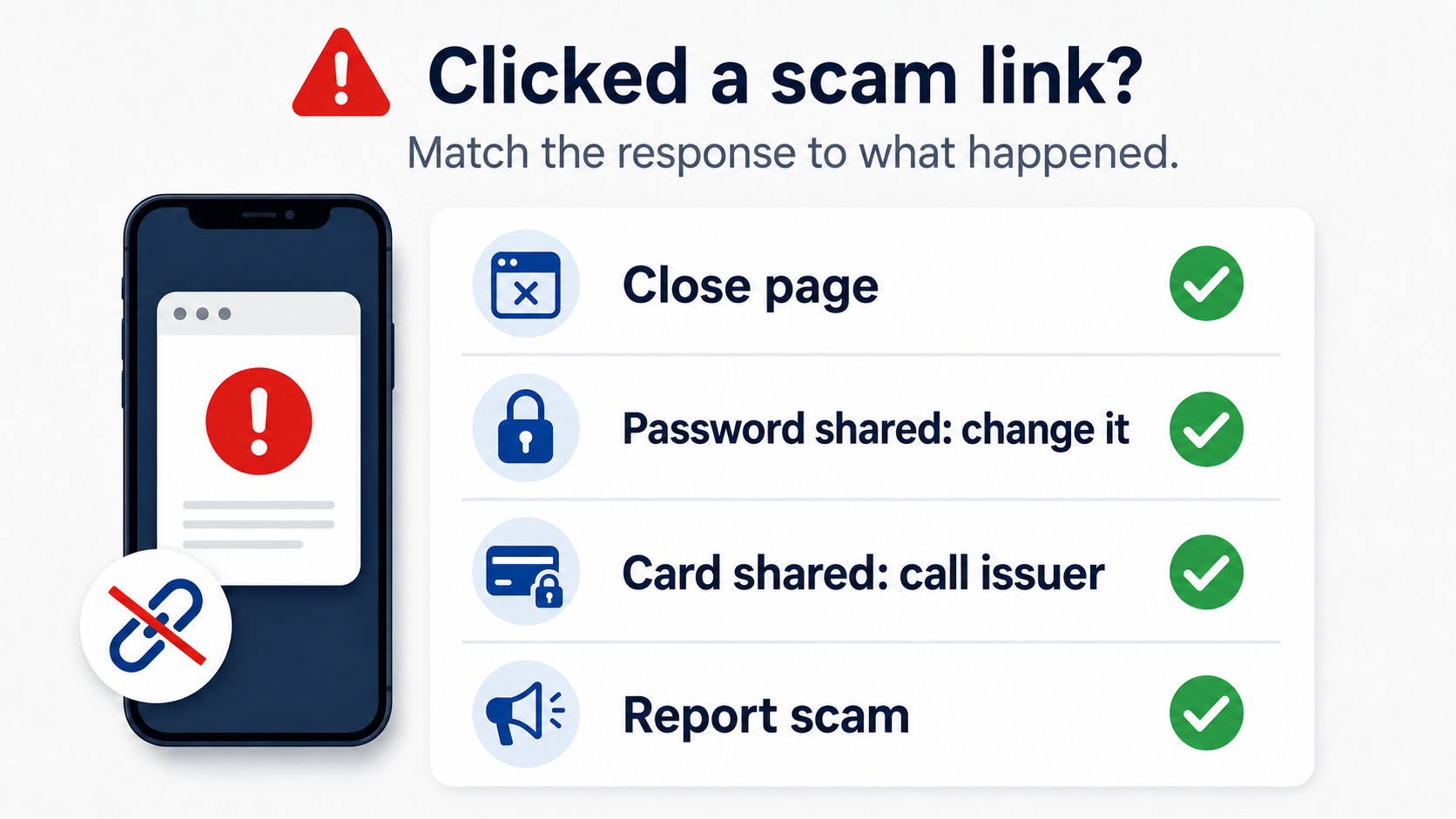
- Recovery depends on what happened: opening a page, entering information, approving access, paying, and installing software require different responses.
What AI changes about text scams
Text-message phishing is also called smishing. The FBI's explanation of toll-service smishing describes fake texts that trick people into sharing information, sending money, or downloading malware. That definition concerns the deception and requested action; it does not require AI.
AI can make the production process easier. In its December 2024 warning about generative AI and financial fraud, the FBI described criminals creating messages faster, improving translations, and producing content for fraudulent websites. That supports taking a fluent message seriously as a possible threat. It does not support declaring that every well-written scam was generated by a chatbot.
There is a specific incident behind this article's original June 2026 context. In Google's June 12 announcement about the alleged Outsider Enterprise, the company said it was filing a civil lawsuit against an operation distributing phishing kits for campaigns impersonating trusted brands. Google described AI-enabled fraud and coordinated disruption efforts. Those were the company's allegations and account of its actions, not a finding that any particular message on your phone belongs to that operation.
For a reader, the useful lesson is narrower than the headline technology: text scams can look competent. You do not need to prove who wrote the words before refusing the link. Treat grammar as a clue when it is wrong, never as a guarantee when it is right.
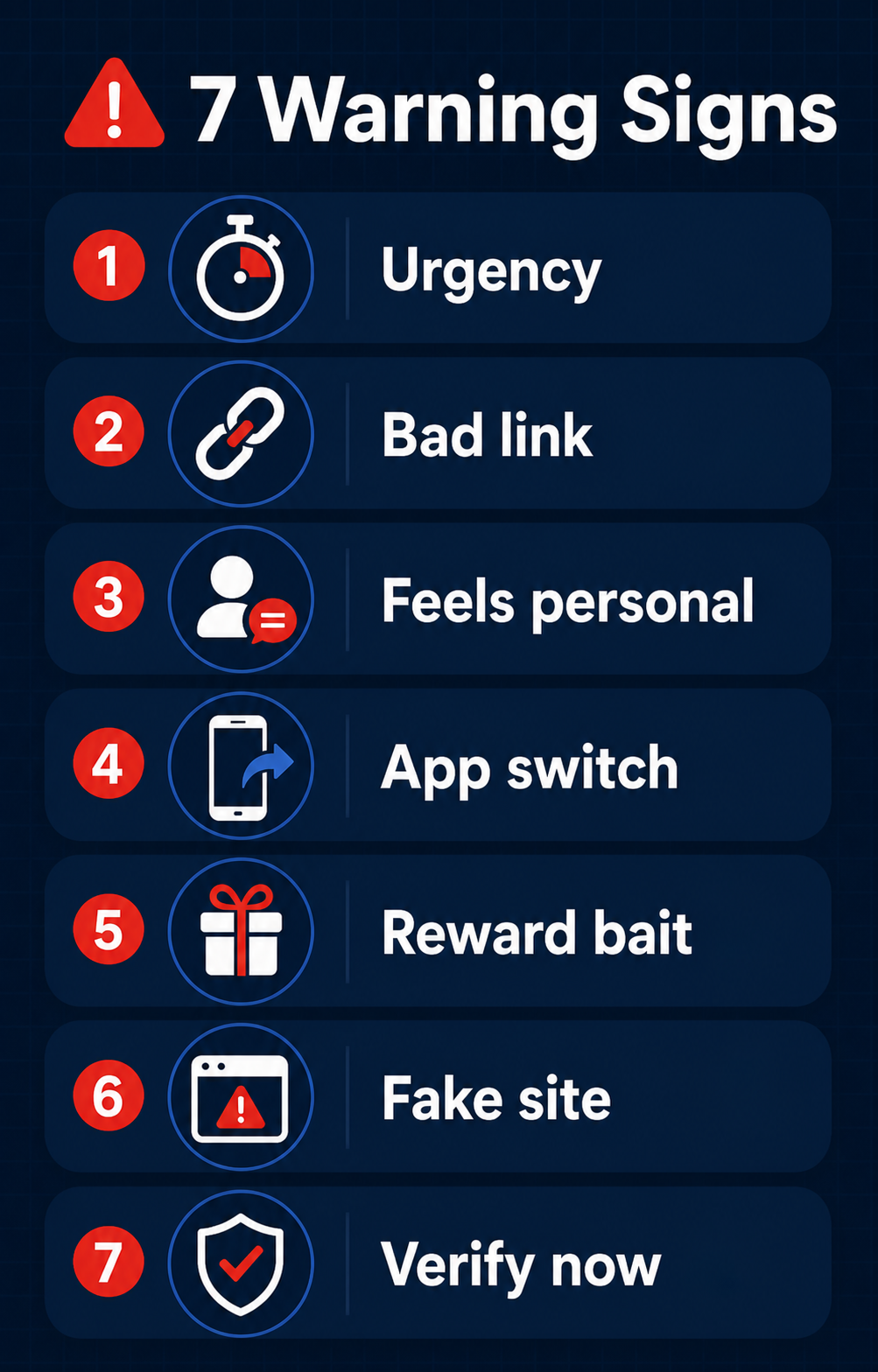
Warning sign 1: The message creates a tiny deadline
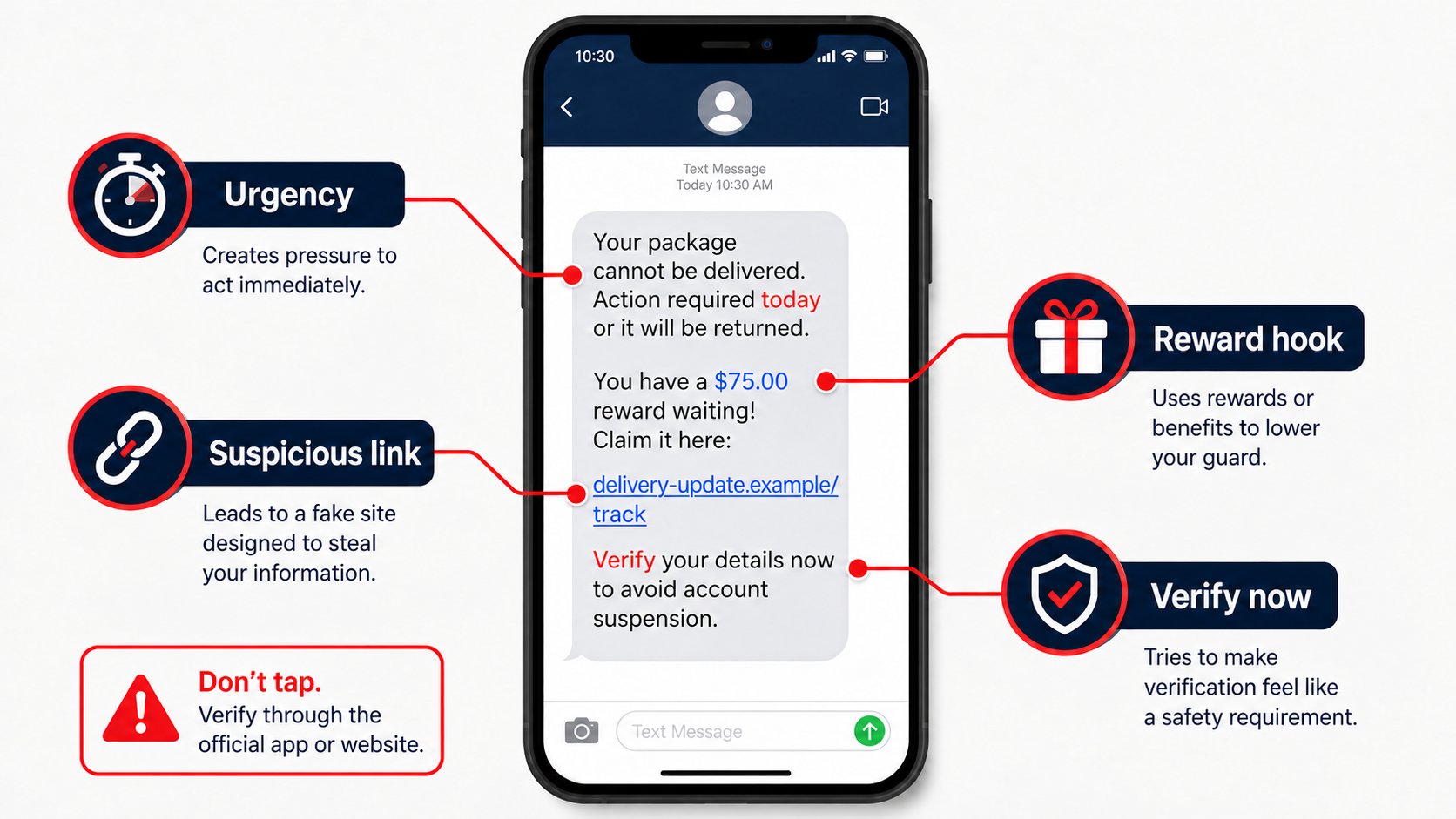
Text scams often compress the decision into a few minutes. Reward points expire tonight. A delivery will be returned. An unpaid charge supposedly becomes a much larger penalty unless you settle it now. The requested action feels less like a purchase and more like preventing an inconvenience.
The FTC's warning about unpaid-toll texts describes messages impersonating toll agencies and directing recipients to pages collecting financial information. The agency recommends checking with the real toll operator using contact information obtained independently.
Apply that approach even if you drove on a toll road yesterday. A real journey makes the story plausible; it does not connect this sender to your trip. Use your toll account, an established bookmark, or the operator's independently verified contact details to check the charge and its actual deadline.
For account warnings, you can take the possibility of fraud seriously without obeying the message. Open the banking app yourself or call the number printed on your card. An absent notification in the app is not conclusive: alerts can differ between channels. If you remain concerned, ask the institution through its known support route.
The useful question is not whether a company ever sends urgent alerts. It is whether you can investigate without surrendering control to this one. Text scams lose their advantage when the claim and the response travel through different channels.
Warning sign 2: The link looks close enough to trust
The links in text scams can exploit a small screen, where a familiar word dominates the address. A delivery company's name may appear inside a longer, unrelated domain, or a link may be shortened so the destination is not visible. Neither a recognizable word nor a long string of apparently technical characters authenticates the sender.
The Postal Inspection Service's package-tracking guidance is particularly useful for USPS claims: USPS says tracking messages require a customer's request for a particular tracking number, and its tracking texts do not contain links. An unexpected linked demand to correct a USPS delivery therefore deserves no interaction. Check the shipment through USPS independently. Other delivery companies have their own messaging practices; do not extend that USPS rule to every carrier.
For other text scams, inspecting an address can expose a mismatch, but inspection is not a task you must complete. You can simply leave. Copying an unfamiliar link into the browser does not make it trustworthy, and following a text's instruction to reply before reopening a link still keeps you inside the sender's process.
Do not treat a long random-looking token, sometimes called a UUID, as a security certificate. It might identify a legitimate order or a fraudulent visitor; its appearance settles neither question. Similarly, an address that contains words such as support, secure, payment, or your bank's name can still belong to someone else.
If you cannot confidently identify the destination, use the known service directly. That is easier to repeat reliably than trying to outguess every misleading address used in text scams.
Warning sign 3: It pretends to know your life
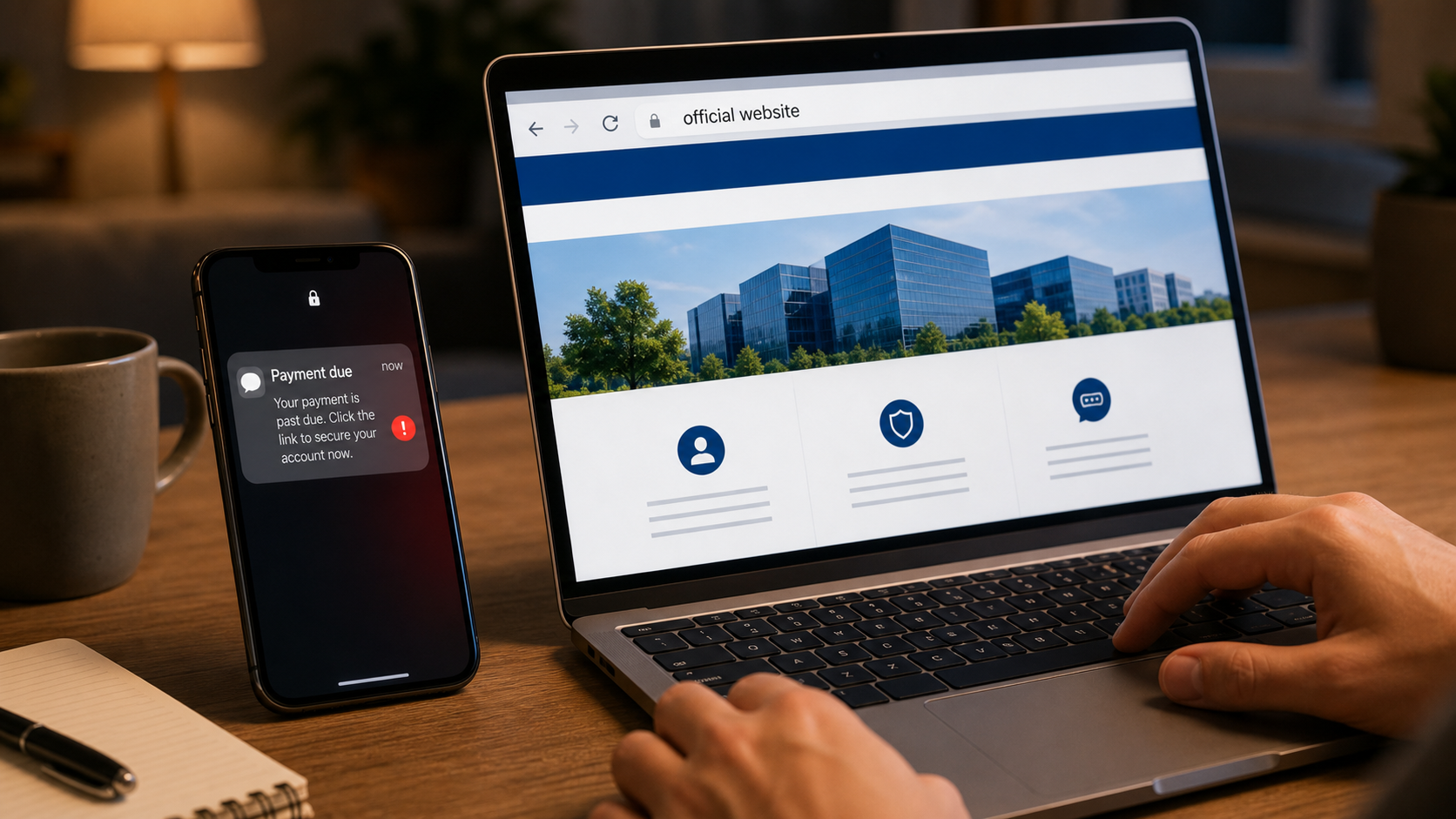
Relevance is one of the more uncomfortable features of text scams. You really are waiting for a package. You do use the named bank. You did recently change phones. A message can match your circumstances without being connected to the event it describes.
The FTC's explanation of common phishing stories includes supposed account problems, payment updates, and invoices. These are ordinary situations that provide a plausible opening for a request for sensitive information. Your first question should be what the sender wants you to do, rather than whether the story sounds possible.
Imagine receiving a delivery-fee demand while expecting three orders. The genuine fact is that you ordered something. The unverified claims are that this sender represents the carrier, that the package has a problem, and that this payment page resolves it. Keep those questions separate.
A name, address, or partial account detail should not end the inquiry either. Knowing one fact about you does not grant permission to collect the rest. If a message refers to a real transaction, verify the transaction through the merchant or financial institution you already know.
Avoid trying to diagnose exactly where the sender obtained your information before taking protective action. That investigation may not be possible from a text alone. A practical response to text scams does not depend on distinguishing a lucky guess from a targeted approach.
Warning sign 4: It moves the conversation into its own channel
The fourth warning sign of text scams is a demand to use a particular link, phone number, chat, or new app. The sender may frame that route as a special fraud department or the only way to prevent a suspension. The problem is the authority the message claims over your next step.
There are legitimate reasons to receive text notifications and security codes. An alert is not automatically fraudulent because it arrived by SMS. The boundary that protects you from text scams is that an unsolicited contact does not establish the identity of a new support agent, payment recipient, or download.
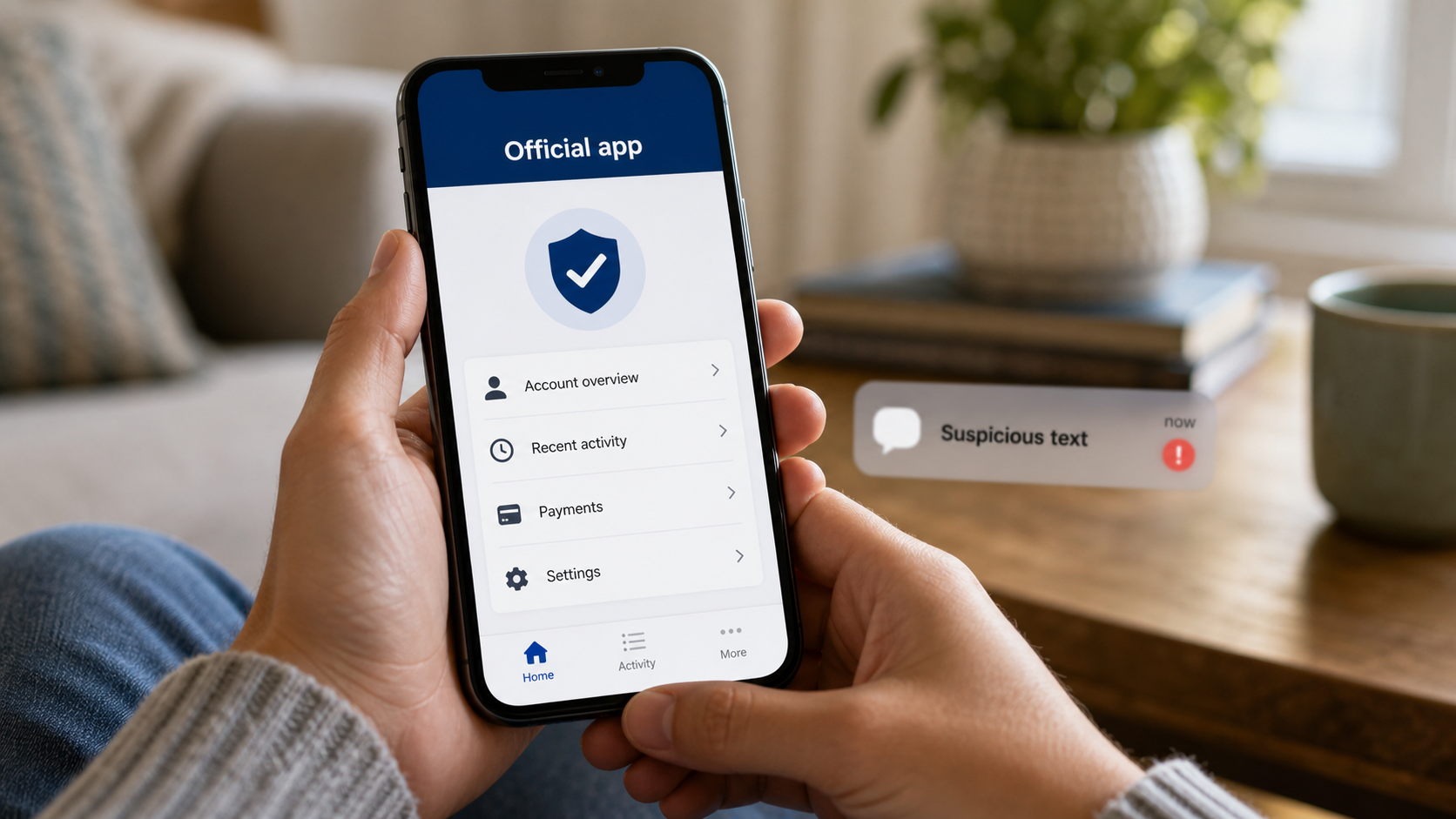
If you need help, open the official app you already use. For a bank, use the card's number or a known contact in the app. For a purchase, use your existing order history. If you have no account or app, obtain the organization's website from an independent source, not from the disputed message.
Watch for a second contact that appears to confirm the first. A caller who knows the text's wording has not independently verified it; they may be part of the same approach. Tell them you will contact the organization yourself, then end the conversation.
You are not required to persuade the sender that you are cautious. Text scams can turn an argument into another opportunity to pressure you. A useful independent check ends the sender's control over the conversation rather than extending it.
Warning sign 5: A small reward or fee asks for something much larger
Text scams often begin with a modest proposition: a few dollars of postage, a toll balance, a loyalty reward, or a refund. Assess the information and authority being requested, not just the amount shown on the first screen.
The FTC's guidance on prize scams warns against paying to collect a prize or giving financial information to an unexpected contact claiming you won. That is a useful boundary when a reward message turns into a demand for shipping charges or card details.
An ordinary purchase can legitimately require payment information. The problem with text scams is the unverified route and story: a surprise message has brought you to a page that claims you must pay to obtain something. Verify the offer in the real account before considering any transaction.
A small displayed fee does not limit what someone can do with a full card number, a password, or a bank transfer approval. Ask yourself whether you would hand over the same information if the message had arrived without the reassuring low price.
Also read the actual payment or sign-in prompt. If the text promises a refund but the bank app shows an outgoing transfer, do not approve it. The instruction shown by your financial service matters more than the explanation supplied by the person directing you. Text scams depend on the story distracting you from the action.
Warning sign 6: The site looks professional, but its request does not fit
A page can use familiar colors, believable buttons, and a complete-looking footer while still collecting information for an impostor. Conversely, a clumsy site is not proof of fraud. Design quality is too weak a test for judging text scams.
The same limit applies to the browser's connection indicator. Google Chrome explains that a secure connection protects information in transit, while still advising users to check they are on the correct site. HTTPS does not tell you that the operator is honest or that a payment request is authorized.
With text scams, look at the sequence of requests. Why does an address correction require your bank password? Why does redeeming mobile-carrier points require a financial-account code? Why does a delivery page ask you to install a security app? Those mismatches are reasons to stop, even when the branding is persuasive.
Do not keep entering invented data to test how far the site goes. You do not need a completed investigation to close an untrusted page. Nor should you paste a personalized link into an unfamiliar online checker: it may contain an order identifier or access token you would prefer not to share.
If you already opened the page, leave and check independently. That is still useful prevention. Text scams do not make every step equally harmful; stopping before providing credentials, payment, or installation permission can materially limit what happens next.
Warning sign 7: “Verification” means handing over access
In text scams, words such as verify, restore, protect, and secure can make a dangerous instruction sound responsible. The final question is what the requested verification actually authorizes.
The FTC's warning about fake bank-fraud contacts advises never sharing a verification code and warns against moving money to supposedly protect it. Treat a code as part of the account's security process, not as a harmless confirmation for a person who contacted you unexpectedly.
Enter a code only in a legitimate process you independently started and understand. Read the accompanying wording: is it for a sign-in, password reset, new device, or payment? If you did not request that action, do not approve it or give the code to the contact explaining the supposed problem.
An unsolicited code alone does not prove that someone has already accessed your account. It does mean you should avoid assisting an attempt and investigate independently if concerned. Similarly, a scan, a link opening, and a later approval are separate actions; do not assume that a request is safe merely because the first step seems routine.
For a longer explanation of authentication choices, see our guide to passwords, passkeys, and two-factor authentication. Against text scams, the essential habit is to retain control of the approval rather than let an unexpected contact narrate it for you.
What to do about text scams now
Respond to text scams with a short sequence: leave the message's process, check any genuine concern independently, preserve useful evidence, then report and block. Do not spend so long examining the wording that you forget to check the actual bank, package, or account involved.
The FTC's spam-text guidance recommends using independently known contact information, reporting unwanted texts through your app, or forwarding them to 7726 in the United States. Do not answer an unsolicited suspected scam just to tell the sender to stop. With a recognized marketing subscription you actually joined, STOP can be an appropriate unsubscribe instruction; the distinction is whether you trust the sender and relationship.
Before deleting, save a screenshot if you may need it for a financial dispute or report. Record the sender, date, and what you did. Keep passwords, full payment details, and security codes out of public posts asking whether a message is genuine. A trusted helper can usually discuss the request without receiving those secrets.
Report on iPhone or Android
On iPhone, use the reporting option shown in Messages for an unknown sender. Apple's reporting instructions explain that labels and availability depend on the messaging service, carrier, and region; you may see Report Spam or Report Junk. If the option is unavailable, check your carrier's reporting route. Reporting and blocking are separate on iPhone, so block the contact as well if you want to prevent further messages from that sender.
For Android phones using Google Messages, Google's spam-reporting instructions describe touching and holding a conversation, choosing Block, and reporting spam. You can also use the conversation's details menu. Other messaging apps use different controls. Check what the confirmation says rather than assuming every Android phone has the same menu.
Reports can help services identify text scams, but blocking one sender does not stop every future attempt. Keep expecting the possibility of a different number and a different story. Our practical guide to recognizing AI text scams provides a shorter reference for the same independent-verification habit.
If you already interacted, match recovery to the exposure
Write down the furthest step you reached. “I clicked” can mean anything from reading a page to approving a transfer, and that difference determines who needs to help. Text scams are easier to respond to when you describe the action precisely.
You opened a page or downloaded something
If you only opened the page, close it and stop interacting. Check whether you entered information, accepted a permission, or downloaded a file. Opening a website is not by itself proof that the phone is infected. Keep the operating system and browser updated, and use our scam-link response guide to work through any additional exposure.
An unopened download is different from installed software. Delete an unwanted downloaded file without opening it. If you installed an app, stop using it for sensitive activity and obtain help through the device maker's genuine support route. On Android, Google Play Protect checks apps for harmful behavior; run its check and follow any removal instructions. A clean result is useful information, not a guarantee that every account is safe.
On iPhone, check for an unfamiliar installed profile if the page asked you to add one. Apple explains where configuration profiles are managed: Settings, General, VPN & Device Management. Do not remove a legitimate work or school profile without checking with its administrator. If you granted remote control or installed suspicious software, use another trusted device for urgent banking or account recovery while you get help.
You entered a password, code, or account approval
When text scams expose a password, use the genuine service to change it, and replace it anywhere you reused it. If you shared a code or approved an unexpected sign-in, tell the provider exactly that; do not assume the code's expiration undoes an earlier successful login.
Follow the provider's recovery process, including reviewing signed-in devices, security events, and recovery settings. Google's compromised-account instructions, for example, cover unfamiliar devices and unauthorized changes as well as passwords. Use the corresponding official process for the actual account involved. If you cannot sign in, start with that service's account-recovery route rather than a support number sent by the suspected scammer.
You shared financial or identity information, or paid
Contact the card issuer or bank promptly using its genuine app or known phone number. Explain whether you entered card details, authorized a payment, shared a code, or saw an unauthorized transaction. The FTC's recovery guidance for scam payments gives different routes for cards, bank transfers, payment apps, and other methods. Ask what can be stopped, reversed, replaced, or disputed; reimbursement is not guaranteed.
If you exposed a Social Security number or other information usable for identity theft, use the FTC's identity-theft guidance to choose protective steps. A credit freeze addresses new-credit misuse; it does not cancel a stolen card, secure an existing account, or prevent every kind of identity fraud. A name or email address alone does not justify assuming that every identity document has been compromised.
Keep receipts and case numbers. Report cyber-enabled fraud through the FBI's Internet Crime Complaint Center as appropriate, while contacting the financial institution first when money may still be recoverable. Finally, be wary of a new contact offering guaranteed help: the FTC warns about refund and recovery scams demanding upfront fees. Do not let the aftermath of text scams become a second payment to another impostor.
Conclusion
Text scams exploit familiar situations and hurried decisions. AI can improve a criminal's wording, but you do not need to identify the writing tool to protect your account. Judge the requested action and choose your own verification route.
An unexpected message does not earn access to your password, code, card, or device because it mentions a real company. Check independently, report and block suspicious contacts, and match recovery to what you actually shared or approved. Those habits remain useful when text scams change their wording again.
Want more practical AI and cybersecurity guidance for everyday digital risks? Subscribe here.
FAQ
Can I tell whether a scam text was written by AI?
Usually, the wording alone cannot establish that. Clear grammar and a polished page are compatible with both human-written and AI-assisted text scams. Focus on the sender's unverified authority and the request for payment, information, access, or installation. Those are decisions you can control without identifying the tool used to write the message.
Is every text containing a link a scam?
No. Text scams misuse a channel that organizations also use for legitimate services. Their messaging practices differ. The concern is an unexpected request that you have not independently verified. USPS has specific tracking rules described above; do not assume those rules apply to all companies. You can check a genuine issue through a known route without using the text's link.
Should I reply STOP to text scams?
Avoid replying to a suspected scam from an untrusted sender. Use the app or carrier reporting controls, then block. STOP is appropriate for a recognized subscription you joined, not a requirement to engage with every stranger sending a message. If you already replied, stop responding and assess whether you also shared information or followed a link.
Does clicking mean my phone or bank account was hacked?
No. Opening a page, entering credentials, approving access, paying, and installing software are different exposures. Close the page and identify what happened next. Contact the provider or financial institution promptly if you shared account details or approved an action. Do not install a supposed cleanup app advertised by the same suspicious page.