
The offer sounds simple: rate products, optimize listings, like videos, or complete short sets of online tasks. A dashboard begins showing commissions. You may even receive a small payment. Then the supposed job changes. To continue, clear a negative balance, or withdraw the earnings on the screen, you must deposit your own money.
That payment demand is the real business model. The supposed work, earnings, and account balance in a task scam are props designed to make sending money feel like the next step in a legitimate job.
Task scams rely on that illusion. Verify the employer independently before paying. If you already sent money or personal information, stop sending more, contact the payment provider, secure exposed accounts, preserve evidence, and report what happened.

Key Takeaways
- A legitimate job pays you. It does not require you to deposit money or buy cryptocurrency to unlock wages.
- A balance shown on a website or app is not proof that withdrawable money exists.
- A small early payout does not prove that the job or the larger displayed balance is real.
- Stop when a supposed employer introduces deposits, negative balances, withdrawal fees, or escalating task levels.
- If you paid, contact the payment company promptly and describe the transaction accurately.
- An authorized payment made because of deception is different from an unauthorized withdrawal from your account.
- Anyone who guarantees recovery of lost cryptocurrency or asks for an upfront recovery fee may be running a second scam.
Before You Pay, Answer These Eight Questions
If you are at a transfer screen now, do not submit the deposit. Step away from the recruiter’s chat before deciding what to do next. The FTC’s guidance on spotting and avoiding task scams describes fake commissions, small initial payouts, and demands to deposit your own money to continue or withdraw. A pay-to-get-paid demand is enough reason to stop.
These questions help you examine an offer without letting the displayed balance make the decision for you:
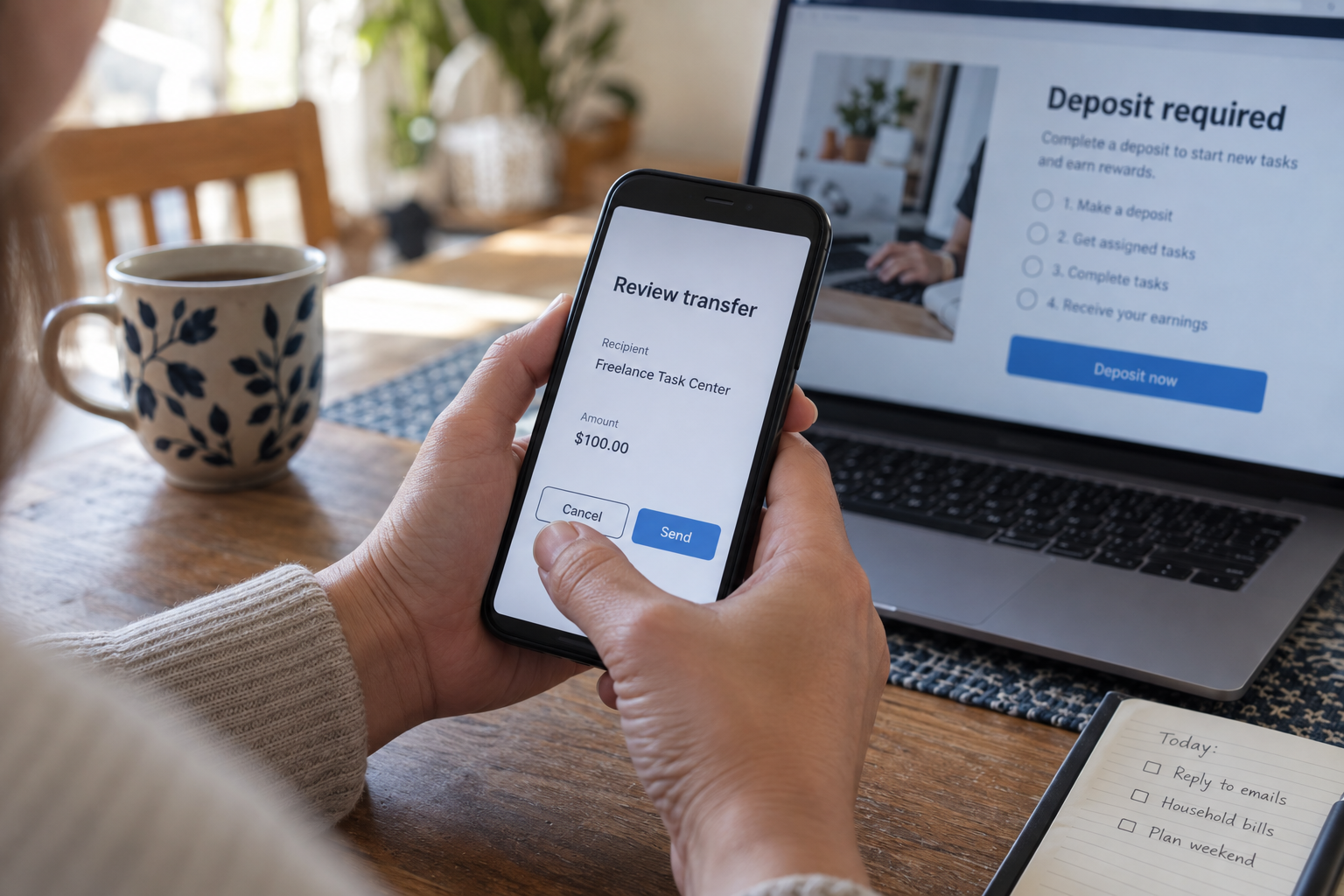
- Did I independently confirm the job with the named employer? Confirmation must come from contact information you found yourself.
- Do I have written terms explaining the work and compensation? A chat script and dashboard are not employment terms.
- Why am I paying an organization that claims it owes me? A renamed deposit is still your money going out.
- Can I verify the balance outside this platform? If only the platform says the earnings exist, treat them as unverified.
- Is cryptocurrency required? A crypto requirement sharply reduces the practical ability to reverse the transfer.
- Has the required amount increased? Escalating payments indicate that the finish line can move again.
- Am I being rushed, isolated, or discouraged from checking? Those conditions prevent informed decisions.
- Would I send this money if the displayed earnings were zero? If not, the fake balance may be controlling the decision.
Do not borrow, tap retirement savings, use a cash advance, or ask family members for funds to complete a task set. Do not send a “final” payment because support promises it will unlock everything. If you have not paid or shared anything sensitive, you can decline the offer and report the contact. If you already paid, contact the payment provider now; the recovery section below explains what to say. Do not delay that call while collecting every screenshot.
How a Task Scam Turns a Job Offer Into a Payment Demand
The first contact feels easy and low-risk
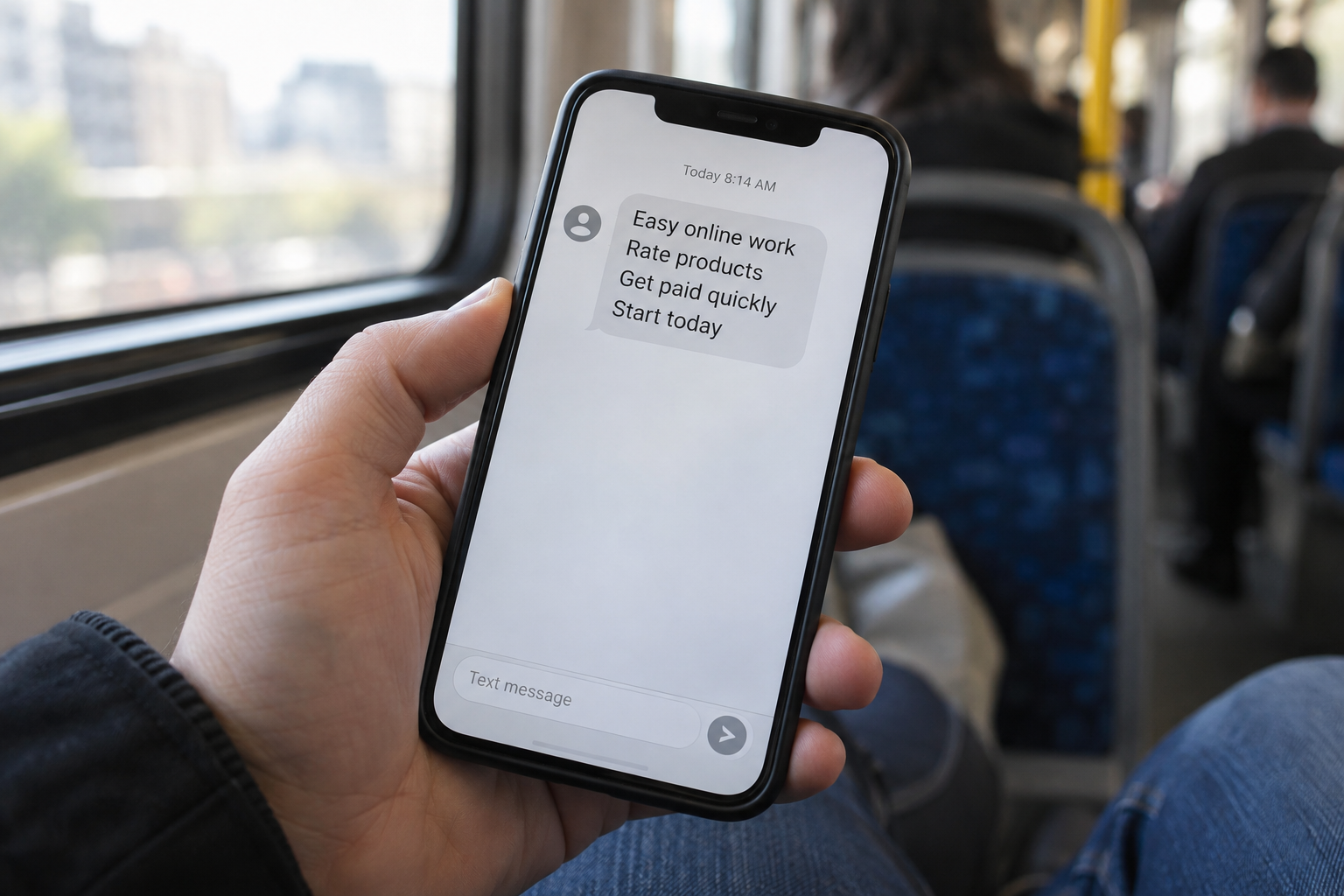
Task scams often begin with an unexpected text, messaging-app contact, or online job offer. The work may be described as product boosting, app optimization, rating businesses, clicking items, or completing simple online orders. The FTC describes this progression from simple tasks to fake commissions and deposits. The work itself can look familiar even when the payment arrangement is fraudulent.
That sequence matters. A demand for money may not appear in the opening message because it would make the task scam too obvious. Instead, the recruiter makes the first steps feel harmless:
- The task takes only a few minutes.
- No interview or experience seems necessary.
- The recruiter says work can begin immediately.
- A dashboard appears to track each completed assignment.
- A support contact answers questions quickly.
- The account balance rises after every click.
The low barrier is part of the pitch. It reduces the time available for independent verification and encourages the target to treat the opportunity as a casual side job rather than a financial decision.
An unexpected message is not automatically fraudulent, but it is not proof of a real job. A recruiter’s name, company logo, profile photograph, or confident tone can be copied. Verify who is offering the role before replying with personal information; a polished recruiting script is still only a claim.
The dashboard turns clicks into fake earnings
Once the worker signs up, the platform may display tasks, commissions, levels, bonuses, and a running balance. The design gives every click a financial meaning. Completing a set may appear to increase earnings by a precise amount, making the interface feel like an accounting system.
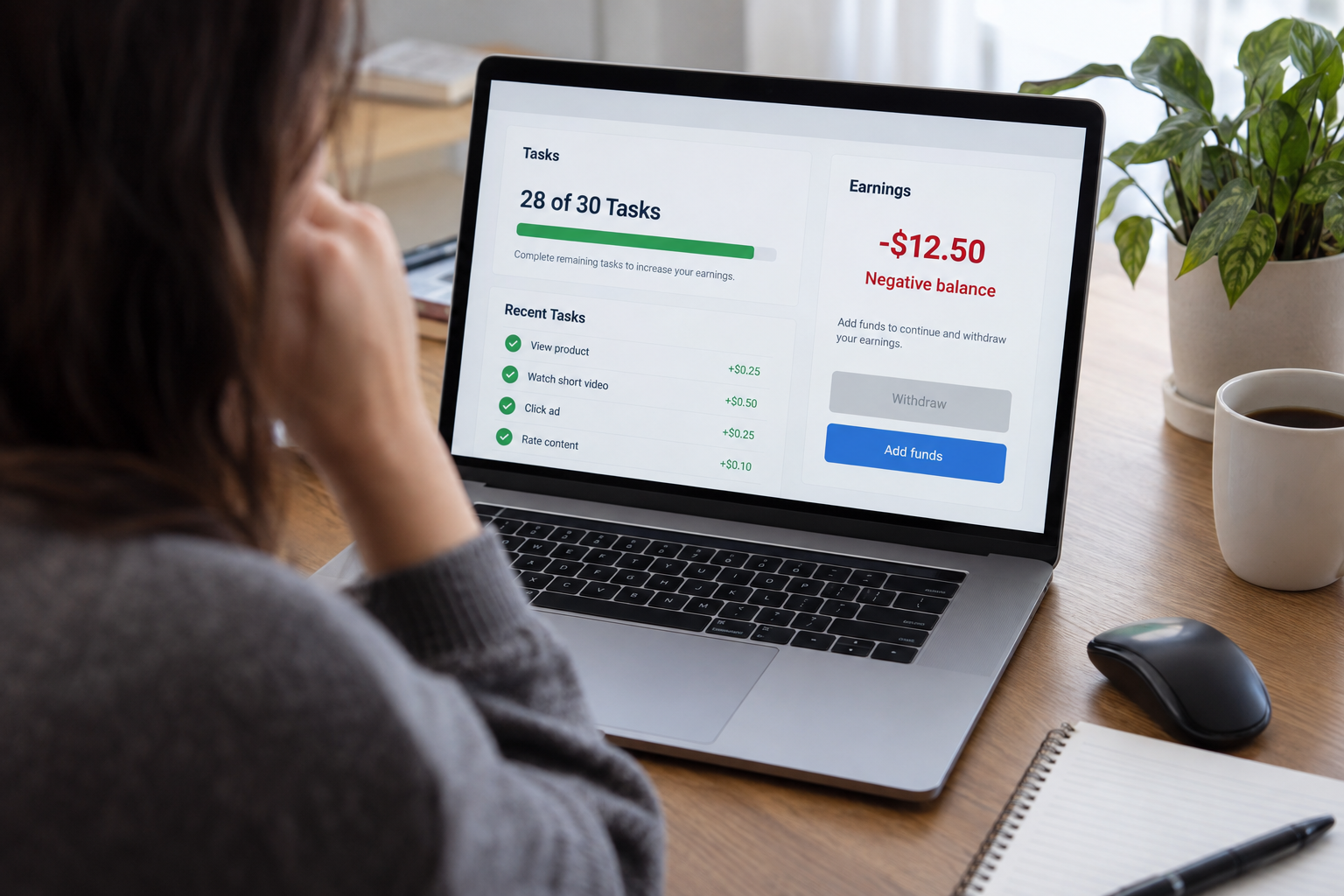
The FBI’s June 4, 2024 warning about work-from-home task scams describes schemes that use a fake interface to show earnings that the victim cannot cash out, then require cryptocurrency payments to unlock additional work. The page may look functional, but the numbers on it do not establish that an employer owes money, that a transaction occurred, or that any displayed balance can be withdrawn.
Treat an in-platform balance as an unverified claim until money actually arrives through a normal payroll or payment process. A rising number is especially weak evidence when the same operator controls the tasks, accounting, customer support, and withdrawal rules.
The operator of a task scam may also rename payments to make them sound routine. A deposit may be called a recharge, reset, prepayment, wallet top-up, task correction, liquidity requirement, or account verification. Changing the label does not change the transaction. You are still being asked to fund the supposed employer.
Small payouts and group chats manufacture confidence
Some victims receive a small early payment. That payment can make the entire system feel proven: the work appeared on the screen, a commission was shown, and a few dollars arrived. The natural conclusion is that a larger deposit will produce a larger withdrawal.
That is precisely why a small payout can be persuasive. The task scam operator can afford a small payment if it persuades someone to send much more later. That is a practical explanation for the bait, not proof of how any particular operation accounts for it. It does not prove that larger displayed earnings exist or that later deposits will be returned.
A December 2024 FTC Data Spotlight on gamified job scams described task sets, fake earnings, and group chats that help make a task scam appear active and successful. Participants in those chats may celebrate withdrawals, encourage newcomers, or describe large commissions. You cannot assume those accounts are independent workers. They may be controlled by the scam operation or may be repeating claims they cannot verify.
Screenshots deserve the same caution. A withdrawal receipt, wallet image, earnings page, or enthusiastic testimonial can be fabricated, edited, recycled, or displayed by the same system running the task scam and asking for your deposit.
The “negative balance” keeps moving the finish line
The turning point often arrives as a special task, combined order, bonus assignment, or unexpected negative balance. Support says the task cannot be abandoned. To finish the set and release all earnings, the worker must add more money.
The FBI’s resource on cryptocurrency job scams warns that these task scams may show negative balances, demand increasingly large cryptocurrency deposits, and pressure victims to borrow money. A payment that supposedly solves one problem can lead to another task, another deficit, or a new withdrawal condition.
This is not a temporary payroll issue. It is a task scam payment loop that escalates. Common explanations include:
- Your account was assigned a higher-value task.
- Your deposit was too small to complete the set.
- A tax, commission, or verification fee is due.
- The withdrawal failed because your account level is too low.
- A second deposit is needed to release the first.
- The platform detected an error and requires a correction payment.
- Leaving now will cause you to lose the entire displayed balance.
The final statement is designed to make stopping feel like the expensive choice. In reality, another payment increases the amount at risk. Do not send more money merely because a screen says previous money can be recovered only by continuing.
Why Fake Earnings in a Task Scam Can Feel So Persuasive
Task scams do more than present a false job opening. They create a sequence in which each step seems to confirm the last.
First, a real person appears to recruit you. Then a working interface assigns tasks. The balance rises. Support responds. A small payout may arrive. Other users appear to be succeeding. By the time the deposit demand appears, it can feel like an unusual rule inside an otherwise functioning job.
A task scam also changes the question you are asking. At the beginning, the question is, “Is this job real?” After time and money have been invested, the question becomes, “What do I need to do to get my earnings out?” That shift is dangerous because it assumes the displayed earnings exist.
A more useful question is: “What independent evidence shows that this company hired me and owes me money?”
The dashboard is not independent evidence when the people demanding money also control its numbers. Neither are messages from the platform’s support team, testimonials in a platform-selected chat, or screenshots supplied by other participants.
Independent evidence would include a verifiable legal company, a job listed on that company’s own website, communication through a confirmed corporate domain, a real hiring process, written employment terms, and a payment arrangement that does not require the worker to fund the business.
The pace of a task scam can make those checks feel unnecessary. A countdown, disappearing bonus, unfinished task set, or warning about account suspension creates urgency. A real employer should be able to explain compensation and work requirements without forcing an immediate cryptocurrency purchase.
How to Verify an Online Job Before You Pay
The FTC’s broader job-scam guidance recommends researching the company and warns that honest employers do not ask applicants to pay to get a job. Use that principle before creating an account, downloading software, sending identification, or moving money.

Verify the employer outside the recruiter’s message
Do not use only the phone number, email address, app, or website supplied by the person who contacted you.
Instead:
- Find the company’s official website independently.
- Locate its careers page without following the recruiter’s link.
- Search for the exact role or program.
- Call or email the company using contact information from its official site.
- Ask whether the recruiter, job title, and platform are genuine.
- Compare the recruiter’s email domain with the company’s confirmed domain.
A familiar company name does not settle the question. Task scams can impersonate real staffing firms, retailers, technology companies, and recruiting platforms. Confirm that the company is actually offering this job through this person and website. A genuine business can have its name copied; its existence is not confirmation of the offer. A careers listing is a useful cross-check, though not every legitimate contractor assignment is publicly advertised. Ask the company directly if the exact role is missing.
Ask for ordinary hiring details
Before beginning work, ask for:
- The employer’s legal name and business address
- A written job description
- The supervisor’s name and contact information
- Whether you are an employee or independent contractor
- The compensation rate and normal payment schedule
- The payroll or invoicing process
- Any required software and why it is needed
- A written explanation of costs, if the recruiter claims any are required
Vague answers are meaningful. So is a recruiter who dismisses ordinary questions as distrustful, says the opportunity is secret, or insists the rules can be explained only after a deposit.
Some legitimate work can involve expenses, but that does not explain paying repeated deposits to release money the employer says you already earned. Equipment purchases, background checks, training, and certifications should be independently verified rather than paid through a recruiter’s personal wallet or unfamiliar portal.
Examine the payment structure, not just the task
Ask who is paying whom.
If the job description says you are being paid for labor but the money is flowing from you to the platform, stop. The following are strong warning signs:
- Buying cryptocurrency for the employer
- Sending funds to a wallet address
- Depositing money to unlock commissions
- Paying to correct a negative balance
- Paying taxes or withdrawal charges to platform support
- Receiving a check and being told to send part of it elsewhere
- Moving money on behalf of clients
- Recruiting others primarily to unlock bonuses
Do not let the small size of the first request lower your standards. A modest opening payment can establish compliance and connect your bank, card, payment app, or cryptocurrency account to a task scam operation.
Inspect the website and app cautiously
A polished site can still be a task scam. Check whether the domain matches the verified employer, whether contact details can be confirmed elsewhere, and whether the supposed company names the platform publicly.
Do not install remote-access tools, device-management profiles, browser extensions, or unknown apps merely because “support” says they are required. Do not share a one-time sign-in code. Do not scan an identity document until you know who is collecting it, why it is necessary, and how it will be protected.
If a recruiter sends a sign-in or download link, navigate independently when possible. A real-looking page can still be designed to collect credentials.
Slow down when the offer resists verification
A safe opportunity will survive a pause. Tell the recruiter you will verify the company and review the terms before continuing.
Pressure responses are useful information. Be cautious if the recruiter says:
- The task must be completed within minutes.
- Contacting the named company will cancel the opportunity.
- Support is available only through a private group chat.
- You cannot withdraw until you complete every task.
- You must borrow money to protect your existing balance.
- The platform cannot explain its policies in writing.
- A special exception requires immediate payment.
You do not need to prove that every part of the task scam operation is fake before walking away. A pay-to-get-paid demand is enough reason to stop.
If You Already Paid or Shared Information
Act promptly, but do not let urgency push you into another unverified transaction.

Stop the payment loop
Do not send another deposit. Do not pay a tax, account-restoration charge, wallet-validation fee, or investigator. Do not let support persuade you that one last payment will release everything.
Take screenshots before access disappears, then stop engaging unless a bank, payment company, law-enforcement agency, or attorney advises otherwise. Blocking the recruiter can reduce pressure, but preserve the conversation first.
Contact the payment provider using accurate language
The FTC’s scam-response guide provides recovery steps based on how money was sent, including cards, bank transfers, wire services, gift cards, payment apps, and cryptocurrency. Contact the relevant company through its official app, statement, card, or website, not through contact information supplied by the scammer.
Explain:
- When the payment occurred
- The amount
- How it was sent
- The recipient account, username, or wallet
- That you were deceived by a fake job or task scam
- Whether you personally approved the payment
- Whether any later transactions occurred without your approval
Ask whether the transfer can be stopped, recalled, disputed, or flagged. A provider may have limited options, especially after cryptocurrency has been sent, but prompt notice can still matter. Do not claim a payment was unauthorized if you initiated it. Accurate details help the provider apply the correct process.
No bank, card issuer, payment app, exchange, government agency, or recovery service can be assumed to return the money. Report quickly, preserve records, and treat recovery as uncertain.
Separate induced payments from unauthorized transactions
A payment you approved because a scammer lied to you is generally different from money taken from your account without your permission. That distinction can affect which bank procedures and legal protections apply.
The CFPB’s guidance on unauthorized transactions and missing bank funds addresses transactions that were genuinely unauthorized. If you see withdrawals or transfers you did not initiate, contact the financial institution immediately and identify those transactions separately.
If you initiated the deposit, say that clearly too: “I initiated this payment because I was deceived by a fake job.” List later transactions separately and explain who made or approved each one. If someone used credentials or a code you shared to move money, describe that sequence rather than deciding the legal classification yourself. The fact that you disclosed account access does not settle every later transaction’s status. Ask the institution to evaluate each transaction based on what actually happened.
Reporting an unauthorized transaction does not guarantee reimbursement. Likewise, describing an authorized scam payment accurately does not mean no help is available. It prevents confusion and gives the provider a truthful record.
Secure exposed accounts and devices
First report any money actively leaving a financial account. Then secure the accounts whose access was actually exposed. If you entered a password on the recruiter’s page, gave it to support, or shared a sign-in code, use a trusted device to replace the compromised credential and end unfamiliar sessions. Change other accounts that reused the same password.
Move your primary email account ahead of other account changes when its password, code, or recovery access was exposed, or when it uses the same compromised password. Someone controlling that email may be able to reset other accounts. Otherwise, start with the affected service. Merely receiving the job message or opening a page does not mean every account password was stolen.
Use unique passwords and enable stronger sign-in protection where available. The site’s guide to passwords, passkeys, and two-factor authentication explains the differences and can help prioritize the most important accounts.
Review:
- Recent sign-ins and active sessions
- Password-reset and recovery details
- Linked devices and connected apps
- New forwarding rules in email
- Payment recipients and bank-transfer settings
- Cryptocurrency exchange withdrawal addresses
- Changes to phone numbers or authentication methods
Match device cleanup to what happened. A downloaded file that you did not open is different from an app you installed or a program you ran. Do not open the file to investigate it. Check your downloads, remove the unwanted file, and use your device’s established security tools if you are concerned. A download alone is not proof that malware ran.
If you ran unknown software or granted remote control, stop banking and other sensitive sign-ins on that device. If someone may still be controlling it, disconnect it from the network while you arrange help. Use a different trusted device to contact financial institutions and secure exposed accounts. Follow the FTC’s scam-response guidance and your device vendor’s support for updating security software and scanning; confirm unfamiliar remote-access tools are removed before using the device for sensitive activity again. Get help through contact details you find independently, rather than the recruiter’s support chat.
Use What To Do If You Clicked a Scam Link to work through the appropriate response for a page you opened, information you entered, or software you ran. These are different exposures, so they do not all require the same cleanup.
Respond to identity exposure
If you shared a Social Security number, driver’s license, passport, tax information, bank details, or a clear identity-document image, the risk extends beyond the original payment.
IdentityTheft.gov offers separate guidance for exposed or lost personal information and for identity theft that has actually occurred. If you shared information but have not found misuse, start with its data-breach or lost-information guidance. If someone used your identity to open an account or commit another form of fraud, use the theft-report and recovery-plan process. Exposure and proven misuse are different situations.
You may need to watch financial accounts, review credit reports, consider a credit freeze or fraud alert, replace compromised documents, and keep records of misuse. The Identity Theft Response Checklist can help you organize those actions without losing track of dates, account contacts, and evidence.
Do not send the platform another identity photo to “close” or “verify” your account. Once the job is exposed as a scam, additional documentation gives the operator more material to misuse.
Preserve Evidence and Report the Task Scam
Good evidence from a task scam can help financial companies, platforms, and investigators connect accounts and identify patterns. Preserve what you already have before deleting apps, leaving chats, or losing access.
Collect:
- Recruiter names, usernames, phone numbers, and email addresses
- The original job advertisement or contact message
- Website addresses and app names
- Screenshots of tasks, balances, and withdrawal errors
- Group-chat names and participant identifiers
- Deposit instructions and payment receipts
- Bank, card, wire, payment-app, or exchange records
- Cryptocurrency wallet addresses and transaction hashes
- Dates, times, amounts, and time zones
- Copies of promised job terms or compensation
- Messages demanding additional deposits
- Notes about software installed or account access shared
Keep original files when possible. A cropped screenshot may be useful, but the full conversation and transaction record can preserve dates and identifiers that a crop removes. Store the evidence somewhere the scammer cannot access.
Put the payments in a short dated list: amount and currency, sending service, recipient, transaction reference, and what you were told before sending each one. For cryptocurrency, copy the wallet address and transaction hash from the actual exchange or wallet record. A hash identifies a transaction; a balance shown in the job platform does not. This makes your report usable without asking an investigator to reconstruct the sequence from dozens of pictures.
Report the task scam through the FTC ReportFraud portal and submit a report through the FBI Internet Crime Complaint Center complaint form. You can also report the recruiter, advertisement, group, website, and payment recipient to the platforms involved. Submit what you have even if a detail is missing. The FBI advises against telling suspected criminals that you have contacted it.
Follow each reporting form’s instructions for sensitive information. IC3 says not to put Social Security numbers or dates of birth in the incident narrative. Describe what kind of document or information you shared without copying those identifiers into the free-text account; preserve the originals securely in case a verified investigator requests them.
A report is worthwhile even when recovery is uncertain. It creates a record of the operation and may help connect your experience with other task scam reports. Save confirmation numbers and copies of what you submit.
If the operator of the task scam threatened you, used stolen identity information, accessed an account, or created an immediate safety concern, contact the appropriate local authorities. Be precise about what occurred and distinguish direct evidence from what the platform merely claimed.
After a Task Scam, Watch for a Second Scam Promising Recovery
After a loss to a task scam, you may receive messages from supposed investigators, lawyers, hackers, government agents, exchange employees, or asset-recovery specialists. They may claim they traced the money and can retrieve it after you pay a fee.
The FTC’s warning about refund and recovery scams explains that scammers may target people who already lost money, promise to recover it, and demand an upfront payment or sensitive financial information.
Treat these claims cautiously, especially when the person:
- Contacts you unexpectedly
- Knows details that were shared with the original scam
- Guarantees a refund or cryptocurrency recovery
- Claims to have already located your funds
- Demands tax, legal, gas, wallet, or release fees
- Wants remote access to your device
- Asks for a wallet seed phrase or private key
- Says payment must be made in cryptocurrency, gift cards, or wire transfer
- Impersonates an agency, exchange, or law-enforcement official
Do not pay someone merely because they display a transaction on a blockchain explorer. Public transaction data does not prove that the person controls the destination wallet or has the authority and ability to recover funds.
Verify any professional independently. Contact agencies and companies through official channels you locate yourself. Assume that contact information supplied by the recovery agent may lead back to the same operation.
Conclusion
A task scam does not need to create a real job. It needs to create a convincing progression from simple work to displayed earnings to a payment demand.
Break that progression at the first request for your money. Verify the employer outside the recruiter’s channel, treat dashboard balances as unproven, and refuse deposits meant to unlock wages or commissions. If you already paid, stop the loop, contact the relevant payment company, secure exposed accounts, preserve evidence, and report what happened.
The loss displayed on the platform is not a debt you must pay. The earnings displayed there are not a reason to send more. A real job should leave you with compensation, not a growing balance owed to the employer.
Subscribe to Quantum Cyber AI for guidance on scams, identity protection, and account recovery.
FAQ
Are all online microtask and product-rating jobs scams?
No. Some legitimate companies pay people for private research, product testing, moderation, transcription, surveys, or other small assignments. Verify both the company and what you are being asked to do. The FTC’s task-scam guidance warns against offers to pay for positive public ratings or promotional likes; that is different from giving honest feedback in a legitimate research study.
A legitimate platform may have eligibility rules, identity checks, minimum payout thresholds, and written terms. It should not require repeated deposits, cryptocurrency purchases, negative-balance payments, or withdrawal fees imposed by a private support contact. Verify the organization through its official website and read its compensation terms before providing sensitive information.
Does a small payout prove the task platform is real?
No. A small payout proves only that someone sent that amount. It does not prove the displayed balance is genuine, that the job is legitimate, or that a larger deposit will be returned.
Evaluate the entire arrangement. Ask whether a verified employer hired you, whether the company independently confirms the work, whether written terms exist, and whether the platform requires your money. If the next stage depends on a deposit, stop even if an earlier payment arrived.
What if the platform says I must pay taxes before withdrawing?
Do not send the payment to the platform, recruiter, support contact, or wallet they name. A demand for a privately collected tax or release fee is not proof of a legitimate tax obligation.
Pause and verify independently. If you have a genuine question about taxes related to contract work or income, consult the appropriate official tax authority or a qualified tax professional through contact information you find yourself. Do not rely on documents or contacts supplied by the platform.
Can my bank reverse a deposit I authorized?
Possibly, but it depends on the payment method, timing, provider rules, and facts. Contact the bank or payment company promptly, explain that you initiated the payment because of a fake-job deception, and ask what options are available.
Do not describe an authorized payment as unauthorized. If separate transactions occurred without your permission, identify those individually. Neither a dispute nor a report guarantees reimbursement.
Can cryptocurrency sent to a task scam be recovered?
Do not assume so. Cryptocurrency transfers can be difficult to reverse, and anyone guaranteeing recovery should be treated with caution. Contact the exchange or service used to send the funds, provide the wallet address and transaction hash, and ask whether it can flag the destination or assist with a report.
Preserve the transaction record and report the scheme through official channels. Do not share a seed phrase or private key, and do not pay a recovery agent who promises that another cryptocurrency payment will release the funds.
What should I do if I shared identification but did not pay?
Stop communicating, preserve the messages, and address the data exposure. Change credentials if they were exposed and review the affected accounts’ recovery settings. Use IdentityTheft.gov’s data-breach or lost-information guidance for the specific information shared; use its theft-report process if you find actual misuse.
Monitor for misuse, but do not assume that every possible form of identity theft has occurred. Keep a record of the document, account number, or personal detail disclosed so you can respond quickly if a related problem appears.