
An unexplained loss of cellular service can be an ordinary outage, a damaged SIM, a billing problem, or a phone setting that needs attention. It can also be the first visible sign that someone moved your number to another SIM, another device, or another carrier. The dangerous combination is sudden service loss plus an account-change notice, password-reset alert, unfamiliar login, or financial transaction you did not initiate. The Federal Trade Commission's guidance on SIM swap scams explains that a successful swap can give a scammer control of calls and text messages, including codes used to access other accounts.
You do not need to identify the exact mechanism before you respond. Treat the number and SIM as potentially compromised until your carrier confirms what happened. Start with the carrier, then protect your primary email and financial accounts, preserve evidence, and review every important account that relies on your phone number for recovery. Restoring service is important, but it is only the first part of recovery.
Key Takeaways
- Use another phone, a trusted Wi-Fi connection, the official carrier app, a saved bill, or a known carrier store. Do not use a phone number or link supplied in a suspicious message.
- In the first 15 minutes, ask the carrier whether your SIM, eSIM, device, account details, call-forwarding settings, or carrier assignment changed.
- In the first hour, secure your primary email, then banks, payment services, brokerage and crypto accounts, work or school systems, cloud storage, messaging, and social accounts.
- A SIM change and a number port-out can cause similar symptoms, but they are different events and may require different carrier controls.
- A carrier lock can reduce risk, but it does not replace a unique account password, stronger multifactor authentication, recovery codes, and a recovery plan.
- Keep working after the SIM and phone reconnect. Recheck recovery methods, active sessions, transactions, forwarding rules, devices, and authorized users.
Table of Contents
First, decide whether this is only an outage or a possible number takeover
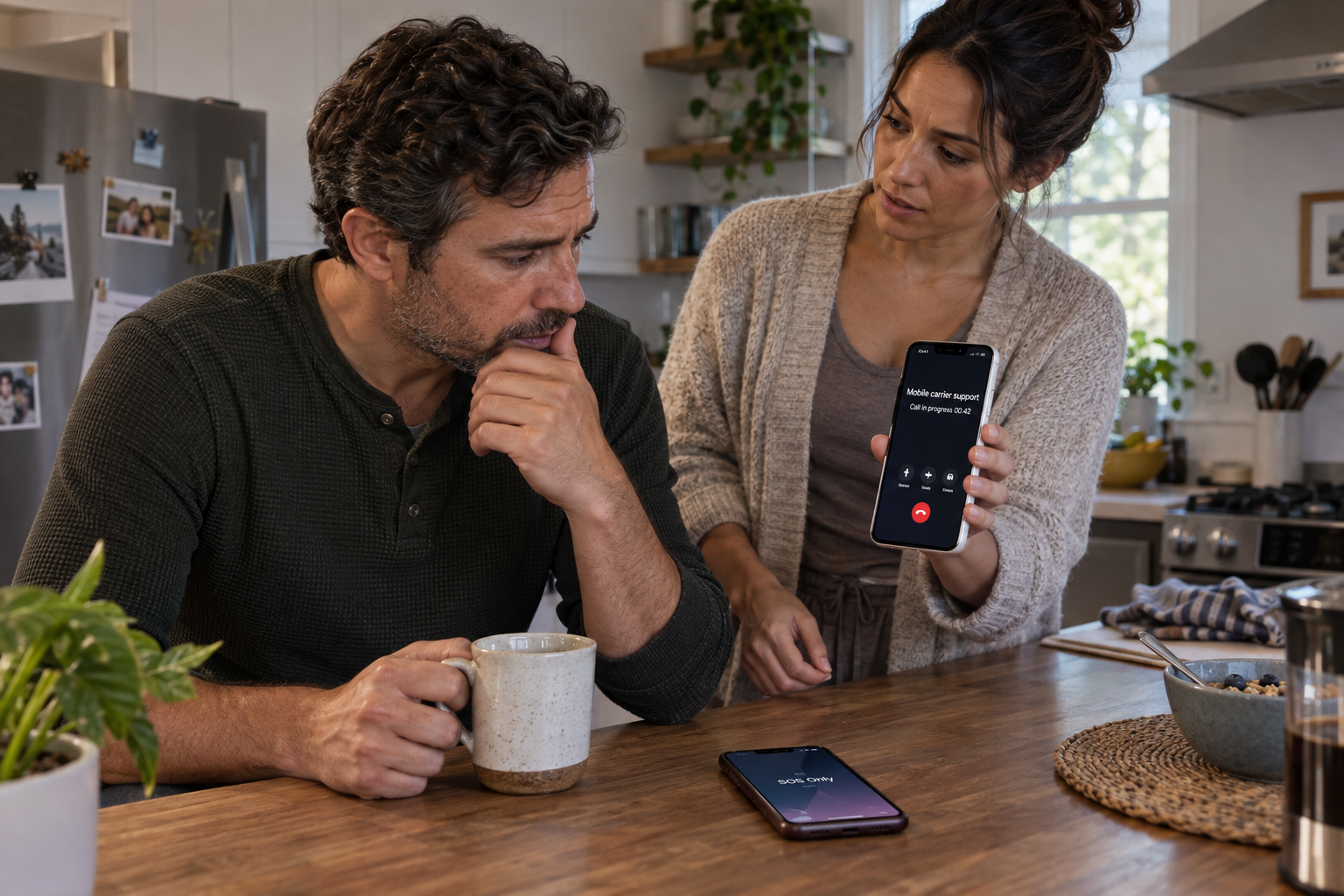
A phone showing “No Service” or “SOS” is not proof of a SIM swap. Begin with a short check that does not consume the response window. If possible, see whether another phone on the same carrier works in the same location. Restart the affected phone once, confirm that airplane mode is off, and check whether the carrier is reporting a local outage. Do not spend an hour repeatedly rebooting, resetting network settings, or troubleshooting hardware when other warning signs are present.
Treat the situation as urgent when service loss appears alongside any of these clues:
- A carrier email, app notification, or text reports a SIM, eSIM, device, PIN, password, authorized-user, or number-transfer change you did not request.
- Your carrier account shows an unfamiliar device, line, address, email account, or authorized user.
- You receive password-reset, sign-in, transaction, or security notices for email, banking, payment, crypto, work, or social accounts.
- Calls and messages stop arriving even though the phone can connect to Wi-Fi.
- Friends say your calls are behaving strangely, or your carrier account no longer recognizes the affected line.
Also consider related changes that may not look exactly like a full number transfer. An FBI Internet Crime Complaint Center alert about social-engineering attacks warns that criminals may manipulate mobile accounts and may also enable unauthorized call forwarding or simultaneous ring. That means a phone can still appear partly functional while calls or recovery messages are being redirected.
Use a trusted connection to inspect your carrier account, but do not follow a link in an unexpected alert. Open the official app yourself, type the carrier's known website address, use the support number printed on a saved bill, or go to a carrier store you already know. Search advertisements, inbound callers, and urgent text messages can imitate a carrier precisely when you are most likely to act quickly.
Run the outage check only long enough to decide whether the carrier must contain the line. If the carrier confirms a routine outage and no account changes, return to ordinary troubleshooting. If it cannot explain the service loss or confirms an account change, treat the number as exposed and request immediate containment.
SIM swap and number port-out are related but different
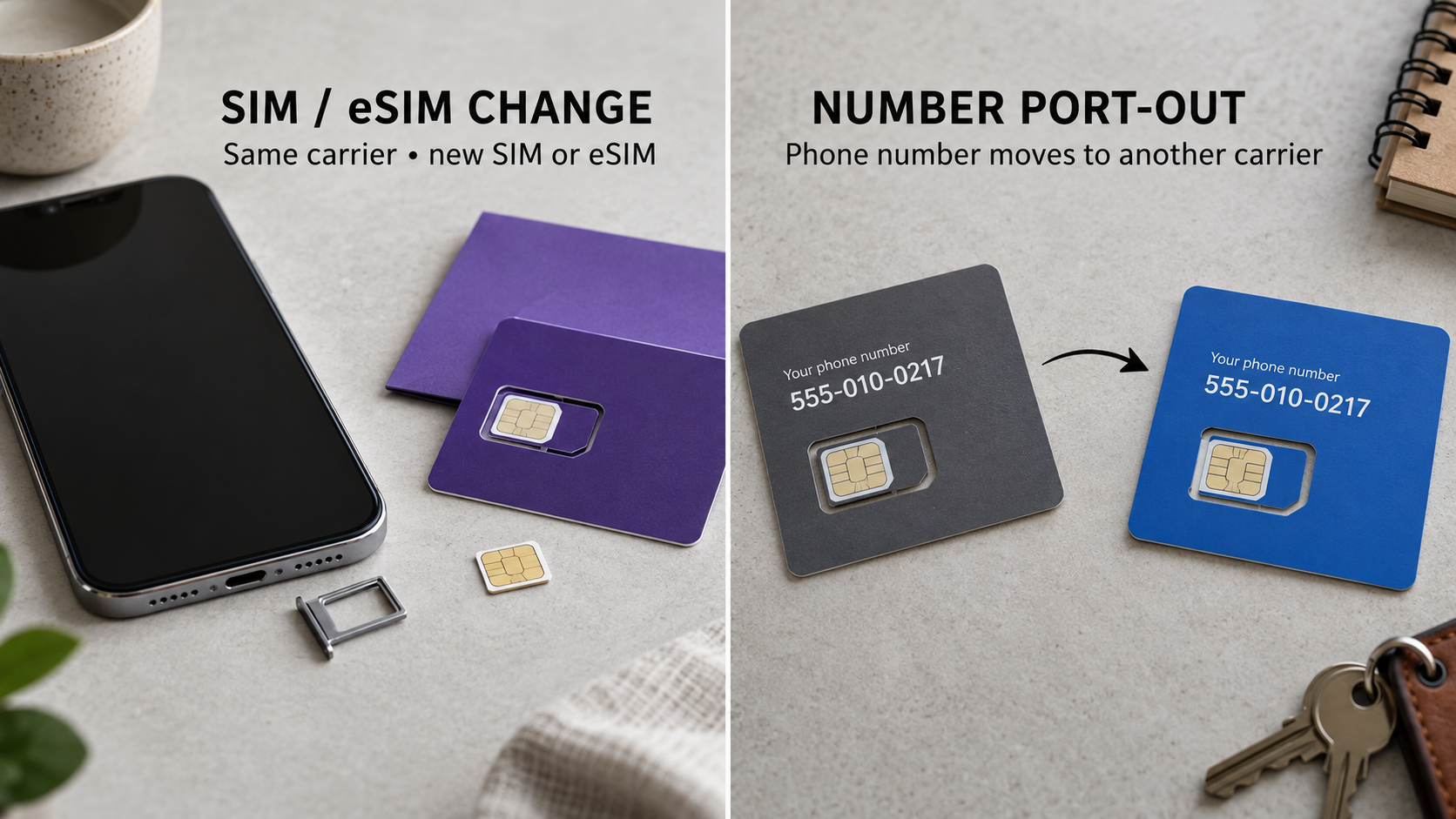
People often use “SIM swap” as a catchall phrase, but the carrier needs more precise language.
A SIM or eSIM change moves the line inside the carrier's system
In a SIM swap, the phone number remains associated with the same carrier account or network, but the carrier activates it on a different physical SIM, eSIM, or device under someone else's control. Your original phone may lose service because the network now sends calls and texts to the newly activated device.
A port-out moves the number to another carrier
In an unauthorized port-out, the number is transferred from your current carrier to an account controlled through another carrier. Your old carrier may no longer control the number once the transfer completes. That can change which fraud team must reverse the move and what transfer records exist.
The FCC order on SIM-swap and port-out fraud treats SIM changes and number ports as distinct transactions while addressing the shared risk that an unauthorized person can gain control of a subscriber's number. In either case, the practical exposure is similar: calls and texts may go elsewhere, and services that accept the number for sign-in or recovery may trust the wrong person.
The distinction matters because a control that blocks one action may not block the other. “Number Lock,” “Port Out Protection,” “SIM Protection,” “Wireless Account Lock,” and “account PIN” are not interchangeable names for one universal feature. Some carriers separate SIM-change protection from port-out protection. Another carrier may offer a broader account-level lock. Eligibility and exceptions may differ by account type, device, or transaction.
When you contact support, do not ask only, “Was I SIM swapped?” Ask whether the SIM or eSIM identifier changed, whether the line moved to another device, whether a port request is pending or complete, and whether forwarding or simultaneous ring was added. Those questions help the carrier investigate the actual change instead of fitting every symptom into one label.
The first 15 minutes: call the carrier and stop further changes
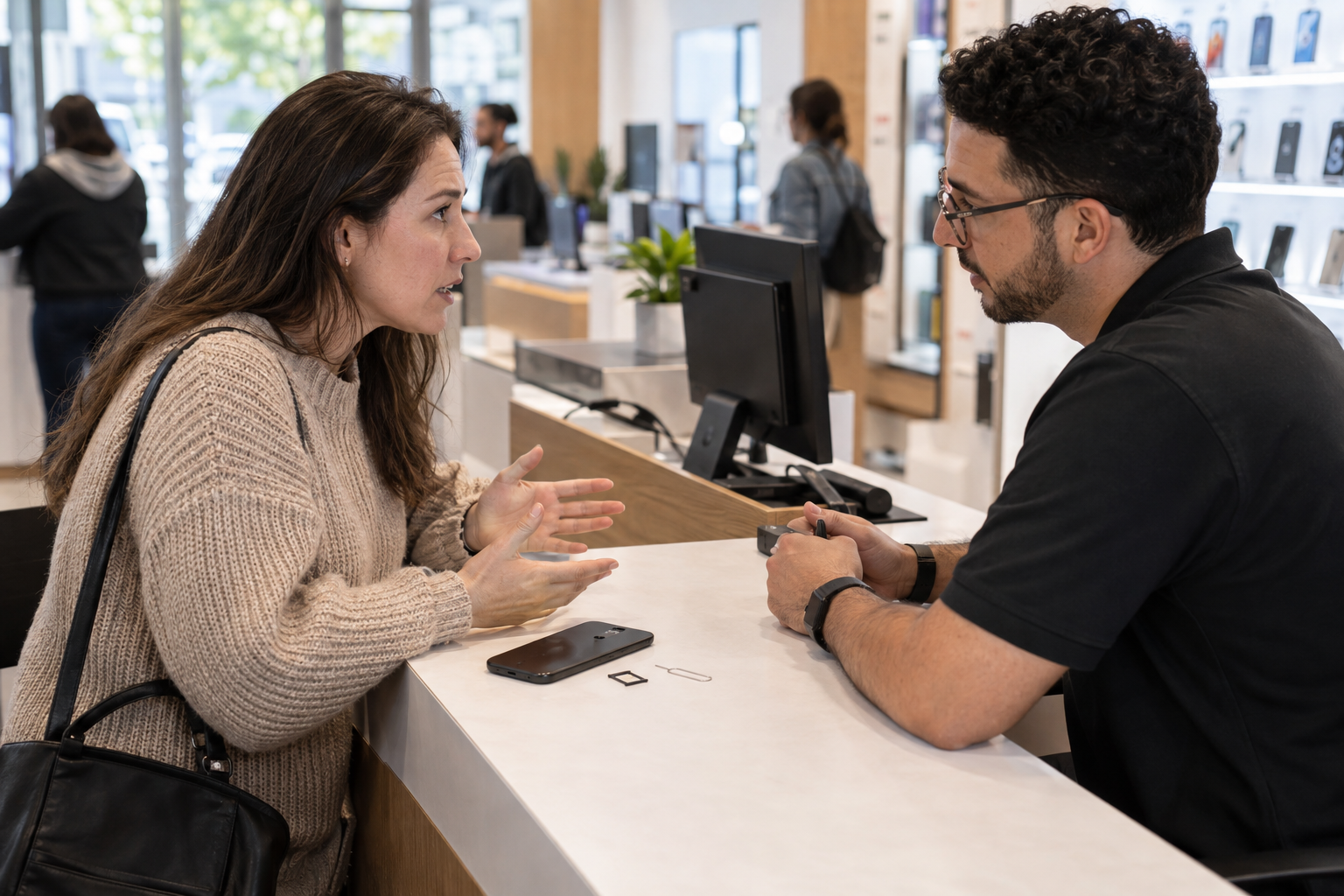
Use another phone if yours cannot make calls. If you still have trusted Wi-Fi access, use the carrier's official app or authenticated support channel. A store can be useful when telephone support cannot verify you, but take identification and avoid assuming that a retail employee has the same fraud-remediation access as a specialized account-security team.
Tell the carrier: “I suspect an unauthorized SIM or eSIM change, an unauthorized port-out, or a mobile account takeover. My service stopped at approximately [time]. Please connect me with the fraud or account-security team.” Clear language matters because ordinary technical support may otherwise treat the problem as a device outage.
Ask five direct questions
- Is my number still active with this carrier?
- Was the SIM, eSIM, device, IMEI, PIN, password, email address, billing address, or authorized-user list changed?
- Is a number transfer pending, approved, rejected, or complete?
- Were call forwarding, simultaneous ring, or other call-routing settings enabled?
- What containment controls are now on the account, and what is my case number?
Write down the answers, the time of the call, and the name or agent ID provided. If the first representative cannot answer, ask for escalation to the fraud, porting, or account-takeover team. If the number has moved to another carrier, ask your original carrier which team is handling the reversal and what information it needs from the receiving carrier.
Request immediate containment
Ask the carrier to stop any pending SIM, eSIM, device, or port changes it can still stop. Request restoration of the number to a SIM or eSIM you control. Reset the carrier-account password and PIN through the carrier's verified process, remove unfamiliar authorized users and contact information, and ask the representative to apply every available protection against both SIM changes and port-outs.
Do not let restored signal bars end the conversation. Ask whether any additional lines were affected, whether an attacker added an upgrade or financing transaction, and whether the carrier can provide a written incident summary. Request the timestamps of relevant changes and notices when available. Keep the case number even if service returns during the call.
Understand the FCC rule timing without delaying your response
The FCC adopted a framework that includes secure authentication, customer notifications, account-lock options, fraud-reporting procedures, investigation, remediation, and documentation. However, it would be inaccurate to tell every reader that every part of that framework is already a uniform, enforceable carrier experience.
The current wireless number-porting provision in 47 CFR 52.37 contains reserved paragraphs and states that compliance is not required until a compliance date is inserted. The related customer-information safeguards in 47 CFR 64.2010 carry the same important timing caveat for the SIM-change rules. The FCC has adopted protections, and carriers may already offer controls. Ask what is available on your account today. Do not wait for a legal interpretation before asking the carrier to contain an active incident.
The first hour: protect the accounts that can unlock everything else
While the carrier works, use a device you trust. If you believe your phone itself has malware, unknown management software, or a stolen session, use another known-clean computer or phone. Do not conduct recovery through a link sent by an unfamiliar caller claiming to help.
Secure your primary email first
Your main email account is often the recovery center for everything else. Change its password to a new, unique password. Review recovery email addresses and phone numbers, active sessions, trusted devices, app passwords, forwarding rules, filters, delegated access, and recent security events. Remove anything you do not recognize.
Do not simply delete the compromised phone number from recovery settings and hope for the best. First add and test another recovery method that you control. Where the service supports it, use a passkey, a hardware security key, or an authenticator method that does not depend on receiving a text at the affected number. Save new recovery codes somewhere you can reach without that phone line.
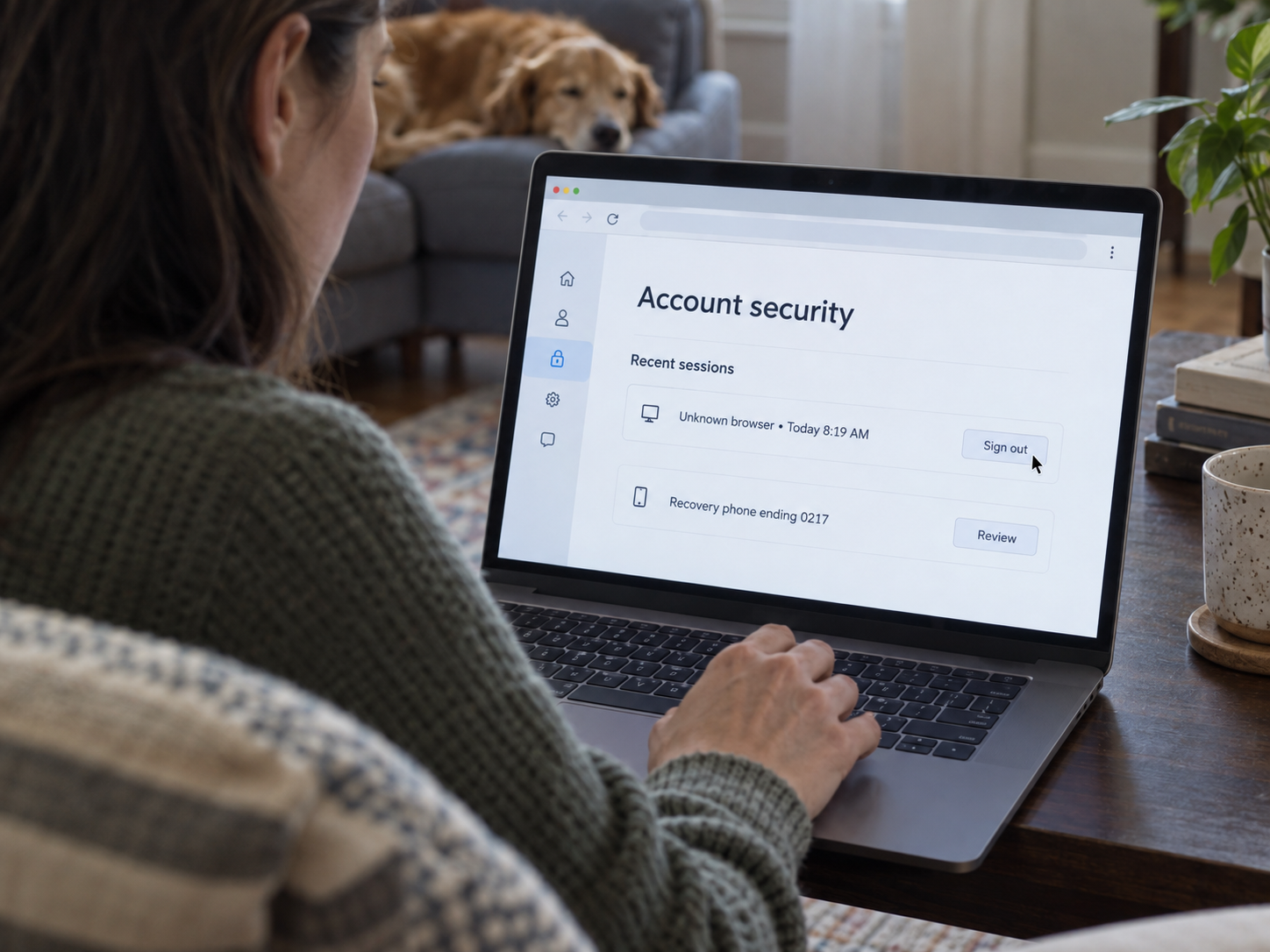
The CISA mobile communications guidance recommends phishing-resistant authentication such as FIDO-based methods where feasible and advises moving high-value accounts away from SMS authentication. An authenticator app can reduce dependence on the phone number, though a code can still be stolen by a convincing phishing page. Compare passwords, passkeys, and 2FA before changing sign-in and recovery methods on high-value accounts.
If you cannot sign in to your primary email, begin the provider's official account-recovery process immediately. Tell other critical services that the email account may also be compromised, because changing the phone number alone will not secure recovery links delivered to an exposed inbox.
Secure money accounts second
Contact banks, credit unions, card issuers, payment apps, brokerage accounts, and crypto exchanges through verified channels. Use the official app, the number printed on the physical card, or a saved statement. Tell the fraud team that your mobile number may have been taken over and ask it to review recent logins, transfers, payees, contact changes, linked devices, and authentication changes.
Report any unauthorized transaction immediately. The Consumer Financial Protection Bureau's guidance on unauthorized bank transactions explains that prompt notice matters and that timing can affect a consumer's responsibilities and the institution's investigation. Ask for a dispute or fraud case number, note any written follow-up requirement, and record the deadline the institution gives you.
Do not move money because an inbound caller says a “safe account” will protect it. The FTC's guidance on avoiding imposter scams warns that anyone who says you must quickly move money to protect it is a scammer. End the call and contact the institution through a route you independently verified.
For crypto accounts, change credentials, revoke unfamiliar sessions and API keys, and ask the exchange to restrict withdrawals if its process allows. The FTC's cryptocurrency guidance explains that crypto payments typically are not reversible and that getting the money back usually depends on the recipient returning it. Act quickly and preserve transaction identifiers and destination addresses instead of deleting alerts in frustration.
Secure work, school, cloud, messaging, and social accounts
Notify an employer or school security team if the affected number is connected to organizational sign-in, device management, payroll, benefits, or confidential communications. The administrators may be able to revoke sessions, reset recovery methods, or watch for suspicious activity that you cannot see.
Next review cloud storage, password managers, messaging apps, social networks, shopping accounts, tax services, health portals, and any account that can reset another account. Prioritize by power, not by entertainment value. An account that stores identity documents or controls other logins deserves attention before a low-value subscription.
For each important account:
- Change a reused or exposed password.
- Remove unfamiliar devices, sessions, linked apps, forwarding rules, and recovery contacts.
- Replace SMS recovery where a stronger supported method is available.
- Check for transactions, messages, posts, exports, or settings changes you did not make.
- Turn on security alerts through a channel the attacker does not control.
- Save evidence before deleting unfamiliar entries.
If you use the affected phone number for a password manager, begin with the manager's official recovery instructions. Do not weaken the password manager or export all passwords to an insecure note just to move faster.
Preserve evidence before settings and notices disappear
Build a simple SIM incident timeline while events are fresh. It does not need to be polished. Record when you last had service, when you noticed the outage, when alerts arrived, when you reached the carrier, when service returned, and when each account was secured.

Capture screenshots or photographs of:
- “No Service” or “SOS” on the phone.
- Carrier notifications about SIM, eSIM, device, PIN, password, contact, or transfer changes.
- Account-change emails and security alerts.
- Unfamiliar devices, sessions, forwarding settings, recovery details, or authorized users.
- Financial transactions, payees, wallet addresses, or withdrawal requests.
- Messages from anyone claiming to be the carrier, a bank, technical support, or law enforcement.
Keep carrier case numbers, financial dispute numbers, names or agent IDs when provided, store locations, report confirmation numbers, and written recovery instructions. Preserve message headers and complete emails when you know how, but do not delay containment for a technically perfect evidence collection.
Store the timeline somewhere the affected account cannot easily erase. If practical, keep a local copy and a separate backup. Avoid publishing screenshots that expose your phone number, account number, transaction details, or recovery information.
Evidence serves several different audiences. The carrier needs timestamps and account changes to investigate the line. A bank needs transaction and notification details. A service provider may need proof of account ownership. If an organization instructs you to file a police report, the same chronology can help you provide the details it requests. You do not need to solve attribution. Record what happened, what you observed, and what each organization told you.
After the number is restored, assume recovery is still unfinished
A restored SIM and working phone prove that your line is active again. They do not prove that every account change, session, or stolen recovery method has been removed.
Recheck the carrier account from top to bottom
Review every line, device, SIM or eSIM, authorized user, account address, email address, PIN, password, forwarding setting, financing record, and protection toggle. Ask whether any transfer authorization or device change remains pending. If you have a family account, inspect every line rather than only the one that lost service.
Confirm that you can receive calls and texts, place a test call, and sign in to the official carrier account. Then sign out unfamiliar sessions and test the new PIN or passcode through a legitimate account action. If the carrier created a temporary credential during recovery, replace it.
Recheck important online accounts
Return to email, financial, work, cloud, messaging, and social accounts. Look for changes that occurred before or during the outage. An attacker may have used a texted code, then established a new recovery email, trusted device, app password, passkey, API key, or persistent session. Changing the visible password may not remove all of those paths.
Review transactions and messages again over the next several days. Watch for password-reset emails you did not initiate, new-account notices, mailed cards, changed contact details, and small test transactions. Keep alerts active through email or app notifications rather than relying only on SMS.
Decide whether a credit freeze or fraud alert fits the incident
A SIM swap does not automatically mean that enough identity information was stolen to open new credit. The need for a freeze depends on what else happened. If personal information was misused, an unfamiliar credit account appeared, or identity documents were exposed, follow a broader recovery plan. The FTC's explanation of credit freezes and fraud alerts describes the different functions and how consumers can place them.
The official IdentityTheft.gov recovery steps can generate a recovery plan when personal information has been used without permission. Our Identity Theft Response Checklist can help you organize the next actions, while the Privacy and Identity Protection hub provides longer-term ways to reduce exposed recovery paths.
Monitoring should be deliberate, not endless. Choose a defined period to review account activity and credit information, keep alerts on, and retain the incident file. If no additional harm appears, you can reduce the frequency without assuming the original event was harmless.
Report the incident through the channel that matches the harm
One SIM incident may justify several reports, but each channel has a different job. Start with organizations that can stop immediate harm, then create the records that fit what occurred.
The carrier owns line restoration and its internal investigation
Keep the carrier case open until the number is restored and the carrier confirms the status of the SIM, eSIM, device, port, forwarding settings, account credentials, and protection controls. Ask where to send supporting evidence and how to obtain a written outcome if the carrier offers one.
The financial institution owns unauthorized-transaction handling
Report unauthorized transfers, card charges, withdrawals, payees, or account changes directly to the institution. Follow its written dispute process and deadlines. A police or federal report does not replace notice to the bank, and a carrier case does not start a financial dispute.
IdentityTheft.gov fits broader identity misuse
Use the FTC identity-theft process when personal information was used, new accounts appeared, or the mobile takeover became part of a larger identity theft. Save the recovery plan and report reference with your incident timeline.
IC3 fits online crime details and financial loss
The FBI's Internet Crime Complaint Center complaint form accepts reports about internet-enabled crime. Include the clearest timeline you can, along with carrier case numbers, transaction identifiers, contact methods, wallet addresses, and other relevant details. Filing does not guarantee individual recovery, so continue working directly with the carrier and affected institutions.
File a local police report only when local law enforcement accepts the report or a carrier, bank, insurer, identity-recovery service, or another organization specifically asks for one. Ask the requesting organization what documentation or report copy it needs. Do not assume every victim is legally required to file.
The FCC fits number-porting and carrier-handling complaints
If the issue involves an unauthorized wireless number transfer, porting problem, or unresolved provider handling, use the FCC consumer complaint process. The FCC's phone complaint category guide directs wireless number-change and porting complaints to the Number Portability category. Describe the carrier contacts, dates, case numbers, requested remedy, and remaining problem.
Include what changed, when you noticed it, which accounts were affected, what losses occurred, and what actions have already been taken. Do not guess who committed the fraud or how the person obtained your data.
Set up protection before the next emergency
Make unauthorized line changes harder with carrier controls. Reduce the value of stolen texts by moving high-value accounts away from SMS-dependent sign-in and recovery. Keep recovery methods you can reach when your usual phone and phone number are unavailable.
Use the carrier controls that match the transaction
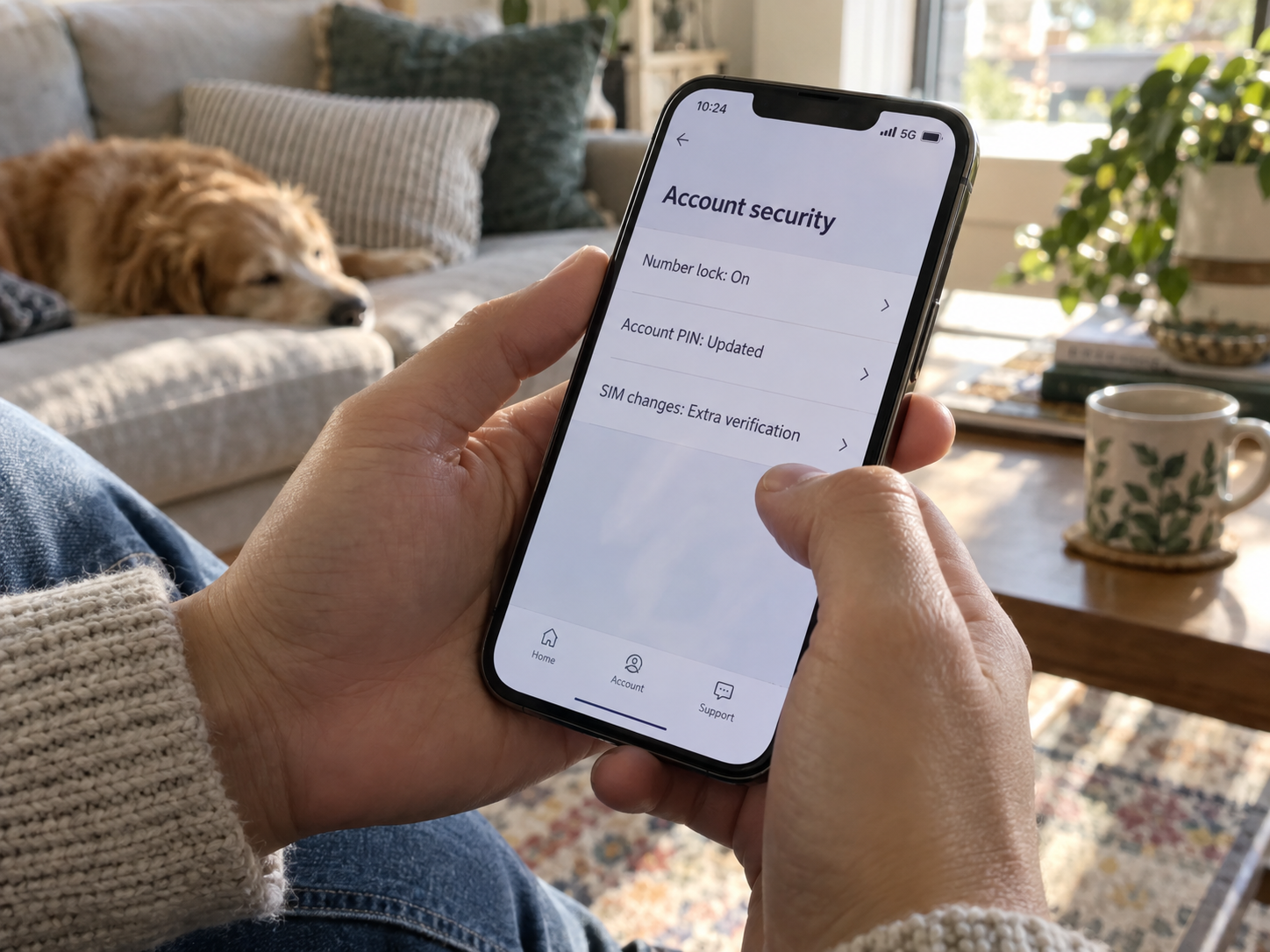
Set a strong carrier-account PIN or passcode that is not reused elsewhere. Remove authorized users who no longer need access, verify the email and mailing address on the account, and turn on change notifications. Ask specifically for SIM-change protection and port-out protection, even if the representative first offers a product with a broader name.
Carrier implementations differ:
- AT&T's Wireless Account Lock instructions say the feature is available for AT&T Wireless and AT&T Prepaid. AT&T explicitly describes account-wide coverage for standard Wireless accounts. Its Prepaid instructions may prompt the customer to select the number to lock or unlock. Standalone tablets and hotspots on data-only plans and Wireless Home Phones require support or a store for lock or unlock assistance.
- Verizon's number-transfer guidance distinguishes Number Lock from SIM Protection. Number Lock helps block a number from moving to another line or carrier, while SIM Protection is a separate control for SIM or equipment changes.
- T-Mobile's SIM Protection page says that feature is free for eligible postpaid accounts, excludes Business, Prepaid, and Metro accounts, and does not prevent eSIM transfer on Apple devices.
- T-Mobile also documents Port Out Protection as a separate per-line feature, reinforcing why customers should not assume one toggle covers both a SIM change and a carrier transfer.
Names, eligibility, app menus, and exceptions can change. Read the current instructions for your carrier and confirm the control on every line that matters. If you legitimately upgrade a phone or switch carriers later, you may need to turn off a lock through an authenticated process. That friction is part of the protection, not evidence that the feature failed.
Reduce dependence on the phone number
Prioritize your primary email, password manager, financial accounts, cloud storage, and work systems. Use unique passwords. Add a passkey or hardware security key where it is practical. An authenticator app is generally less exposed to a number takeover than an SMS code, but it does not make a fake sign-in page safe. Keep recovery codes outside the affected phone and test that you can reach them.
Do not remove every recovery phone number without a replacement plan. An inaccessible account can create its own emergency. Add stronger methods, confirm they work, then reduce SMS dependence where the provider allows it.
Keep a short offline response card
Do not make a list of passwords. Write down:
- Your carrier's verified fraud or support route.
- The official contact route for each major bank or card issuer.
- The name of your primary email provider and its recovery page.
- The location of recovery codes and hardware security keys.
- The person to contact for work or school account security.
- A reminder of the order: carrier, email, money, other accounts, evidence, reports.
Store the card where you can reach it without the affected phone. Review it after a carrier change, bank change, new primary email address, or major account migration.
Sources
- Federal Trade Commission, “SIM Swap Scams: How to Protect Yourself.”
- Federal Communications Commission, “Protecting Consumers from SIM Swap and Port-Out Fraud.”
- Electronic Code of Federal Regulations, “47 CFR 52.37: Number Portability Requirements for Wireless Providers.”
- Electronic Code of Federal Regulations, “47 CFR 64.2010: Safeguards on the Disclosure of Customer Proprietary Network Information.”
- FBI Internet Crime Complaint Center, “Cyber Criminals Target Victims Using Social Engineering Techniques.”
- Federal Trade Commission, “What To Do Right Away.”
- Consumer Financial Protection Bureau, “How Do I Get My Money Back After I Discover an Unauthorized Transaction or Money Missing From My Bank Account?”
- Federal Trade Commission, “Credit Freezes and Fraud Alerts.”
- Cybersecurity and Infrastructure Security Agency, “Mobile Communications Best Practice Guidance.”
- Federal Communications Commission, “Phone Form: Descriptions of Complaint Issues.”
- AT&T, “Learn About Wireless Account Lock.”
- Verizon, “Move Your Mobile Number to Another Carrier FAQs.”
- T-Mobile, “SIM Protection.”
- T-Mobile, “Transfer Your Phone Number.”
- FBI Internet Crime Complaint Center, “Cyber Crime Complaint Form.”
- Federal Trade Commission, “How To Avoid Imposter Scams.”
- Federal Trade Commission, “What To Know About Cryptocurrency and Scams.”
Conclusion
Do not wait to prove a SIM swap before protecting the accounts that the number can unlock. Use a trusted route to reach the carrier, ask whether the SIM, eSIM, device, port, or call-routing settings changed, and get a case number. Then secure your primary email and money accounts from a device you trust.
Continue after service returns. Remove unfamiliar recovery paths and sessions, review transactions and messages, preserve a timeline, and report the incident through the channels that match the actual harm. Finally, enable separate SIM-change and port-out controls where available and move high-value accounts away from SMS-dependent recovery when practical.
Start with the carrier, then secure email and money accounts before lower-priority passwords. Subscribe to Quantum Cyber AI for more guidance on identity, scams, and account recovery.
FAQ
Does “No Service” always mean a SIM swap?
No. A local outage, damaged SIM, billing issue, device fault, or setting can also interrupt service. The situation becomes more suspicious when the outage coincides with an unexpected carrier-account change, a password-reset notice, an unfamiliar login, or a transaction alert. Do a brief outage check, then contact the carrier through a verified route if the service loss remains unexplained.
What is the difference between a SIM swap and a port-out?
A SIM swap changes which SIM, eSIM, or device receives your number within the carrier's system. A port-out moves the number from one carrier to another. Both can redirect calls and texts, but the carrier teams, records, reversal process, and protective controls may differ. Ask about both rather than using one term as a catchall.
Should I call my bank before the carrier?
Start the carrier contact immediately because it can stop or reverse the line change. If you have another device or a trusted person helping, contact the bank in parallel. If an unauthorized transaction is already occurring, do not wait for the carrier case to finish. Notify the financial institution through a verified channel and preserve the dispute number and instructions.
Is an account PIN enough to prevent a SIM swap?
No single control is a guarantee. A strong, unique carrier PIN is useful, but it should sit alongside change notifications, limited authorized users, SIM-change protection, port-out protection, and secure carrier-account credentials. Online accounts also need their own safeguards because a carrier lock does not remove a stolen session or protect a reused email password.
Does an authenticator app still work if my phone number is stolen?
An authenticator app usually generates codes without receiving a text at your phone number, so a number takeover does not automatically redirect those codes. However, access depends on where the authenticator is installed and how its backup or recovery works. A phishing page can also trick someone into entering a current code. Use provider-supported passkeys or security keys for high-value accounts when practical, and keep tested recovery codes somewhere independent of the phone number.
Should I freeze my credit after a SIM swap?
Not every line takeover exposes the information needed to open credit. Consider a freeze when identity information was misused, an unfamiliar credit account or application appeared, identity documents were exposed, or your recovery plan recommends it. A fraud alert is a different tool. Choose based on the wider identity-theft evidence, not the loss of service alone.
Can I keep using SMS authentication?
You may have accounts that offer no other option. Use SMS when it is the only supported method, but avoid making it the sole recovery path for your primary email, financial accounts, password manager, or other high-value services. Add stronger methods where available, keep recovery information current, and protect the carrier account that controls the number.