
Suppose you open an app you already use and find an unfamiliar request: look into the camera to continue. Perhaps the screen offers a document check instead. You want to get back to the service, but you also want to understand where your face image will go.
Treat this age check as a separate decision about sharing information. Before opening the camera, identify the company collecting the image, the method it uses and the information the service will receive. Then look for a clear account of retention, alternatives and mistakes. A familiar app name can be the beginning of that investigation; it does not answer every question about another company’s part in the process.
You do not need to become an expert in facial analysis to make a deliberate choice. You need enough information to understand this particular transaction. The most useful question is specific: Who gets what after I press continue? If you cannot establish that, pause and use the service’s official support route before sending a selfie or identity document.
Key Takeaways
- Ask which method the age check uses. Estimating age from a face image and checking an identity document answer different questions.
- Identify the collector and the recipient. A service may receive an age result while a separate provider handles the image; establish the actual arrangement.
- Read what happens to the image, derived information and result separately. A deletion promise should identify the information and the time or event that triggers deletion.
- Find the official alternative and appeal route before an error leaves you stuck. Follow the service’s legitimate age requirements.
- If you already submitted information, record the transaction and ask about the specific retained copy. Changing camera permissions is a separate action.
What an age check is actually asking you to prove
Start with the question the service needs answered. Does it need to know that you are over a threshold, your exact birth date, or that a document belongs to you? Those are different requests. Ask why the chosen method fits the purpose before assuming that every field or image is necessary.

Age assurance is an umbrella term for approaches to establishing or estimating a person’s age. Ofcom’s explanation of age assurance methods includes facial age estimation, photo ID matching and several other approaches. The UK regulator’s guidance is a useful explanation of the methods; its legal requirements apply in the UK context it describes. It does not establish that every reader, everywhere, must provide a selfie.
| Method described in the request | What to clarify before continuing |
|---|---|
| Facial age estimation | Is the image used to estimate an age or an age range? What result is returned, and what happens if the estimate is uncertain? |
| A document check, possibly with a selfie | Which document fields are collected, what is checked and who receives the image or extracted details? |
| Another supported method | What information does it use, which company supplies it and what does the requesting service learn? |
A face image does not itself state your date of birth. An estimate should not be described as a verified birth date merely because the result appears precise. Likewise, a successful age check should not be treated as evidence that an online stranger is trustworthy. Keep the claim as narrow as the process: a particular service received a particular result for a particular purpose.
Watch the wording as you move between screens. “Verify your age” on the first screen may lead to a choice among methods on the next. Read the method-specific notice before starting capture. If the option changes from an estimate to a document check, reassess the information being requested instead of treating the second option as an administrative detail.
You can also ask what the service actually needs to retain. If its purpose is to decide whether an account meets an age threshold, ask whether it receives a threshold result or additional identity information. This is a question to investigate, not a promise that the provider has designed the process that way. Make your decision from the explanation for the option you will use.
Follow the selfie beyond the camera screen
For an age check, make a short map of the parties involved. Name the app or website requesting the age check. Name the company operating the capture screen. Then establish who processes the image and who receives the result. The same organization may perform several roles, or the notice may identify separate companies. Avoid filling a gap with an assumption.
Look for an explanation beside the request, a privacy link for the provider and help material on the service’s own site. A named provider gives you something concrete to examine. A logo alone tells you too little about the purpose, recipient and retention of this specific age check. Confirm the relationship through the service’s official help material if the transfer is unexpected.
Separate four kinds of information as you read:
- The capture: the selfie, video or document image you supply.
- Information produced from it: whatever measurements, extracted fields or other derived information the notice says is created.
- The decision: an age estimate, threshold answer or other result returned to the service.
- The surrounding record: account references, transaction identifiers or other records described in the notice.
This list is a reading aid. It is not a claim that every provider creates or retains all four. Use it to ask a better question when a notice says only that “your data” is deleted. Which data? By which party? After which event? If an image is deleted, what remains attached to your account or transaction?
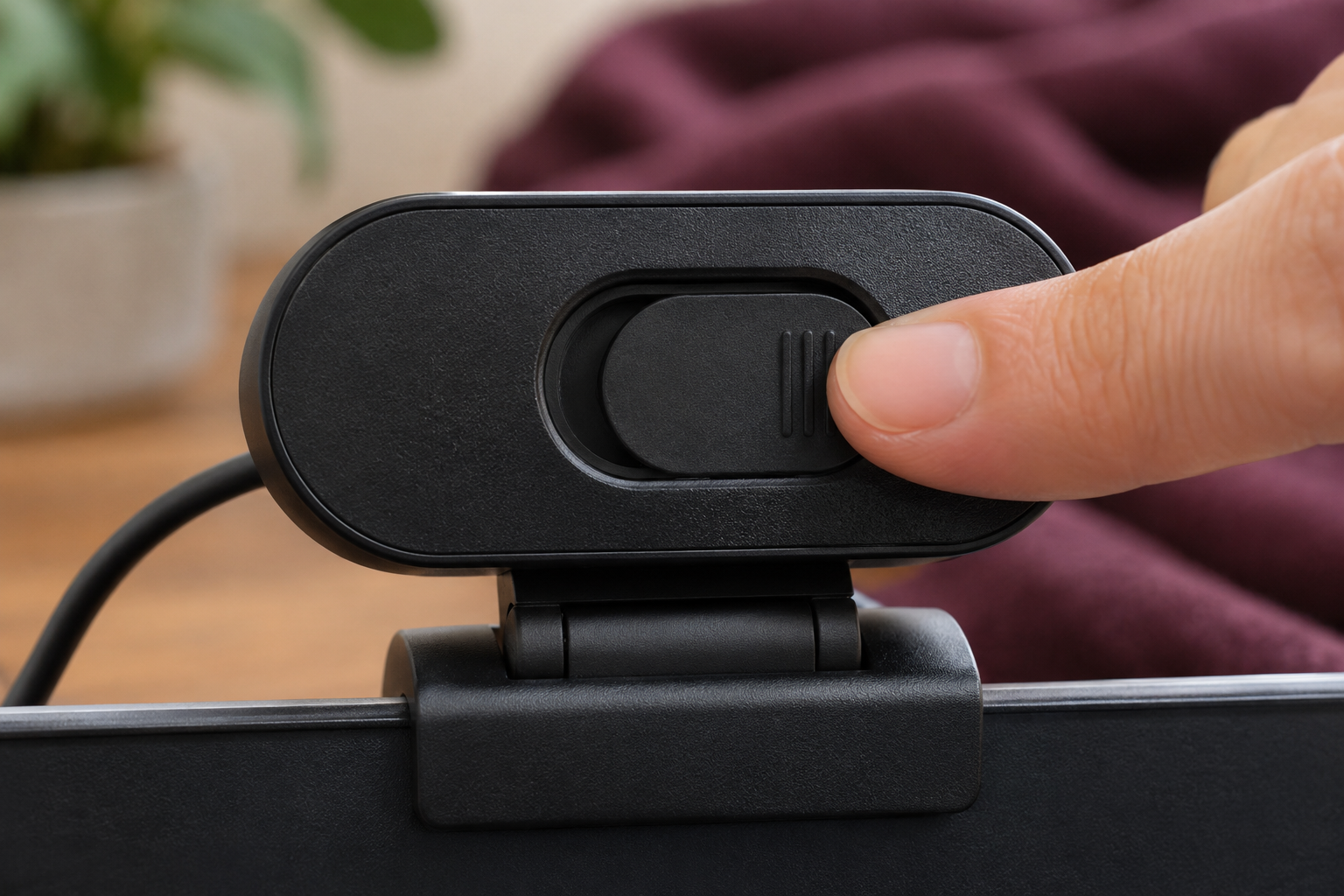
Camera permission also needs its own place on the map. Granting access lets the site or app request use of the camera within that permission system. It does not explain the complete journey of anything captured. Read the provider’s explanation of processing and transmission before inferring that an age check happens entirely on your phone.
For broader questions about information sharing and account exposure, use our Privacy & Identity Protection guide. Here, keep your attention on the particular copy you are about to create and the parties responsible for it. That is more actionable than deciding whether an entire company is simply “private” or “not private.”
An age estimate can be wrong, even when the system works as designed
An estimate and an access decision need separate scrutiny. A system might estimate an age, while the service decides whether the result is sufficient for its threshold. Ask what happens when the estimate falls near that threshold. A refusal does not, on its own, explain which part of the age check produced the outcome.
NIST’s ongoing facial age estimation evaluation examines performance on test data and the tradeoff between errors at an age threshold. Its work makes an important distinction visible: changing a decision threshold can change which errors occur. Results depend on the evaluated system and data. A single headline accuracy figure does not tell you exactly what will happen to you in a particular service.
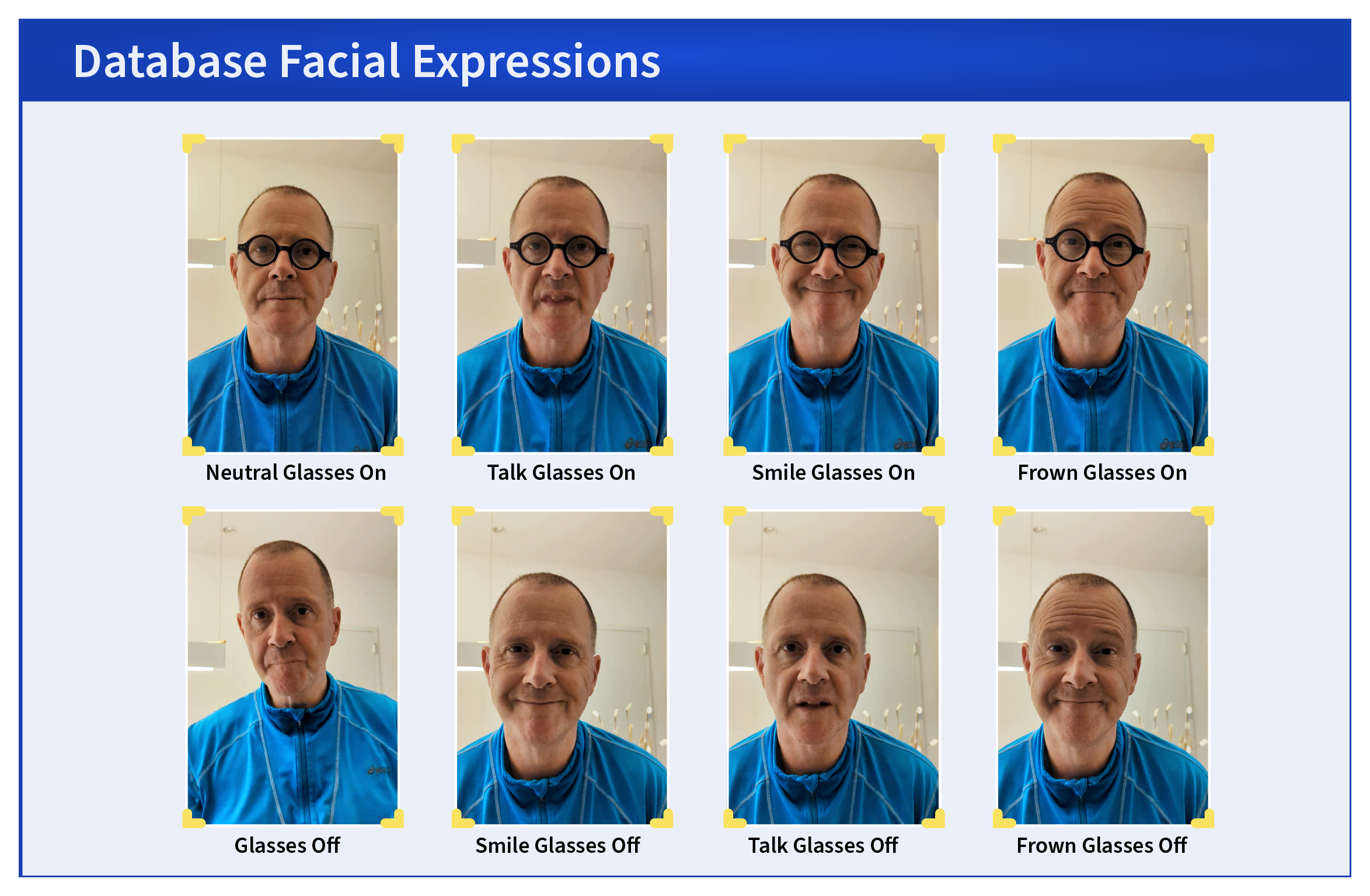
NIST’s 2024 example photographs show the same staff member with different expressions and with and without glasses. They make capture variation visible. The example illustrates a research question; it does not rank the services available today or tell you how a particular person will be assessed.
For a consumer, the practical consequence is to find a recovery route before starting the age check. Does the service explain what to do after a failed capture, an uncertain estimate or a result you believe is wrong? Can you use another supported method? Is there a way to challenge the decision through the service’s normal help channel?
If the instructions permit a retry, follow their ordinary capture requirements. Follow the age check’s lighting and positioning instructions, and keep other people out of the frame. Avoid experimenting with altered images or another person’s face. Those actions do not resolve your question about your own account, and they can turn an ordinary error into a different problem.
Repeated attempts deserve a pause. Before producing another set of captures, ask support which information has already been received and which route is appropriate. Keep a minimal record of the error message and transaction reference. You should not need to preserve or circulate a new copy of your identity document merely to describe that an age check failed.
Read the age check notice for six concrete answers
A useful notice should help you understand the transaction in front of you. You can turn broad assurances into a short set of questions. The aim is a decision you can explain afterward, without having to guess what a phrase such as “secure processing” covered.
1. What is the purpose of this collection?
Look for an explanation tied to the age check you are taking. If the notice discusses several products, identify which passages apply to your chosen option. Ask whether the image is used only for this check and what, if any, other uses are described. Do not silently read a narrow promise about one feature as a promise about every service the company offers.
2. Which organization collects and processes the information?
Record the provider’s name and the service requesting its result. Check whether their notices describe their respective roles. If the age check sends you to another domain, confirm that destination through its official material before proceeding. An unexplained change of destination is a reason to investigate the age check, even when the surrounding design looks familiar.
3. What information is collected or produced?
For each age check option, read separately for the image, document details, derived information and result. Ask whether the service receives a yes-or-no threshold answer or more information. Look for a clear explanation of any identity document requirement. Comparing two supported options means comparing their actual information requests, rather than assuming one is always more private because of its label.
4. What is retained, and for how long?
A statement about deleting a selfie should identify the relevant copy and timing. Ask whether deletion follows successful processing, an unsuccessful attempt, the end of a session or another stated event. Then ask about the result and any other records. If the notice uses a broad retention phrase, request a specific answer for your age check before sending more information.

The joint Ofcom and Information Commissioner’s Office statement on age assurance discusses data minimization, purpose and storage limits, notices and challenges to inaccurate decisions. It addresses UK obligations. Those principles are useful questions for a reader elsewhere, but they should not be presented as rights that automatically apply to every US transaction.
5. Who else can use it, including for model improvement?
Look for the stated recipients and purposes. Ask directly whether images or derived information are used for training, product improvement or another purpose beyond the current check. If the wording is ambiguous, an unanswered question remains an unanswered question. Avoid converting the absence of an obvious training paragraph into a guarantee that training never occurs.
6. What alternative and challenge routes exist?
Find them before you encounter a refusal. Ofcom’s guidance on vetting age assurance vendors discusses matters including age challenges and appeals. This is UK provider guidance, rather than a universal consumer entitlement. For your own service, establish the supported route and ask what information it requires. A recognizable badge or certification should not substitute for that answer.
US policy also needs careful reading. In February 2026, the FTC announced a COPPA policy statement concerning age verification technologies. It describes conditional nonenforcement for certain general- and mixed-audience operators collecting information solely to determine age without prior parental consent. Conditions include limits on purpose, retention and sharing, along with notice and safeguards. This scoped policy does not mean that every selfie request is federally approved, that every service must offer the same method, or that every person’s privacy rights are identical.
Before an age check: a short decision routine
Give yourself a point at which to stop. Complete the following routine before allowing an age check to collect your face or document. It works best as a deliberate pause, rather than a search for one reassuring logo.
Start from the service you intended to use. If the request arrived in an email, text or message, return to the app or address you independently know. The FTC’s phishing guidance recommends contacting a company through a known route rather than using contact information supplied in a suspicious message. Apply that principle to an unexpected age check without assuming that every genuine age request is a scam.
Confirm the handoff. Identify the provider and check that the service names it. Read the relevant method’s notice before opening the camera or choosing a document. If the explanation is inaccessible or too vague to establish the collector, ask support to identify it.
Compare the supported options. Consider the information each needs and the explanation for its use. Choose a suitable legitimate option you understand. If none is acceptable to you, ask whether another route exists or decide to stop using the service. Do not borrow an adult’s account, face or document to get around an age requirement.
Prepare only what the method requests. Keep unnecessary people, documents and private material outside the camera’s view. Follow the service’s capture instructions without adding extra information in a support message. If an option requests a document, use its designated secure submission route instead of improvising with ordinary email.
Keep a minimal receipt. Save the date, service, provider name, relevant notice and any transaction reference. Avoid making additional identity-document copies just to maintain a record. Your receipt should help you identify the age check later, not become another collection of sensitive files that you have to protect.
If the age check fails, or you already sent the image
Begin by distinguishing the problem you actually have. An incorrect result, an unclear retention promise and a suspected fraudulent request need different responses. Record what you observed, including the actual message, rather than beginning with an unsupported conclusion about a breach or deliberate discrimination.
Use the official route for a mistaken result
For an age check error, contact the service through its known app or website. Give the transaction reference and describe the problem in plain terms: for example, that you are an adult and the process refused access, or that capture failed before a result was shown. These are illustrative descriptions, not reports of a particular service’s behavior.
Ask which official alternative, appeal or support process applies to this age check. Before repeating the age check, establish what additional information is necessary and how it should be sent. Keep your question focused on the decision and account involved. A request for help should not turn into an open invitation to send more images to an unverified person claiming to handle appeals.
Ask about the particular retained copy
If you completed an age check and now want to understand retention, name the service, provider, date and reference. Ask whether it holds the original capture, derived information and result. Request deletion where available, and ask what remains and why. Keep the answer with your minimal transaction record.
Phrase the request so the provider can answer it. “Delete everything about me” may leave several questions unresolved when two companies have separate roles in the age check. Ask each relevant organization about the information it handles. A confirmation about one copy should not be expanded into a claim that every company has deleted every associated record.
Treat camera access and uploaded information separately
You may also want to remove a site’s permission to use the camera. Chrome’s camera permission instructions explain how to review and change that access. Use the equivalent official instructions for your browser or device. This controls camera access; it is not evidence that a provider has deleted an image already submitted.
Similarly, closing a page or uninstalling an app should not be your proof of remote deletion. Seek an answer from the organization responsible for the information. Keep permissions, account closure and retained copies as separate tasks so that completing one does not accidentally hide another.
Respond to a suspicious collection according to what was exposed
If you think the request was fraudulent, stop interacting with that destination and return to the real service independently. Do not pay someone who offers a special deletion or appeal service. Preserve enough of the request to explain what happened without distributing the sensitive image again.
Our guide to what to do after clicking a scam link helps separate exposure of credentials, payment information and downloaded software. Use the facts of your case to choose the next step. Sending a selfie alone does not establish that a password or Social Security number was exposed; if you supplied additional information, include that in your response plan.
Help a teenager evaluate the request without teaching workarounds
Treat an unexpected age check as an opportunity to examine a real decision together. Ask the teenager to show you the service and the request without sending it to anyone else. Identify the stated minimum age, the company collecting information and the explanation of the method. Read any parent or guardian instructions that apply to that service.

Make room for a simple answer: “We do not understand this enough to continue yet.” You can ask official support for clarification or decide that the service is not suitable. Keep that pause separate from punishment. The goal is to make a future confusing request something the young person can bring to you early.
Do not supply an adult’s selfie or identity to make a child’s age check pass. Follow legitimate age restrictions and parental-consent processes. If the method appears to misclassify the teenager, use the official challenge route rather than experimenting with someone else’s information. That keeps the account issue tied to the person whose age is being assessed.
For the surrounding conversation about accounts, apps and family decisions, see our Family, School & Everyday Digital Safety hub. This article’s narrower task is to help you understand the data transaction before a camera opens.
Conclusion
An age check deserves a clear explanation at the point where you are asked to share information. Establish the method, identify the collector and recipient, and read the promises about the image and result separately. Find the official alternative or challenge route before you need it.
You can make that decision without treating every selfie request as dangerous or accepting every request because the app is familiar. Proceed when you understand the transaction and accept its terms. Pause when the recipient, purpose or retention remains unclear. If you already submitted information, use your transaction record to ask about the particular copy involved.
For more practical help with everyday cyber and AI decisions, subscribe to Quantum Cyber AI.
FAQ
Is a selfie age check the same as using Face ID?
No. Apple’s Face ID privacy explanation describes matching the enrolled user on the device and says Face ID data does not leave it. A website asking you to take a selfie for age estimation is a separate process. Do not transfer Face ID’s privacy properties to that request; read the requesting service’s and provider’s explanation.
Does facial age estimation establish my exact date of birth?
An estimate from appearance should not be treated as a verified birth date. Ask what the age check returns and how the service uses that result. If another option checks a document, examine that option’s collection and retention details separately.
Does deleting the selfie mean the whole transaction is deleted?
Ask which information the deletion promise covers. The image, information derived from it, the age result and surrounding account records are separate questions. The provider’s answer should identify what it deletes, when it does so and what it retains. Do not infer a complete transaction deletion from an image-only promise.
What if an age check refuses me even though I am old enough?
Save the error message and transaction reference, then use the service’s official alternative or challenge route. Follow any ordinary retry instructions, but pause before repeatedly creating new captures. Ask what is needed to resolve your own result rather than using another person’s face, document or account.