
An unknown tracker alert can interrupt an ordinary journey with an unsettling question: is something traveling with me that I did not agree to carry? Start with your immediate safety, then save what the phone shows and investigate from somewhere you feel secure. You do not have to identify the device or its owner before asking for help.
This guide separates the decisions you need to make: where to go, what to record, which controls to use on iPhone or Android, and whether to disable a found device. Treat each step as an option that depends on your circumstances. If you suspect stalking or abuse, make the next move with a trusted person or advocate rather than treating the notification as an ordinary technical problem.
Key Takeaways
- Put safety before searching. If you feel threatened, get help without waiting to complete a checklist.
- Save the unknown tracker alert, its map, and any available identifying information when doing so is safe.
- Use the phone's native alert and the instructions for the device it identifies. iPhone and Android controls have different limits.
- Silencing a notification or changing your phone's connectivity is different from disabling the physical tracker.
- A notification is a reason to investigate. A quiet phone or an unsuccessful search should not settle a wider concern about stalking.
What to do if an unknown tracker alert makes you feel unsafe
Before investigating an unknown tracker alert, decide whether the place you are standing is suitable for a search. If you feel threatened, seek a safe public location and contact local law enforcement. Apple's personal-safety guidance for unwanted trackers recommends this when you cannot find the item and believe your safety is at risk. In an immediate emergency, contact emergency services.
Choose the next destination with your circumstances in mind. If you are worried about someone learning where you live or where you will seek shelter, do not use a trip home as an experiment to see whether the alert follows. Ask a trusted person, advocate, or local authority to help you decide where to go. Do not remain alone in an uncomfortable location just to finish the search.
If the concern involves an abusive partner or another person who may have access to your phone, use a safer device for help when possible. The FTC's guidance on stalkerware explains why removing monitoring access can increase danger and why a safety plan may need to come before technical changes. Stalkerware is a separate issue from a physical item tracker; an unknown tracker alert does not establish that your phone has it.
You can tell someone: “I received an alert about an unfamiliar tracker. I want help choosing a safe place and deciding what to preserve before making changes.” That wording asks for useful assistance without claiming you know who is responsible.
Avoid contacting a suspected owner to demand an explanation. If you already fear that person, a confrontation should not be part of your troubleshooting plan. You may choose to pause the technical investigation entirely while you arrange support. Getting somewhere safer is a complete and worthwhile first action.
An unknown tracker alert is a reason to investigate
Apple says a compatible item separated from its owner and detected moving with you over time can trigger a warning. Borrowed belongings can also explain a notification. Its map marks detections near your device, not occasions when the owner checked the location. Those distinctions appear in Apple's unwanted-tracking alert instructions.
Keep your initial description narrow: an unknown tracker alert appeared, the phone showed these locations, and you recognize or do not recognize the item. Avoid converting a suspicion into a named accusation. A map can help you describe a journey, but you still need to establish which physical object, if any, is connected to it.
Consider what you actually know. Were you using your own bag, borrowing luggage, sharing a vehicle, or carrying something someone left behind? Did you find an unfamiliar object, or have you only seen the alert? Are there threats or previous incidents that make this more concerning? These are questions for deciding your next step, not a score that tells you whether you are safe.
For example, if an unknown tracker alert appears during a trip with a borrowed suitcase, ask about that specific suitcase when it is safe to do so. If the same notification accompanies threatening messages, bring both to someone who can help. These are hypothetical situations, not reported cases or evidence that either explanation applies to you.
You can take a notification seriously without deciding immediately that someone committed a crime. Your next action depends on what you have: an alert alone calls for preserving its details and using its finding controls when safe; a found item lets you record its identifying information and consider its specific disabling instructions. If you feel threatened, arrange support before either task. You do not need to confront another person to make progress.
Save the unknown tracker alert before changing anything
If it is safe, capture the notification and the details it opens. Apple explains how screenshots and screen recordings can preserve suspicious activity in its documentation instructions. Record enough context to understand the unknown tracker alert later, rather than saving only a cropped device name.
Useful records to consider include:
- The alert wording, date, and time.
- The detection map and any first-seen information displayed.
- The tracker name, identifier, or serial number if available.
- Where you were and which belongings you had.
- A photograph of a found object and where it was located, if safe.
- Any relevant messages, witnesses, or report reference numbers.
The NNEDV Safety Net Project's documentation guidance recommends an incident log and warns that collecting or storing evidence can itself create danger if an abusive person discovers it. Use a safer destination for records when your current device or account may be accessible to someone else. Do not make documentation a condition for getting urgent help.
Keep observation and interpretation separate in your notes. “Found a small white disc in the outside bag pocket” describes what you saw. “Someone installed it yesterday” adds a conclusion you may not be able to support. If you moved the object before photographing it, say so instead of recreating the scene as though it were untouched.
Avoid posting the unknown tracker alert publicly. Decide who needs the information and share it privately for that purpose. An unredacted route map should not become a social-media request for strangers to solve the incident. You can ask for help without distributing your movements or partial owner information to a wider audience.
Treat these records as a practical aid to explaining what happened. This article cannot promise that a screenshot will satisfy a legal evidence requirement or that a serial number will identify the person who carried the device.
Use the iPhone alert to look for the item
Open the unknown tracker alert on your iPhone. Apple's current instructions say to tap Continue, then Play Sound. If Find or Find Nearby is offered for a supported item and iPhone, follow its distance and direction prompts. Those options depend on the device; do not assume every accessory has Precision Finding.
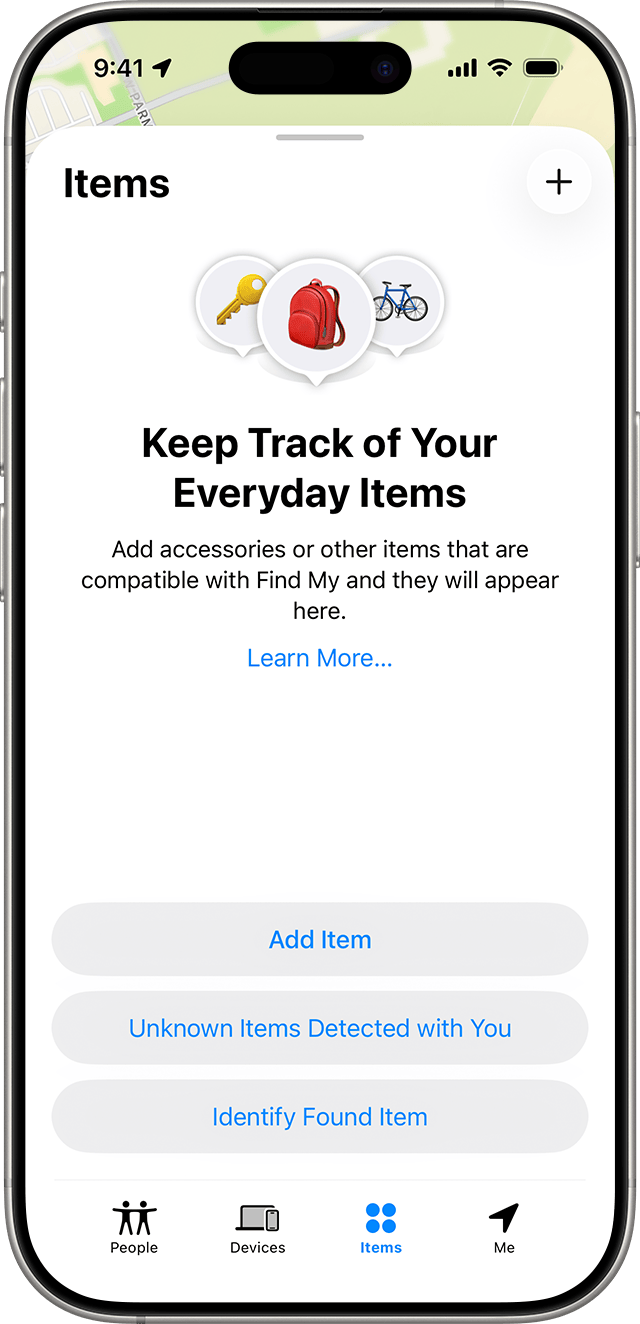
To revisit an earlier iPhone alert, open Find My, select Items, then look for Unknown Items Detected with You. Apple's current alert instructions use that label; its personal-safety guide calls the option Items Detected With You. Look for the equivalent items-history entry if the wording differs. Save the details when safe rather than relying on being able to reopen them indefinitely. If you cannot find the entry, describe what you originally saw and what remains unresolved.
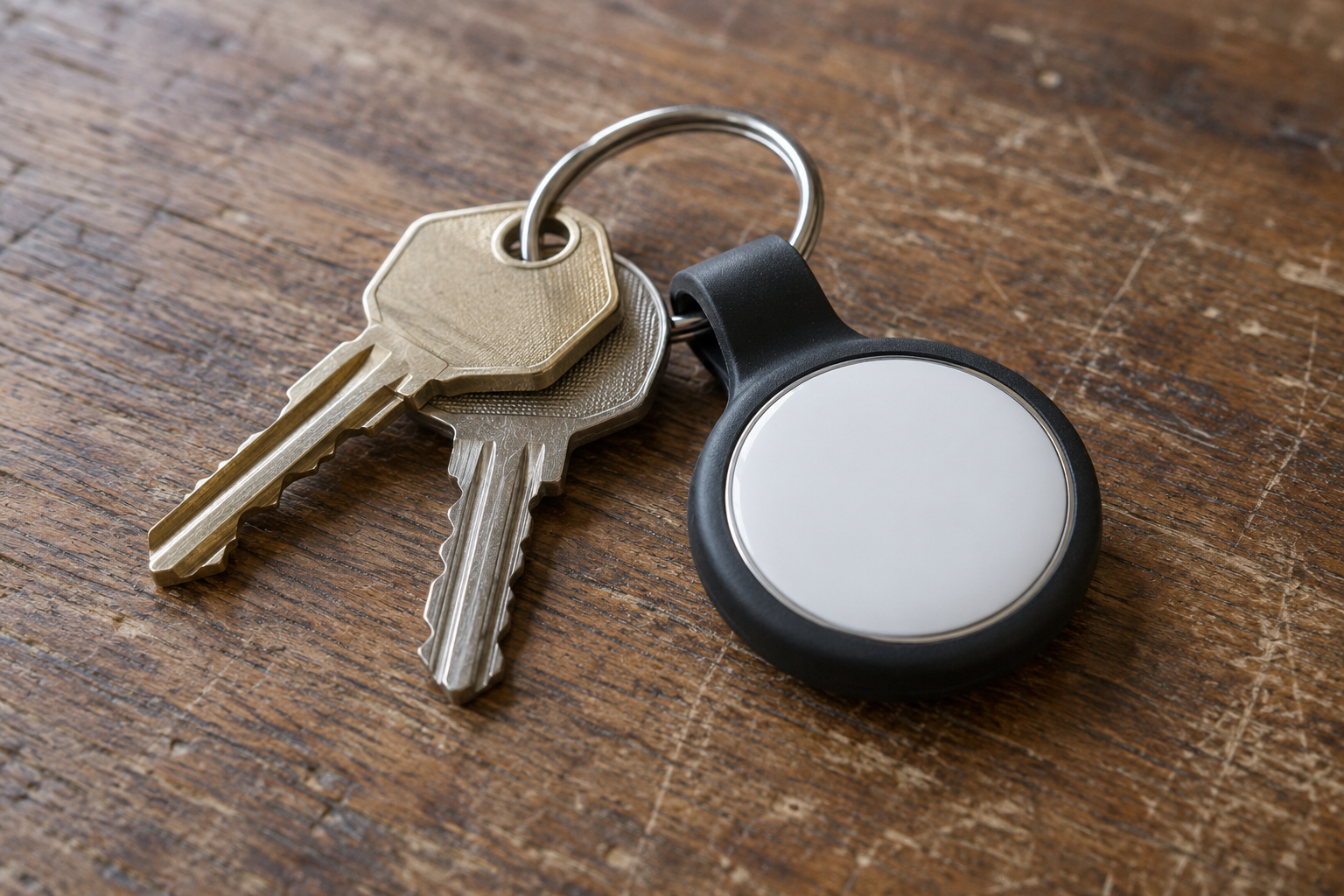
If no sound option works, the item may have left, be near its owner, or have changed its identifier. For a found AirTag, hold the top of an NFC-capable phone near its white side and open the notification to see its serial number and limited owner information. Save the details if safe. The Apple alert instructions linked earlier describe these controls.
Approach the unknown tracker search one manageable area at a time. If the sound seems to come from your bag, set the bag somewhere you can examine it comfortably. Ask a trusted companion to listen with you if that helps. Do not use an unfamiliar sound as a reason to enter someone else's property or separate yourself from support.
Before removing anything, consider whether you want help documenting where it is. If the object is loose and clearly visible, a photograph may be straightforward. If it appears attached inside a vehicle or stitched into an item, stop short of pulling it out simply to prove you can. Ask for appropriate assistance.
The unknown tracker alert should guide the search, not dictate an unsafe action. If you cannot make sense of a direction indicator, the sound stops, or the physical search becomes difficult, record that result. “I could not locate it using the available controls” is useful information to pass on. You do not need to convert an incomplete search into reassurance.
Find unknown trackers on Android
Google's current Find unknown trackers help page says alerts work on Android 6 and later for Apple AirTags and supported Find Hub network tags and headphones. When safe, tap the alert to open its map, then tap Play sound. If you find the item, tap Next steps for its information and manufacturer instructions.
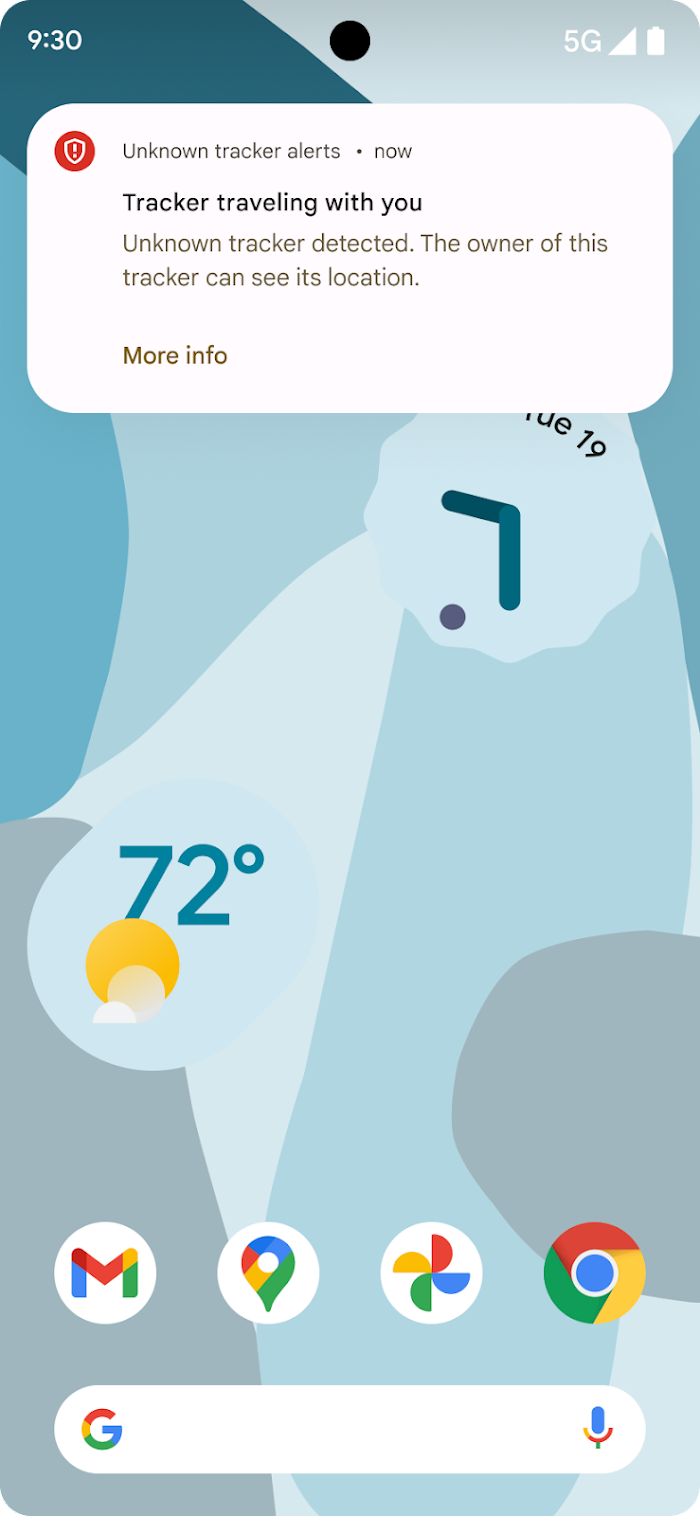
A manual scan is a separate option. On Android 12 and later, open Settings > Safety & emergency > Unknown tracker alerts. On Android 11 and earlier, use Settings > Google > Personal & device safety > Unknown tracker alerts. Choose Scan now.
Automatic detection requires Location. Manual scanning needs Location on Android 10 and earlier, but not Android 11 and later. Keep Bluetooth available. Google warns that alerts disappear after 48 hours, and switching alerts off permanently deletes prior alert data. Save the unknown tracker alert promptly when safe.
Google's Android alert launch explanation describes Play sound as ringing a tracker without notifying its owner. A manual scan looks for nearby devices separated from their owners and takes about ten seconds. Use the current Help page for today's supported-device list; the launch post describes an older rollout.
For supported Find Hub trackers, Google's nearby-finding and temporary-pause announcement explains an additional option: Find nearby helps locate the item, and a temporary pause stops that phone's location being used by the detected tag for up to 24 hours. These features do not apply to AirTags. The pause is temporary and does not prevent other phones from locating the tag. In the current alert flow, tap Next steps > Find nearby when that option is offered for a supported Find Hub tracker. The pause appears under I can't find the tracker > Temporarily pause. A temporary pause is not permanent disablement of the physical item, so decide what support or further action you need before it ends.
Keep the unknown tracker alert and a manual scan result distinct in your own notes. Write which action produced the result, rather than saying the phone “confirmed tracking” whenever a nearby item appeared. A device discovered in a scan is not, by that fact alone, proof someone placed it on you.
If a menu looks different on your phone, search Settings for “Unknown tracker alerts” and consult the linked current instructions. Do not install a random scanner advertised in search results just because the label on your phone differs. Start with the protection already supplied for your device, then seek official support if it is unavailable.
Search belongings without putting yourself at risk
Plan an unknown tracker search that you can safely stop. Begin with items you can examine without tools: bag compartments, jacket pockets, borrowed luggage, and items you recently received. Apple's personal-safety guidance includes belongings and vehicles as places to check. This is a prompt for a careful look, not a requirement to dismantle everything around you.
Try a simple sequence. Choose one item, open its accessible compartments, and notice anything you do not recognize. Keep the rest of your belongings together so you can explain what was checked. If a companion is helping, agree which area each person is examining rather than moving objects between piles without keeping track.
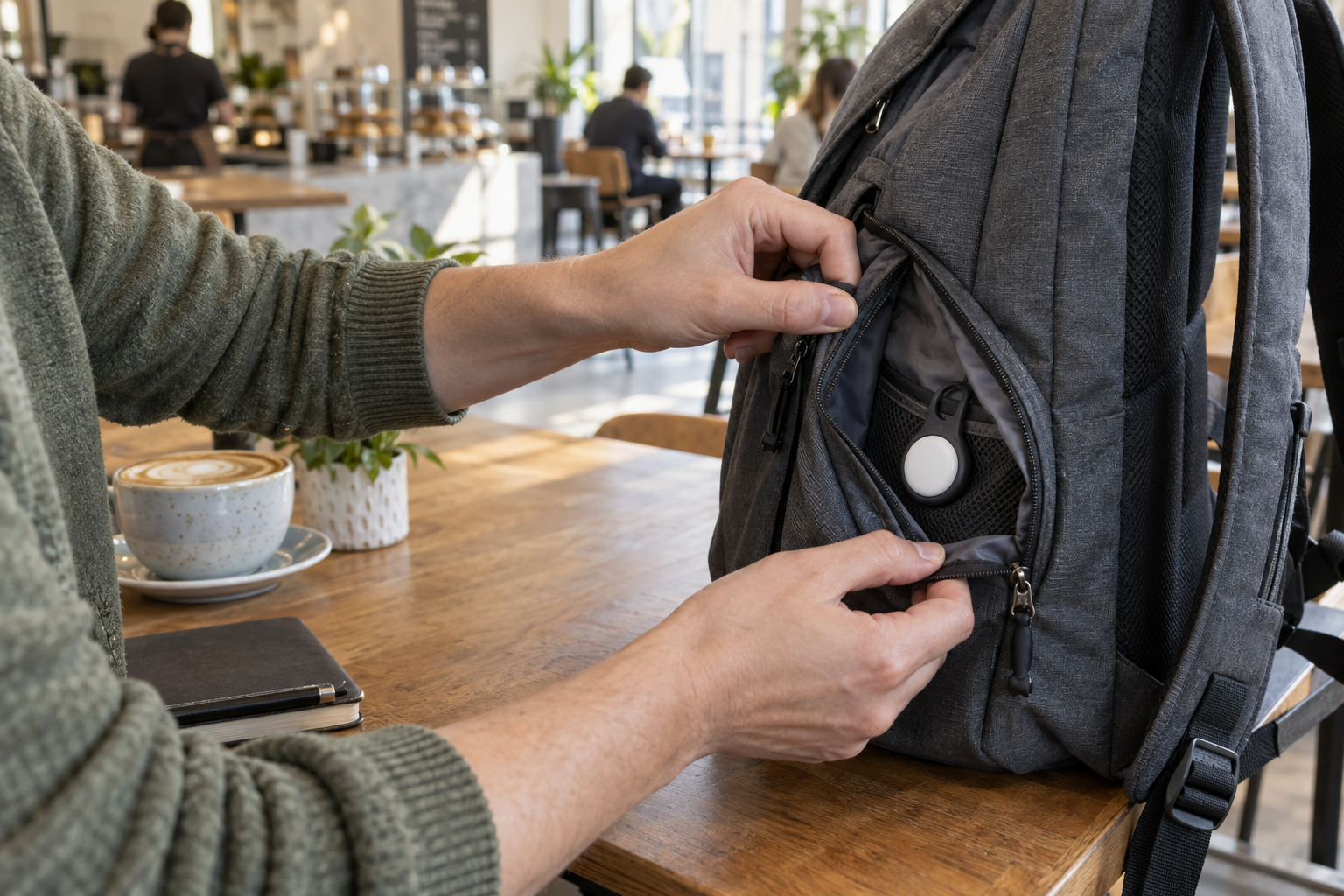
If you find an unfamiliar device, photograph its position when safe and avoid unnecessary handling. Note whether it was loose, in a holder, attached to another object, or somewhere you would not ordinarily place your own belongings. Describe the setting plainly. You do not need to decide whether the placement was deliberate before asking for help.
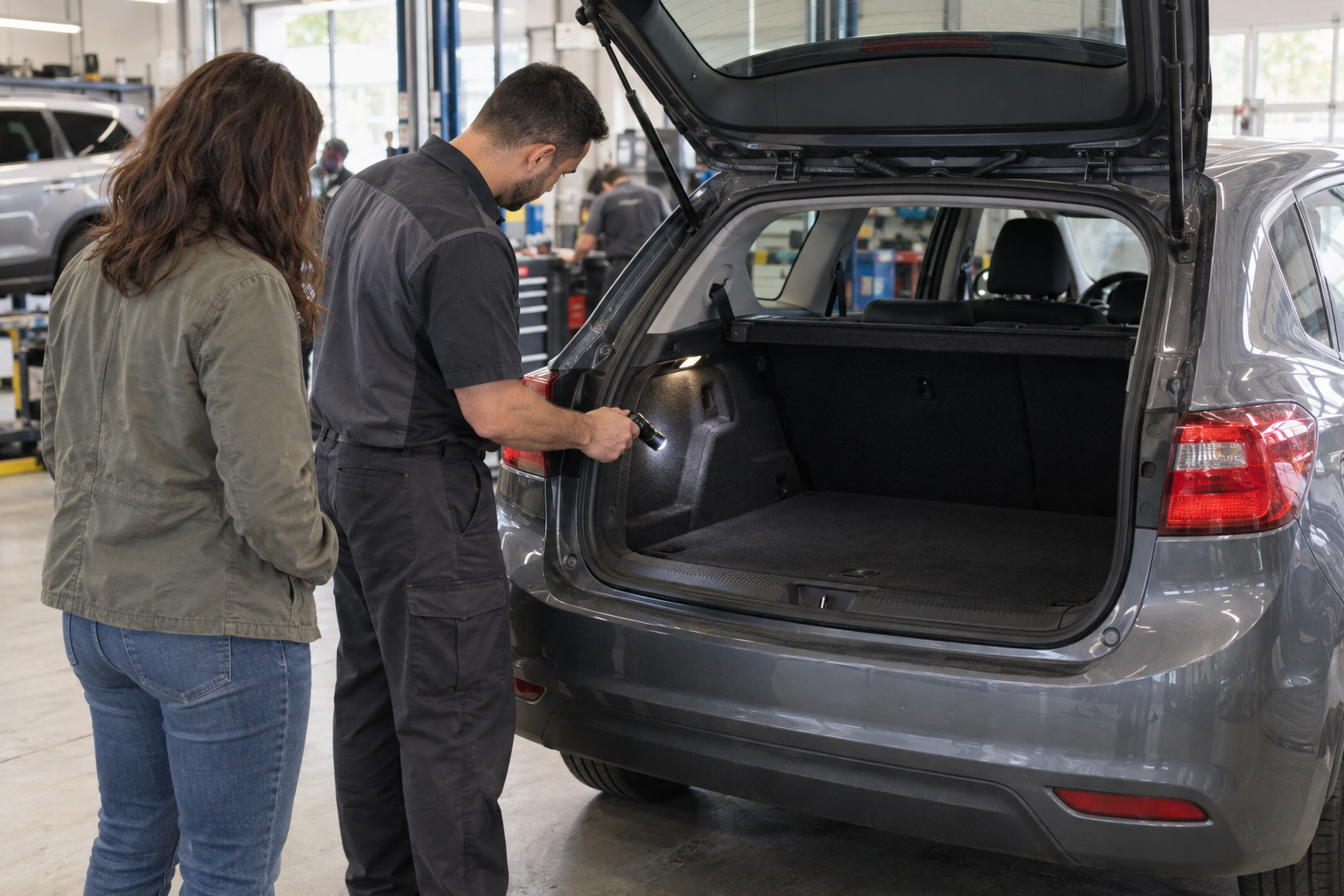
A vehicle presents a different practical decision. If an unknown tracker alert seems connected to a car, consider help from law enforcement or an appropriate professional instead of crawling under it in an isolated parking area. Do not remove unfamiliar wiring, break trim, or handle something you cannot identify. If you are unsure whether an object is a tracker or part of the vehicle, leave that identification to someone qualified.
Set a stop point before the search becomes exhausting or risky. You might decide to check your bag with a trusted person, save the results, then seek support for anything further. The unknown tracker search is only one part of responding to the situation. An inability to find a device does not oblige you to keep investigating alone.
Disable the unknown tracker, not just the notification
An unknown tracker alert presents two different controls: what your phone displays and what the physical item can report. Apple's alert instructions explain that turning off your phone's Bluetooth, Location Services, or Find My network does not stop an AirTag or Find My accessory from sharing its location. Follow the identified item's Instructions to Disable when that is safe.
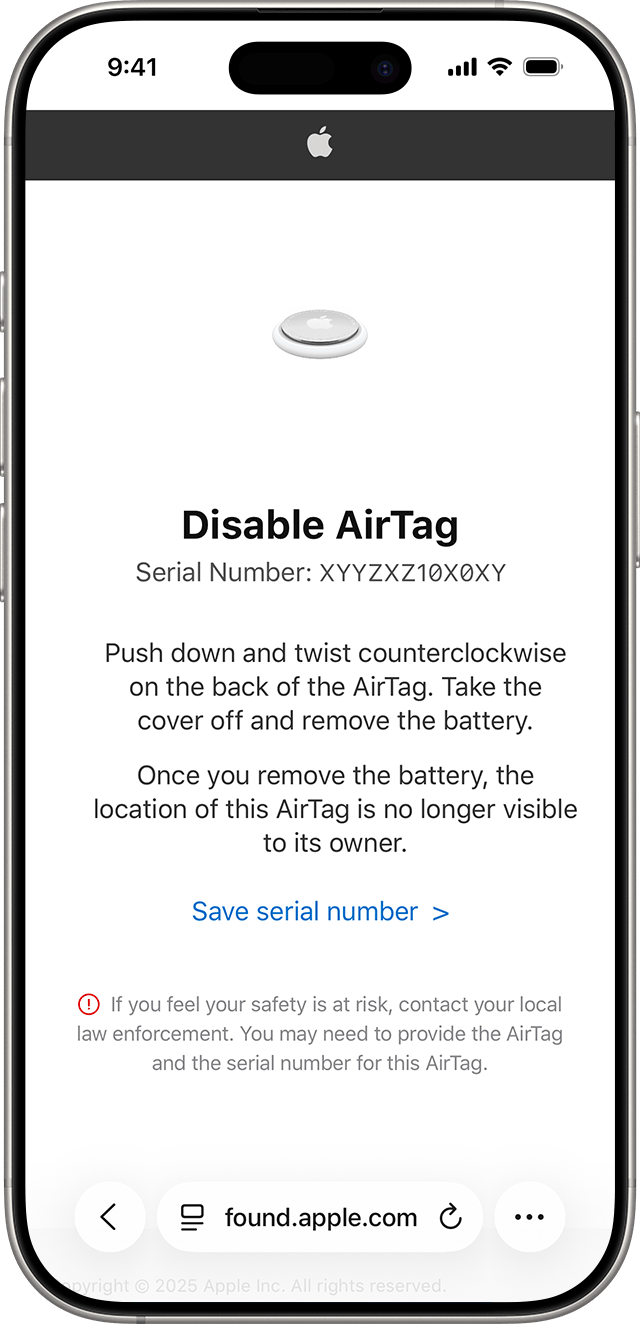
For an AirTag, Apple's battery instructions describe pressing the stainless-steel cover and rotating it counterclockwise, then removing the cover and battery. Keep the battery and small parts away from children. Use this only for the identified device and retain its information when safe; do not apply an AirTag procedure to an unfamiliar accessory.
Other devices need their own instructions. Motorola's moto tag disabling guide, for example, describes a button procedure and says disablement is permanent. The important choice is to identify the product before acting, not to memorize one method and assume it covers every tag.
Consider the evidence and safety consequences before making changes. Google's current Help warns that some disablement resets owner association and can limit a later investigation. If there is time and you can do so safely, ask the person assisting you what to record or retain first. If immediate safety requires leaving or seeking help, prioritize that.
Do not smash, discard, mail back, or attempt to pair an unknown tracker merely to make the alert go away. Choose what to do with the device as part of the response plan. Keeping the physical item available may be useful when seeking assistance, but keeping it with you while it remains active is a separate safety decision.
When reporting your action, be precise: you silenced the notification, removed an identified battery, followed a specific disable instruction, or left the device untouched pending help. These actions should not all be described as “tracking stopped.”
If the device belongs to someone you know
An unknown tracker alert can have an everyday explanation, including a borrowed item. Start by asking about the actual object when it is safe: “Does this suitcase have a tracker, and where is it?” That is more useful than accepting a general statement that all notifications are harmless.
Suppose a friend lent you a bag and can point out the tag in its usual holder. You may decide the explanation fits and agree how the item should be used or returned. If you do not want to carry it, state that boundary. Borrowing something does not require silently accepting every attached device.
If the explanation does not match what you find, leave the question open. You do not have to debate the other person until their story becomes convincing. Keep the unknown tracker alert record and decide what support you want. Where threats or abuse are involved, ask an advocate or trusted person to help with the next step instead of treating a direct conversation as obligatory.
Limited owner information should also stay limited in your interpretation. A few digits might remind you of someone, but they are not a complete account identity or proof that the same person placed the item. Do not publish an accusation based on a partial match.
For family conversations, focus on an understandable boundary: tracking a bag for recovery and monitoring someone's movements raise different questions about consent. Our Family, School & Everyday Digital Safety hub can help you continue the broader discussion. Keep a child's or dependent person's safety needs in view without dismissing the concern simply because a family member owns the device.
If you cannot find it or alerts return
Record the unknown tracker alert even if the physical search ends without a result. Note which controls you tried, where you searched, and what the phone displayed afterward. This helps you explain the limits of the search rather than describing it as a completed inspection.
If another alert appears, save it as another event. Do not overwrite the first record or assume that a repeated device name proves it is the same item. Preserve whatever identifier the phone actually shows and let someone assisting you compare the available information.
Keep your questions concrete. Did the alert accompany the same bag? Did it appear only during shared travel? Was there another threat or suspicious contact? Is there a place you need help checking? A short account of those observations will be easier to use than a long theory about every possible tracking technology.
The supported-device list should not be read as an exhaustive test of every possible tracking method. Treat a negative scan as the result of that scan. Do not use it to dismiss someone who has a separate reason to fear being followed.
At this point, the next action may be support rather than another scan. You can ask a trusted person to stay with you, contact an advocate from a safer device, or make a report with the information you have. If you feel in immediate danger, do not wait for a clearer map or a second notification.
If you are supporting someone else, avoid demanding that they prove the unknown tracker concern before you help. Offer practical choices, ask what feels safe, and let them decide what information they want to share. Their ability to locate a device should not determine whether their request for support is taken seriously.
Review other ways your location is shared
Once immediate safety is addressed, consider whether the concern extends beyond the unknown tracker alert. On an iPhone with iOS 16 or later and a signed-in Apple Account using two-factor authentication, Apple's Safety Check lets you review sharing with people and apps and access to your Apple Account. Open Settings > Privacy & Security > Safety Check. Manage Sharing & Access offers a selective review; Emergency Reset offers a faster stop to sharing covered by the feature. Neither is a physical tracker-disable button, and Safety Check does not cover every third-party service.
Before altering access, read Apple's safety considerations: other people may notice changes, and you may lose access to information or tools. Choose the timing with your safety needs in mind. An unknown tracker alert should not trigger a rushed reset of every account you own.
If Safety Check is unavailable or a setting is restricted, use Apple's instructions for your account and device rather than assuming that sharing is already off. The feature's availability and scope are separate from the physical tracker you found.
Make a short list of the sharing arrangements you intentionally use. Consider your mapping apps, family-location services, vehicle apps, and accounts accessible to someone else. Review each service's own settings when you are ready. Do not assume removing a tag resolves those separate questions, or that an account change disables the tag.
For a continuing privacy review, use our Privacy & Identity Protection hub. If the concern becomes unauthorized account access, our Passwords, Passkeys, and 2FA Explained guide can support that separate recovery work. Keep the immediate unknown tracker response manageable; you can address related accounts with help and a plan.
Keep the protection available on your phone
After responding to the unknown tracker alert, check that the protection will still be available. Apple's personal-safety tracker guide recommends up-to-date software, Bluetooth, Location Services, Tracking Notifications, and airplane mode off. In Settings > Notifications > Tracking Notifications, turn on Allow Notifications. Compatible cross-platform Bluetooth device alerts require iOS 17.5 or later; earlier supported iOS versions have a narrower scope.
On Android, return to the Unknown tracker alerts settings described above and review whether alerts are allowed. Avoid changing alert settings merely to tidy the history; preserve what you need first. If a safety plan requires a particular configuration, make that choice with the person helping you rather than following a generic checklist automatically.
Write down any changes you made while responding. Include whether you disabled a found object or only adjusted a setting. If you hand the situation to a trusted person, advocate, or investigator, those distinctions will help you explain what remains unresolved.
There is no need to turn an unknown tracker alert into an endless daily search routine. Know where the controls are, retain the relevant incident information when safe, and seek help when your circumstances call for it.
Conclusion
Respond to an unknown tracker alert in a useful order: protect your safety, save the available information when safe, use the correct phone controls, and decide what to do with any identified item. Leave uncertainty visible instead of filling it with an accusation or an all-clear promise.
You can stop a search and ask for support. You can also establish an ordinary explanation without dismissing future concerns. The goal is a safer next decision with enough information to explain what happened.
For more practical device and privacy guidance, subscribe to Quantum Cyber AI.
FAQ
Does an unknown tracker alert prove someone is stalking me?
No. A compatible device detected moving with you deserves attention, but the alert does not establish intent or identify who placed it. Borrowed belongings can explain a warning. If there are threats or other safety concerns, seek support without waiting for proof of the cause.
Will airplane mode stop the tracker?
Do not treat a phone connectivity change as physical disablement. Follow the instructions for the identified item when safe. Turning off your phone's connections can also interfere with receiving useful notifications. If you are unsure what to change, get help before assuming the device is no longer active.
Is a manual scan the same as an unknown tracker alert?
No. A manual scan looks for supported nearby items separated from their owners. An automatic alert involves detection over time. Record which result you received, and do not describe mere proximity as proof that an item was planted on you.
Can I identify the owner from the alert?
You may be able to save a serial number, device identifier, or limited owner information for a supported item. That information is not necessarily a full identity or proof of who placed it. Share it privately with appropriate assistance rather than publishing a suspected name.
What if an unknown tracker alert disappears?
Preserve the information you safely saved and describe the unresolved concern to someone helping you. A disappearing notification alone should not settle an unresolved safety concern.
Should I reset my phone after an unknown tracker alert?
A phone reset is not a substitute for responding to a physical tracker. If you separately suspect unauthorized account access or software monitoring, plan that response with appropriate support. Preserve useful information when safe, and consider whether changes could affect your safety or access to help.