
A car app can show whether the doors are locked, where the vehicle is parked, how much fuel or charge remains, and whether service is due. Those conveniences work because the vehicle, phone, cloud account, and network can exchange information. The result is useful, but it can also create a detailed driving data record that is easy to overlook.
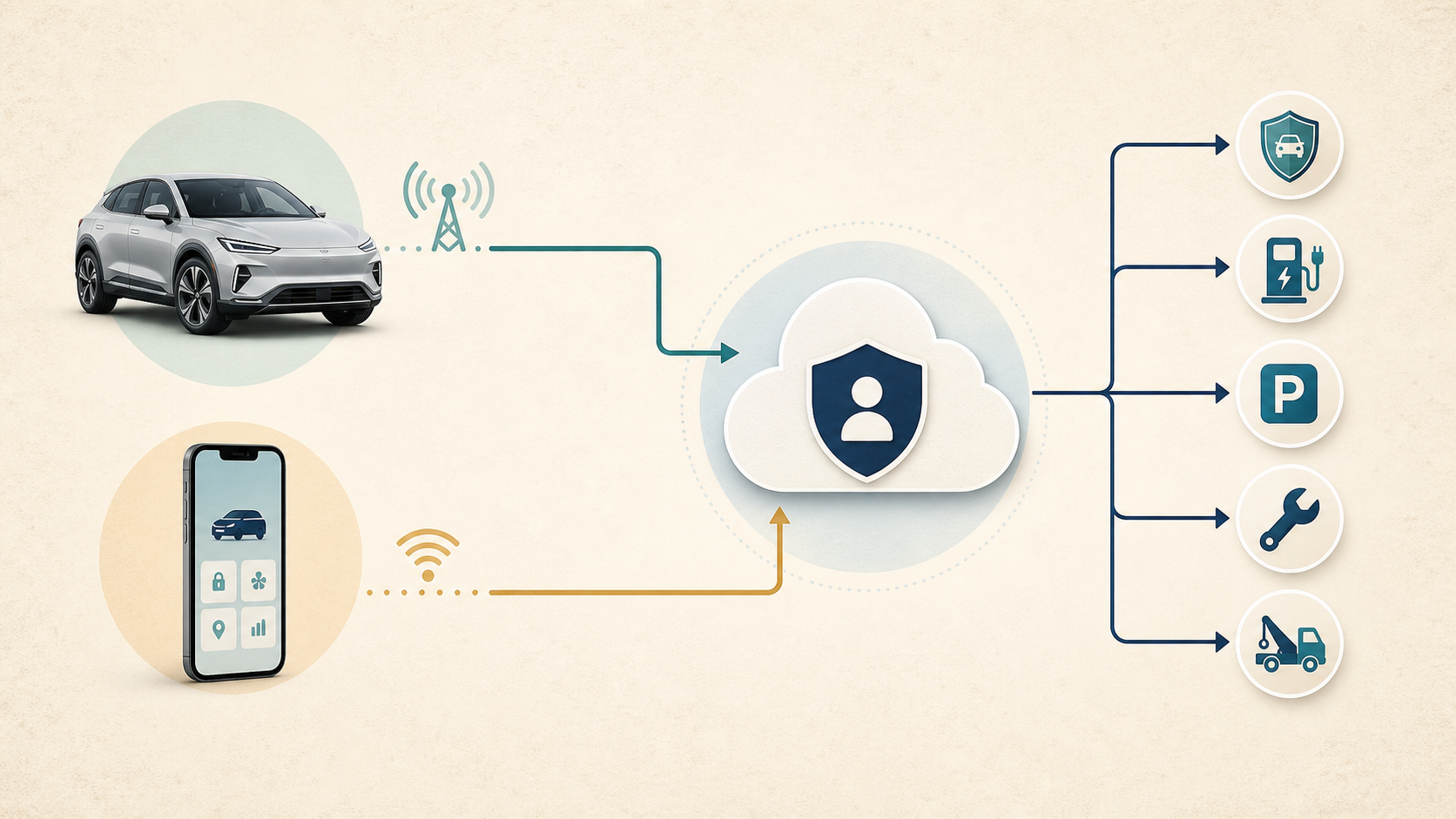
The privacy question is larger than one app. A modern vehicle may have an embedded modem, an infotainment profile, paired phones, digital keys, a manufacturer account, insurer or fleet connections, downloaded dashboard apps, and subscriptions that remain linked after someone stops using the car. The Federal Trade Commission's connected-car analysis warns that connected vehicles can collect sensitive information, such as location or biometric data, and that collection, use, and disclosure can affect privacy and financial welfare.
You do not have to reject every connected feature. The practical goal is to identify which feature uses which data, keep the functions that earn their access, secure every account that can control the car, and remove relationships that no longer serve you. Settings vary by manufacturer, model, year, software version, service plan, and state. Make changes while parked, use the owner's manual for your exact vehicle, and check what a setting will do to emergency, safety, theft-recovery, charging, navigation, and update functions before turning it off.
Key Takeaways
- Treat the vehicle, manufacturer app, infotainment profile, phone connection, cloud account, and third-party services as separate privacy layers.
- Review location, trip history, driving scores, diagnostics, voice history, and optional sharing one setting at a time.
- Turning off a phone permission does not prove the vehicle's embedded connection stopped transmitting data.
- Uninstalling a car app does not prove the cloud account, vehicle profile, subscriptions, or information already shared were deleted.
- Protect remote lock, start, locator, charging, and digital-key functions with a unique credential, multifactor authentication when offered, and a current list of authorized users.
- Before a rental return, trade-in, lease return, or sale, unpair devices, sign out, delete profiles, reset the vehicle, remove it from cloud accounts, and cancel or transfer subscriptions.
- Preserve useful safety and emergency functions unless you understand the consequence of disabling them.
Start with the situation you are in
A routine driving data privacy review and a remote-access incident need different first steps. Choose the response that fits before using the reset checklist.
| Your situation | What to do first |
|---|---|
| You are reviewing privacy without signs of misuse | Park safely, list the car, phone, account and recipients, then review optional collection one setting at a time. Check effects on useful safety and emergency functions before disabling anything. |
| You see an unfamiliar session, user, digital key or command, without a coercion concern | Preserve the relevant alert or record when practical, secure the recovery account and use official controls to end access you do not recognize. Check the vehicle and cloud account separately; a password change alone may not close every path. |
| Access may involve stalking, intimidation or an abusive relationship | Get to safety first if danger is immediate. Use a safer device and qualified support to plan account changes, notifications, transportation and physical-key access. Do not start the routine reset solely to see whether the other person reacts. Preserve evidence when safe. |
The National Domestic Violence Hotline's account-safety guidance warns that password changes can notify an abuser and increase danger. Use that caution when planning visible account changes; a routine privacy checklist is not a substitute for individualized safety support.
The later incident-response section explains ordinary containment, safety planning and recipient follow-up. If you are preparing a sale or rental return, use the separate transfer steps rather than treating a phone-side setting as complete cleanup.
What Car Apps and Driving Data Can Include
Information from the vehicle
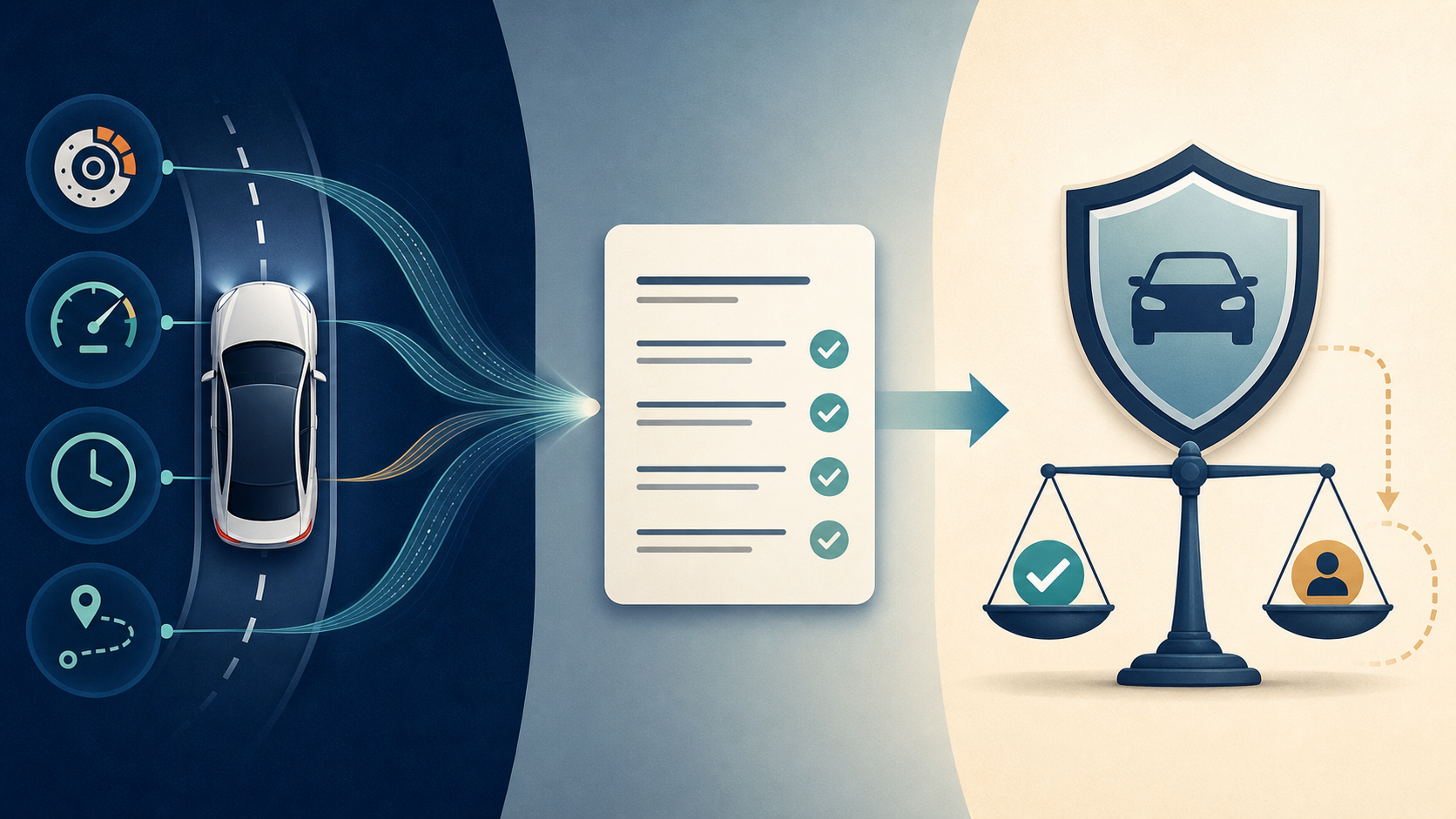
Driving data is not one universal file. Depending on the vehicle and selected services, the record may include a VIN or other identifier, odometer reading, battery or fuel status, charging history, tire or maintenance alerts, diagnostic codes, software version, speed, acceleration, braking, trip duration, distance, and location. Some of that information is necessary to provide a requested feature. Other collection may support optional analytics, product improvement, personalization, a driving program, or another stated use.
A single value can look harmless. A timeline can be more revealing. One location point may show a parking lot. Repeated routes can suggest a home, workplace, school, clinic, place of worship, regular charging stop, or daily period when the house is likely empty. A sequence of speed, time, distance, and braking events can describe driving behavior rather than merely vehicle condition.
Ford provides one useful product-specific example in its current U.S. privacy notice. The notice describes categories that can include vehicle data, driving data, vehicle location, audio or visual information, and media analytics, with actual collection depending on equipment, software, services, and settings. That is not a description of every Ford vehicle, much less every brand. It demonstrates why the right question is not "What do cars collect?" but "What does this vehicle, with this account and these enabled services, collect now?"
Information from the phone and account
The car app can create a second information stream. The account may contain a name, email address, phone number, recovery method, saved payment details, service history, associated VIN, preferred dealer, devices, sessions, and app activity. The phone may provide location, Bluetooth or nearby-device access, notifications, contacts, messages, calendar entries, microphone access, or media information when a feature needs and receives permission.
These categories should not be treated as one permission bundle. A driver who wants music may not need to share contacts. A driver who wants navigation may need location during a trip but not continuous background access from every car-related app. Someone who uses remote charging may need the manufacturer account but not an optional driver-score program.
Automotive security is also broader than the app password. NHTSA defines automotive cybersecurity as protecting electronic systems, communication networks, control algorithms, software, users, and underlying data from attack, damage, unauthorized access, or manipulation. Privacy asks whether a data use is necessary and expected. Security asks whether an unauthorized person can reach the account, information, or control. A sensible review addresses both.
New conclusions created from the data
Raw data can be turned into a new assessment. A service may produce a driving score, route prediction, maintenance forecast, charging recommendation, personalized destination, safety summary, or in-car assistant response. The conclusion is a derived assessment because it says what a system thinks the underlying record means.
Derived data can also outlive the setting that created it. Turning off a future driving score does not necessarily remove old scores. Disconnecting an insurer or third-party app may stop new access without deleting information already received. Disabling conversation history may affect future storage without erasing older activity. When a service offers export, deletion, or privacy-request tools, look for both the original events and the profile, score, history, or inference created from them.
The Same Drive Can Cross Several Privacy Boundaries
Vehicle and embedded connectivity
Many connected vehicles contain a factory-installed modem or another connectivity device. It can communicate independently of the driver's phone. That connection may support diagnostics, emergency response, theft recovery, remote commands, navigation, charging, roadside help, subscriptions, software updates, or other services.
This is why turning off location for a phone app may not stop vehicle location collection. The phone permission controls the phone's contribution. A separate in-vehicle setting, manufacturer account choice, service enrollment, or provider request may govern the embedded connection. The exact control may appear under privacy, connectivity, data sharing, connected services, vehicle location, modem, or another product-specific name.
Do not switch off a broad connectivity control just because it sounds comprehensive. First check which features depend on it. A single toggle could affect a convenience you do not need, but it could also affect a useful emergency, safety, theft, charging, recall, or update function. Record the current setting, read the explanation on screen, and verify it against the manual.
Manufacturer app and cloud account
The manufacturer app may allow a user to find the vehicle, check its status, lock or unlock it, start it, control charging, manage a digital key, schedule service, or receive alerts. Those powers make the account worth protecting even if the driver opens the app only occasionally.
Review every user, driver, guest, digital key, device, active session, and associated vehicle that the account displays. Remove old phones and people who no longer need access. Check whether the account owner differs from the person who normally drives the vehicle. Verify the recovery email and phone number so an old address, former employer, or shared number cannot become an unexpected route back into the account.
The broader habit is to follow information across identities and accounts, not merely across screens. The Privacy & Identity Protection hub can help you map what is stored, who controls it, and which request or setting applies at each layer.
Phone projection and signed-in dashboard services
Android Auto and CarPlay generally extend phone functions into the vehicle display. A manufacturer companion app connects an account to the car. A vehicle with Google built-in can let a user sign directly into services on the dashboard. These are related experiences, but they are not the same privacy system.
Google says its device-connection services may use permissions including location, phone, nearby devices, contacts, SMS, and microphone to support functions such as Android Auto in its Android device-connections guidance. Review those permissions on the phone and keep only the categories needed for the functions you use.
For compatible vehicles with Google built in, account and activity controls also live in the car. Google's current in-car privacy guide explains that a signed-in account can save app activity or voice recordings and that Gemini can use shared conversations, vehicle location, navigation route, and connected-app data for supported requests. The same guide explains how to change activity controls, remove a Google account, delete a profile, manage connected apps, and erase infotainment data. Compatibility, Gemini availability and settings vary by manufacturer, language, region and data plan.
iPhone users can review which apps requested categories such as location, contacts, calendars, Bluetooth, microphone, and other information in Apple's Privacy & Security guidance. Apple also documents a phone-side "Forget This Car" action in its CarPlay support instructions. Forgetting the car on the phone can remove that CarPlay relationship. It does not prove that the vehicle deleted its own profile, paired-device record, downloaded contacts, navigation destinations, manufacturer account, or embedded connection.
Third-party services
A connected-car system can also link to an insurer, fleet or employer program, charging network, parking provider, roadside service, dealer, home automation account, media service, toll account, or downloaded dashboard app. Each recipient can have its own account, retention period, privacy policy, security controls, and deletion process.
Make an inventory before disconnecting anything. Note which service receives vehicle data, driving data, location, charging history, or account information and what benefit it provides. If the value is gone, revoke future access. Then visit the recipient service to find out whether it kept a copy and how to export, correct, or delete it. Removing a connection from the car does not automatically send a deletion command to every recipient.
What Recent Enforcement Tells Drivers
A friendly feature name does not define every data use
The most important recent U.S. example is specific to General Motors and OnStar. In January 2026, the FTC finalized an order resolving allegations that the companies collected, used, and sold precise geolocation and driving behavior information from millions of vehicles without adequate notice and affirmative consent.
The order imposes a five-year ban on disclosure of covered geolocation and driver behavior data to consumer reporting agencies. During its 20-year term, it also requires measures involving consent, access, deletion, location collection, and opt-out choices, with defined exceptions. The case does not establish that every automaker followed the same practices. It does show why a driver should read beyond a feature name such as "smart driver," "safe driving," or "connected services" and ask what data leaves the vehicle, who receives it, and what decision the recipient can make.
Privacy choices must be understandable and usable
California enforcement adds a second lesson. In 2025, the California Privacy Protection Agency announced a Honda settlement arising from its review of connected-vehicle manufacturers. The agency alleged that Honda requested excessive information for certain privacy requests, did not present privacy choices symmetrically, and made authorized-agent requests difficult. The decision required business-practice changes and a $632,500 payment.
For California residents dealing with a covered business, the agency's consumer privacy FAQ explains rights to know, delete, correct, opt out of sale or sharing, limit certain uses of sensitive personal information, and receive equal treatment, subject to the law's scope and exceptions. It identifies precise geolocation as sensitive personal information. Other states have different laws, definitions, coverage, and procedures. Use the privacy-request method named in the automaker or service's current notice, and check your state privacy regulator when the process is unclear.
A request form that asks for information should explain why that verification is necessary. Save the confirmation, request number, response, and date. If a company rejects the request, keep its reason. That record makes it easier to follow up with the company or an appropriate regulator.
Driving data may appear in a specialty consumer report
Driving data can also enter a consumer-reporting process. The CFPB's 2025 consumer reporting company list identifies Connected Analytic Services as a company whose self-description says it reports telematics-derived driving behavior to insurers, including braking and acceleration patterns, speed, time of drive, and distance. The entry says a consumer can request an annual driving report after ownership is verified if the company has data for the vehicle.
The CFPB says its list is not all-inclusive, incorporates company self-descriptions that the bureau has not independently verified, and does not decide whether every listed entity is subject to a particular law. Treat it as a practical directory, not proof that a particular insurer or automaker uses a particular report.
If an insurer notice, rate change, or adverse decision names a consumer-reporting company, request the report and check it for the right vehicle, driver, dates, and events. Dispute inaccurate or incomplete information with the reporting company and the company that supplied it. Do not assume a driving score is accurate merely because it looks precise. A phone can be in a passenger's possession, a vehicle can be shared, and a hard braking event can have context that a score does not show.
Privacy Settings Worth Reviewing
The enforcement examples show why a privacy review must follow the driving data rather than trust a feature label. The next task is to identify the controls that apply to your particular car, phone, account, and connected services.
1. Vehicle connectivity and data sharing
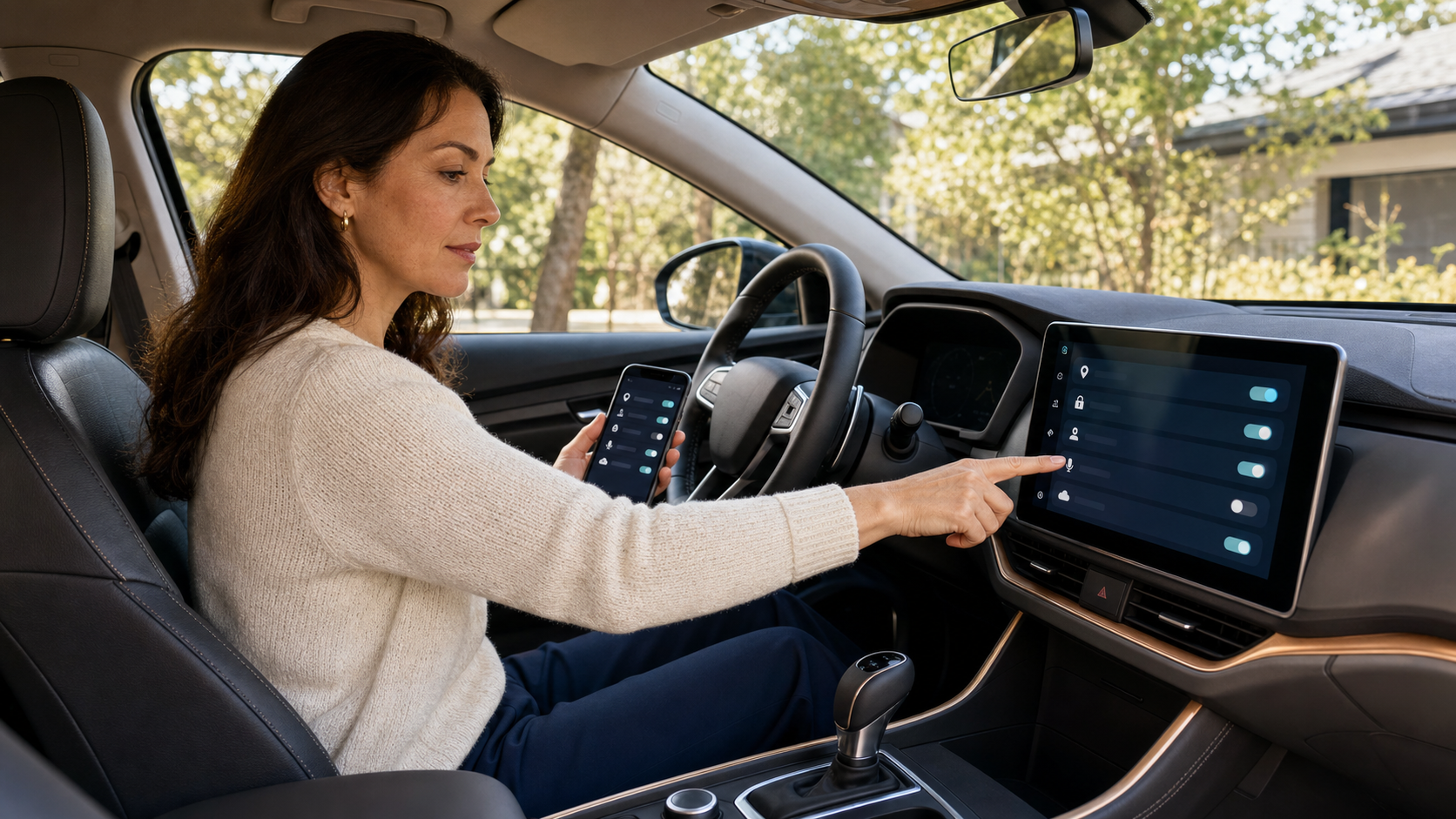
Park the vehicle in a safe place and open the privacy, connectivity, connected-services, or data-sharing menu. Look for separate choices involving vehicle condition, diagnostics, driving data, location, voice, media analytics, product improvement, personalization, insurance, or research.
Write down the current choices before changing them. A photo can help, but avoid capturing an account number, home address, or other sensitive screen if the picture will be stored in a shared photo library. Note any setting that is locked, controlled by the primary account, or dependent on a subscription.
Ask four questions for each choice:
- Which feature needs this information?
- Is the collection required, optional, or required only for one service?
- Does the setting control the phone, the car, the manufacturer account, or a third party?
- What stops working if it is turned off?
The answer may justify keeping the feature. Privacy is not improved by disabling a safety tool you value without understanding the tradeoff. The point is to make the exchange deliberate.
2. Location and trip history
Review location in more than one place. Check the vehicle's location-sharing setting, the manufacturer app's phone permission, the account's locator or trip-history feature, signed-in navigation history, shared destinations, and any insurer, charging, parking, or family-location service.
Decide whether each feature needs precise location, approximate location, access only while the app is in use, or background access. A parked-car locator or remote roadside feature may need location access or embedded connectivity that a service reminder does not. An in-car navigation function may use the vehicle's own location even when the phone app has no location permission.
Review stored home, work, favorite, and recent destinations. Old trips can be more revealing than a current default. If a system offers deletion by trip, date, or full history, choose the smallest action that meets your goal. Export records first when mileage, charging, reimbursement, warranty, or tax documentation is still needed.
3. Remote commands, digital keys, users, and sessions
Remote lock, unlock, start, charging, horn, climate, locator, and digital-key controls can affect both privacy and physical access. Review the people and devices authorized to use them. Remove expired guest keys, prior phones, former employees, prior owners, service access, and household members who no longer need control.
Protect the primary account with a unique password or passkey and the strongest multifactor option the service offers. CISA's archived Secure Our World guidance sets out strong unique passwords, a password manager, multifactor authentication, phishing awareness and prompt updates. For help choosing among login methods, use Passwords, Passkeys, and 2FA Explained.
Check recovery details and active sessions. An account can be secured with a new password and still remain exposed through a former user's session, an old recovery address, a shared email account, or an active digital key. If the app provides security notices, turn them on and treat unexpected pairing, access, or command alerts as something to investigate.
4. Contacts, messages, microphone, calendar, and Bluetooth
Review the car and phone sides of every pairing. In the vehicle, look for imported contacts, call history, message access, calendar data, notification previews, saved devices, voice profiles, and automatic message reading. On the phone, review the permissions granted to the manufacturer app, Android Auto, CarPlay-related functions, Bluetooth, and other driving apps.
Keep the access that supports a feature you actually use. If the goal is audio, contacts and messages may be unnecessary. If the goal is hands-free calls, calendar access may be unrelated. If a passenger regularly uses the car, consider whether message previews or automatically announced notifications could expose private communications.
Delete old Bluetooth pairings from the vehicle and forget the vehicle on phones that no longer use it. Completing only one side can leave a stale entry or automatic reconnection path on the other.
5. Advertising, analytics, voice history, and in-car AI
Operational data, optional analytics, advertising choices, product improvement, research participation, voice history, and AI personalization should be separate decisions whenever the product provides separate controls. A feature that predicts a destination or answers a question may use route, location, account history, conversation content, or connected-app data to provide the result.
Ask whether the history is stored on the car, phone, cloud account, or all three. Check whether turning off future activity also deletes past activity. Review which third-party apps an assistant can reach. Disconnect an app when the assistant no longer needs its messages, media, calendar, or other account data.
Do not enter a home alarm code, financial account detail, medical secret, workplace credential, or another person's sensitive information into an in-car assistant merely because the interface feels private. Passengers may hear the response, account history may sync elsewhere, and a connected service may apply its own retention rules.
6. Insurer, dealer, charging, fleet, and other connections
Open the connected-services or authorized-app list and name every recipient. Common categories can include an insurer program, employer or fleet portal, dealer service, roadside provider, charging network, parking account, toll service, home automation system, media provider, and downloaded dashboard app.
For each connection, write down the purpose, data categories, retention period if stated, and how to leave. Ask an insurer or employer whether it receives individual trips or only a score, whether participation is optional, what benefit or penalty applies, and whether older driving data is deleted when participation ends.
Revoking access is only the first half of cleanup. Visit the recipient's account to find its export, deletion, and closure tools. If the recipient has no self-service option, use the contact or privacy-request method in its current notice. Save responses involving insurance, employment, reimbursement, or another decision that may need to be challenged later.
7. Software, safety, and emergency tradeoffs
Keep the car, infotainment system, phone, and companion app updated. Updates can repair security flaws, but the software may also add features or change data flows. Read major update notices and revisit privacy choices after a new assistant, navigation service, digital-key feature, insurer program, or account integration appears.
Be careful with broad settings. Disabling a modem, location service, or connected account can affect emergency calls, crash response, stolen-vehicle help, remote charging, route planning, traffic, roadside assistance, recalls, or over-the-air updates depending on the product. If the effect is unclear, check the manual or ask the manufacturer's support team to identify the narrowest control for the optional collection you want to stop.
A Connected-Car Privacy Reset
Step 1: Map accounts and devices
Start with a one-page inventory. List the manufacturer account, companion app, in-car profiles, paired phones, digital keys, connected services, subscriptions, insurer or fleet programs, and household users. Note the primary account holder and who can perform remote commands.
Do not forget services that appear unrelated to the car app. A charging-network account, toll service, satellite subscription, parking app, dealership portal, home garage integration, or phone navigation account may store vehicle or location information.
Step 2: Secure the primary account
Replace a reused password with a unique credential. Enable multifactor authentication or a passkey when available. Verify the recovery email, recovery phone, security questions, and trusted devices. Sign out old sessions and remove devices you no longer recognize or possess.
Review recent notices for password resets, new pairings, digital keys, location requests, or remote commands. If something is unfamiliar, preserve a screenshot before removing it. Use the official app or a bookmark you trust rather than a link in an unexpected message.
Step 3: Review the vehicle while parked
Open settings for privacy, connectivity, location, data sharing, connected services, app permissions, profiles, keys, and paired devices. Record the starting state. Remove obsolete profiles and devices. Change optional choices only after reading what depends on them.
Check whether the screen identifies an account, phone, or user you do not recognize. If the car was purchased used, confirm that a former owner does not remain associated with remote functions. If a setting is unavailable because another person controls the primary account, contact the manufacturer through an official channel.
Step 4: Review the phone and app
On the phone, inspect location, Bluetooth, nearby-device, contacts, messages, calendar, microphone, notifications, background activity, and motion permissions for car-related services. Use "while using" or another narrower choice where it supports the feature and the operating system offers it.
Review the app's privacy center, data-sharing choices, authorized users, associated vehicles, digital keys, and connected services. Remove old cars from Android Auto or CarPlay lists. Remember that this phone-side cleanup does not replace an in-car reset or cloud-account change.
Step 5: Remove stale recipients and old copies
Disconnect services you no longer use. Then visit each recipient to review its stored information. Export mileage, charging, service, warranty, reimbursement, tax, or dispute records that still matter. Request deletion or close the account when that matches your goal.
If a service says information must be retained, ask what category, legal or operational reason, and retention period applies. Deletion rights and exceptions vary. Keep the response with the original request.
Step 6: Save a small maintenance routine
Repeat the review after a major software update, new phone, new driver, new digital key, insurer enrollment, lease change, household separation, vehicle transfer, privacy notice or data incident. Use a reminder suited to how often the vehicle and its access change, so cleanup does not wait until the day of a sale.
The reset is complete when you can answer three questions: Who can control the car remotely? Which services receive driving data now? What exact steps will remove the vehicle from your accounts when you no longer have it?
Shared Cars, Rentals, Trade-Ins, and Resale Need Extra Steps
The regular reset covers a vehicle you still control. A shared or transferring vehicle adds another question: what will remain available to the next driver, former owner, rental company, or old account after your access changes?
Shared household or work vehicle
Use separate profiles when the vehicle supports them. Tell other drivers which connectivity and driving data settings apply, especially when one person's account controls remote access or an employer, insurer, or fleet program receives information.
Avoid sharing a single password. Give each authorized user an individual role, digital key, or guest permission when the product supports it. Individual access is easier to revoke and makes an unfamiliar action easier to investigate.
Rental or car-share vehicle
A rental infotainment system may keep personal information after the vehicle is returned. The FTC's rental-car guidance recommends limiting permissions, avoiding a data-capable USB connection when charging is the only goal, and deleting the paired device from the car before return.
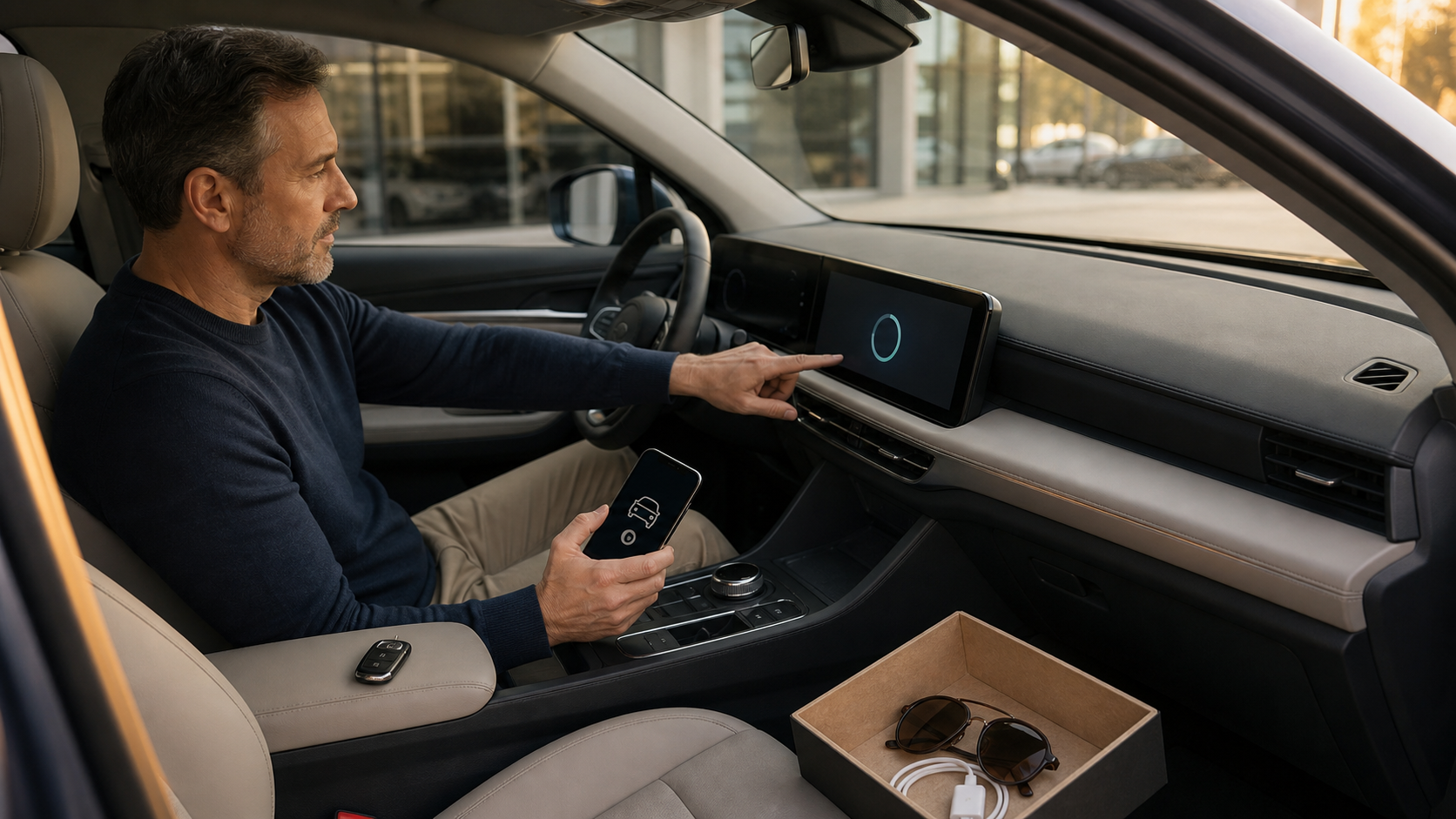
If you connect, decline categories the trip does not need. Before return, delete your phone from the vehicle, forget the vehicle on the phone, remove destinations, sign out of downloaded apps, delete any temporary profile, and check that contacts or call history are gone. A cigarette-lighter or power-only charging adapter can avoid a data connection when the car supports it and you only need power.
Sale, trade-in, lease return, or used-car purchase
The FTC's vehicle-transfer cleanup guidance identifies contacts, mobile-app login information or data stored by apps, stored media, navigation addresses and routes, and garage-door codes as information to remove. It also warns that a factory reset may not cancel subscriptions such as satellite radio, hotspots, or data services.
Before giving up the vehicle:
- Export records you still need.
- Remove shared users, guest access, and digital keys.
- Sign out of accounts on the dashboard.
- Delete profiles, paired phones, contacts, messages, destinations, and saved networks.
- Use the manufacturer's documented factory or master reset.
- Remove the VIN from the manufacturer app or online garage.
- Cancel or transfer hotspot, satellite, charging, toll, parking, and data subscriptions.
- Forget the vehicle on every phone that used it.
- Confirm the vehicle no longer appears in your remote-access account.
Account removal can also depend on the hardware. Ford's privacy notice says a factory reset disconnects modem-equipped vehicles from Ford or Lincoln accounts. A vehicle using a separate Connectivity Device needs VIN removal, and garage removal must cover all associated accounts. That is a Ford-specific distinction, not a promise that every brand's reset closes every account. Confirm the vehicle and account results rather than relying only on the reset message.
After buying a used vehicle, perform the corresponding check in reverse. Confirm that the former owner is gone, reset the system using the correct procedure, create your own profile, pair only your devices, and verify every remote-access account and digital key.
If Driving Data Was Shared Unexpectedly or Someone Still Has Remote Access
Preserve evidence before changing everything
When safe, save account alerts, screenshots, insurer notices, privacy choices, request confirmations, user lists, unfamiliar trips, new digital keys and remote-command history. Record the date, vehicle, app, account, and recipient involved. If an unexpected setting is visible in the car, photograph it while parked.
Preservation matters because a password reset or factory reset may remove sessions, logs, messages or settings that help explain what happened. Immediate safety takes priority over collecting a complete record. Save only what you need and store it somewhere the suspected unauthorized user cannot access.
Contain ordinary account compromise
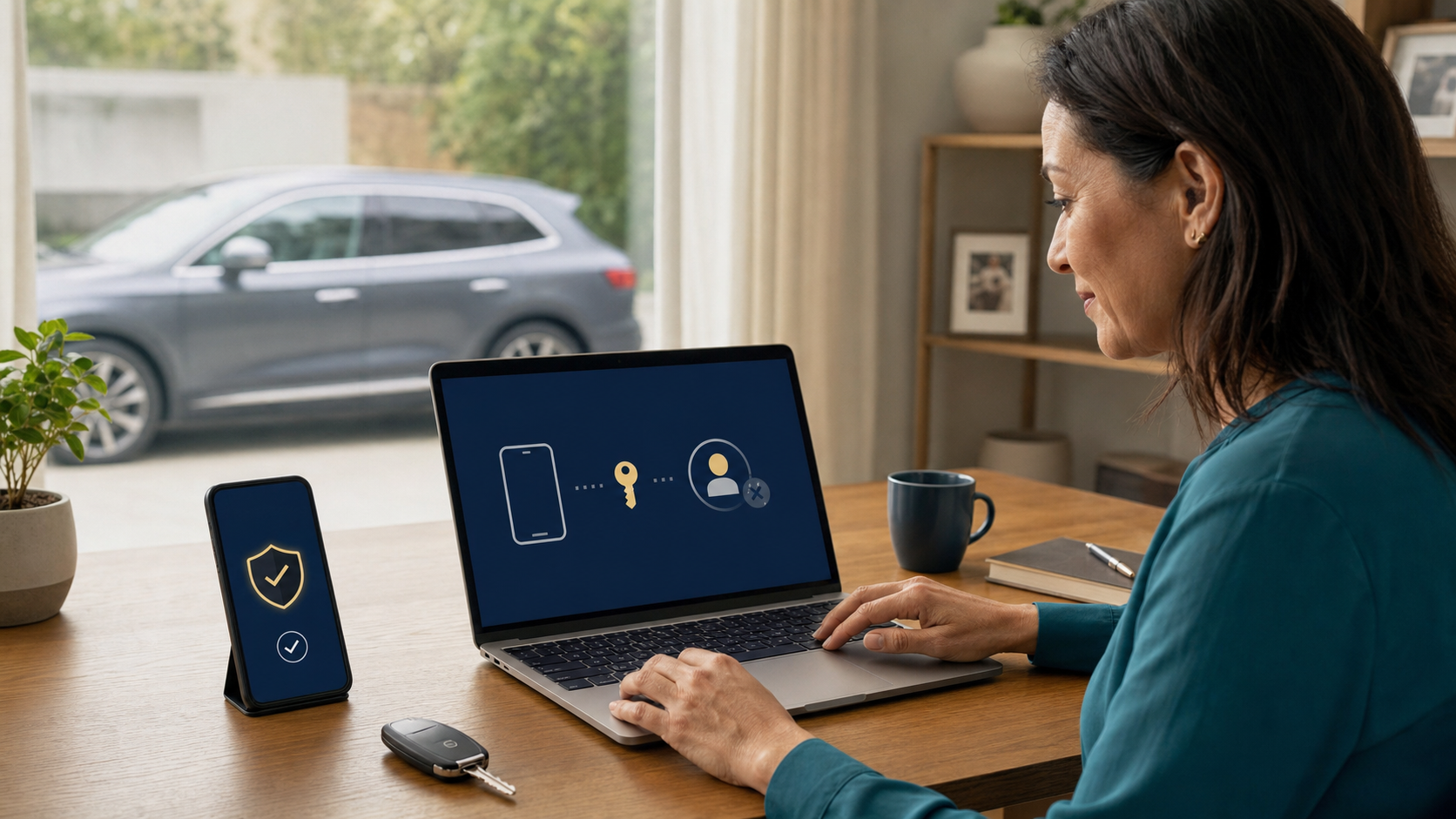
From a device you trust, change the account password and recovery methods, enable multifactor authentication, sign out other sessions, and remove unfamiliar phones, users, digital keys, and connected apps. Secure the email account used for recovery. Contact the manufacturer through the official app, website, manual, or phone number.
Check the vehicle while parked. Review profiles, keys, pairings, connectivity, location sharing, and account association. If the vehicle was sold or is no longer accessible, ask the provider how to remove it from the cloud account and terminate remote access without the in-car reset.
Treat stalking or coercive remote access as a safety problem
Remote access can become a personal-safety issue when another person uses location, locks, climate, charging, horn, camera, or other controls to monitor or intimidate a driver. Do not assume that silently changing a setting is safe. Another account holder may receive a notification, notice the loss of access, or react to a password change.
California has a jurisdiction-specific formal request process, separate from later in-car control deadlines. Its amended connected-vehicle access law, SB 719, was signed on June 30, 2026. The law retains the provider website path labeled "HOW TO DISCONNECT REMOTE VEHICLE ACCESS." Use the official process rather than assuming a privacy-menu toggle exercises the statutory request.
The current process is to end another person's covered remote access. It is not a demand to stop manufacturer telemetry or erase every stored copy of driving data. The definitions cover manufacturer-provided services, or services provided on the manufacturer's behalf, through which an external person can obtain location or send data or commands. Manufacturer and cellular-provider access are excluded from these service definitions. Covered vehicles have a manufacturer maximum gross vehicle weight rating below 6,001 pounds; rental-company vehicles are excluded. This California law is not a nationwide guarantee.
A qualifying request supplies the VIN and specified proof of legal possession. That proof can be a title or a qualifying dissolution decree, temporary court order or domestic-violence restraining order awarding possession or exclusive use. A qualifying sole or exclusive possession order takes priority over joint title. The request does not universally require a restraining order or separate proof of abuse. The provider must terminate covered access within two business days after receiving a completed qualifying request, without an extra fee, extension, rate increase or the other account holder's approval. Do not measure that period from an incomplete initial inquiry.
The in-car ability to disable location is phased separately:
| Vehicle model year | Current location-control phase |
|---|---|
| 2031 or later | Required for covered vehicles; the location-enabled indication begins with model year 2031. |
| 2028–2030 | As soon as practicable after sale, unless technologically infeasible. |
| 2027 or earlier | On or before July 1, 2027, unless technologically infeasible. |
Those later control dates do not postpone the current formal access-termination process. Check the vehicle, provider and request requirements rather than assuming every dashboard already has the future control. Keep physical keys, transportation and the possibility of account notifications in the safety plan.
If danger is immediate, prioritize emergency help in your location. Otherwise, use a safe device and location to contact qualified local support and the provider's official disconnection process. Consider transportation, account notifications, shared ownership, and physical keys as part of the safety plan rather than treating the app as the only access route.
Follow the data to the recipient
Ask the company what driving data was collected, when collection began, why it was used, who received it, and how to request access, correction, or deletion. If a consumer report or insurance decision is involved, obtain the report named in the notice and dispute inaccurate information with both the reporting company and the source.
If account, identity, insurance, or payment information may have been misused, follow the broader Identity Theft Response Checklist to protect related records and accounts. When the facts indicate deceptive or unfair conduct, preserve the evidence and use the appropriate state or federal complaint process.
Conclusion
A connected car is not one device with one privacy switch. It is a chain that can include the vehicle, embedded connection, manufacturer account, car app, phone permissions, dashboard profile, digital keys, insurer or employer programs, and third-party services. Each link can provide real value. Each link can also create another permission, another user, or another copy of driving data.
Start with three actions. List everyone who can control the vehicle. Review location, driving history, and optional sharing at the car, phone, and account layers. Write down the reset and account-removal steps you will need before a rental return, sale, trade-in, or lease return.
The goal is not perfect secrecy or a dashboard with every useful feature disabled. It is a connected-car setup you can explain: the services you chose, the information they need, the people who have access, and the way to leave. Revisit that setup when the software, phone, driver, insurer, household, or ownership changes.
Want more calm, practical guidance for protecting your accounts, devices, and data? Subscribe to Quantum Cyber AI.
FAQ
Does turning off location on my phone stop my car from sharing location?
Not necessarily. The phone's location permission controls whether that app can use location from the phone under the selected conditions. The vehicle may have its own GPS, embedded modem, manufacturer account, locator feature, emergency service, or navigation history with separate controls.
Review location in the vehicle, manufacturer app, cloud account, phone operating system, and connected third-party services. Ask which feature needs precise location and whether a narrower option will work. Do not disable an emergency, theft-recovery, or safety function until you understand what changes.
Does deleting the car app delete my driving data?
Deleting or uninstalling the app usually removes the software from the phone. It does not prove the manufacturer account was closed, the vehicle stopped transmitting, the infotainment profile was erased, the VIN was removed from the account, subscriptions were canceled, or a recipient deleted its copy.
Use the service's account and privacy tools. Disconnect the vehicle, remove associated users and digital keys, review the in-car connectivity setting, export needed records, submit a deletion request when appropriate, and visit connected recipients separately.
Should I turn off all connected-car data sharing?
Not as a blanket rule. Some connectivity supports functions a driver may value, such as crash response, emergency calling, theft recovery, remote charging, roadside help, navigation, recalls, or updates. Other collection may be optional and tied to personalization, analytics, research, advertising, a driving score, or a service you do not use.
Make a feature-by-feature decision. Keep the function when its benefit is worth the necessary driving data. Limit optional access that does not earn its place. Use the exact manual and privacy notice for the vehicle because control names and consequences vary.
What should I delete before returning a rental car?
Delete the phone pairing, imported contacts, call history, messages, destinations, recent routes, saved networks, temporary profiles, and signed-in apps. Forget the rental vehicle on the phone as well. If you only need charging, avoid a data connection when a power-only option is available.
Before walking away, reopen the pairing and profile menus to verify that your phone, name, destinations, and accounts no longer appear.
Can another person still track or control a car after a breakup or ownership change?
Yes, if that person still has an active manufacturer-account session, shared login, digital key, app authorization, vehicle association, physical key, or another remote-access path. The precise possibilities depend on the vehicle and service.
Review users, sessions, keys, recovery methods, and account ownership. If the access may involve stalking, coercion, or abuse, treat the situation as a safety problem. A change may notify the other person or affect transportation. Use a safe device, preserve evidence, and follow the provider's official remote-access disconnection process and any applicable local protections.
Can driving data affect car insurance?
It can in some telematics and consumer-reporting contexts, but not every insurer, automaker, vehicle, or driver participates in the same system. A voluntary insurer app, plug-in device, manufacturer program, fleet service, or consumer report may use different data and rules.
Read the enrollment terms before joining. Ask what data is collected, whether individual trips or only a score are sent, how the result affects price, how to leave, and what happens to prior information. If an insurer bases a decision on a consumer report, use the notice to identify the reporting company, request the report, and dispute information that is inaccurate or incomplete.